A cash drawer is a physical till: the money box at reception, the one behind the pool bar, the one the night auditor works out of. This screen is the record of what should be in each of them and who put it there.
It exists because cash is the only kind of money in Prostay that can go missing without leaving a trace anywhere else. A card payment reconciles itself against the gateway. Notes and coins reconcile against a person counting them, and the value of this screen is entirely in how honestly that counting is done.
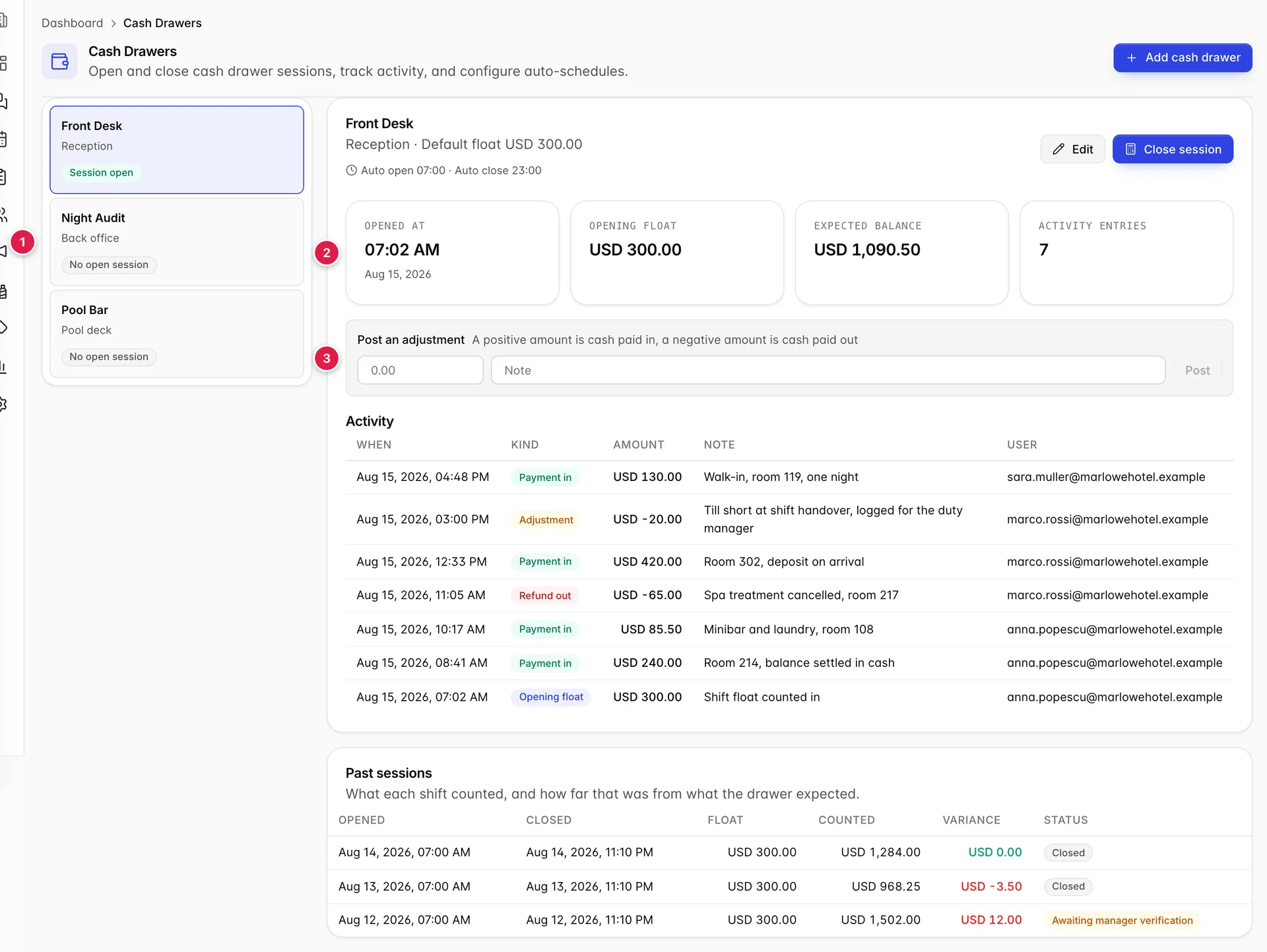
- The drawers you have. Choosing one changes everything to the right.
- The open session on that drawer, summarised.
- Where a correction gets posted.
What a drawer and a session are
The distinction matters and the screen assumes you already have it.
A drawer is the physical till. It is a permanent thing with a name, a location and a default float, and it exists whether or not anybody is using it today.
A session is one shift's use of that drawer. It opens when somebody counts the float in, collects every movement of cash while it is open, and closes when somebody counts what is actually in the box. A drawer can have at most one session open at a time, which is what makes the record meaningful: at any moment there is exactly one person responsible for the contents of each till.
Choosing a drawer
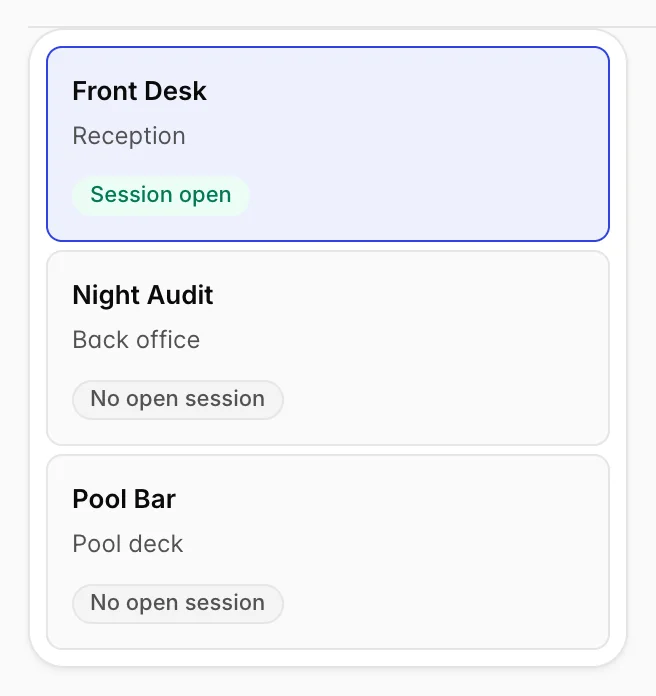
Each drawer shows its name, where it lives and whether it has a session open. That badge decides what you can do: a drawer with no open session offers Open session, a drawer with one offers Close session, and no drawer ever offers both.
Opening a session
- Select the drawer in the rail.
- Count the money physically in the till, before you touch the screen.
- Press Open session and enter that figure as the opening float. It is prefilled with the drawer's default, which is what the float is supposed to be. If what you counted differs, enter what you counted.
The expected balance, and how to check it

The expected balance is what should be in the drawer right now if nothing has gone wrong. It is not an estimate, and you can check it yourself:
opening float, plus cash in, less cash out, plus adjustments.
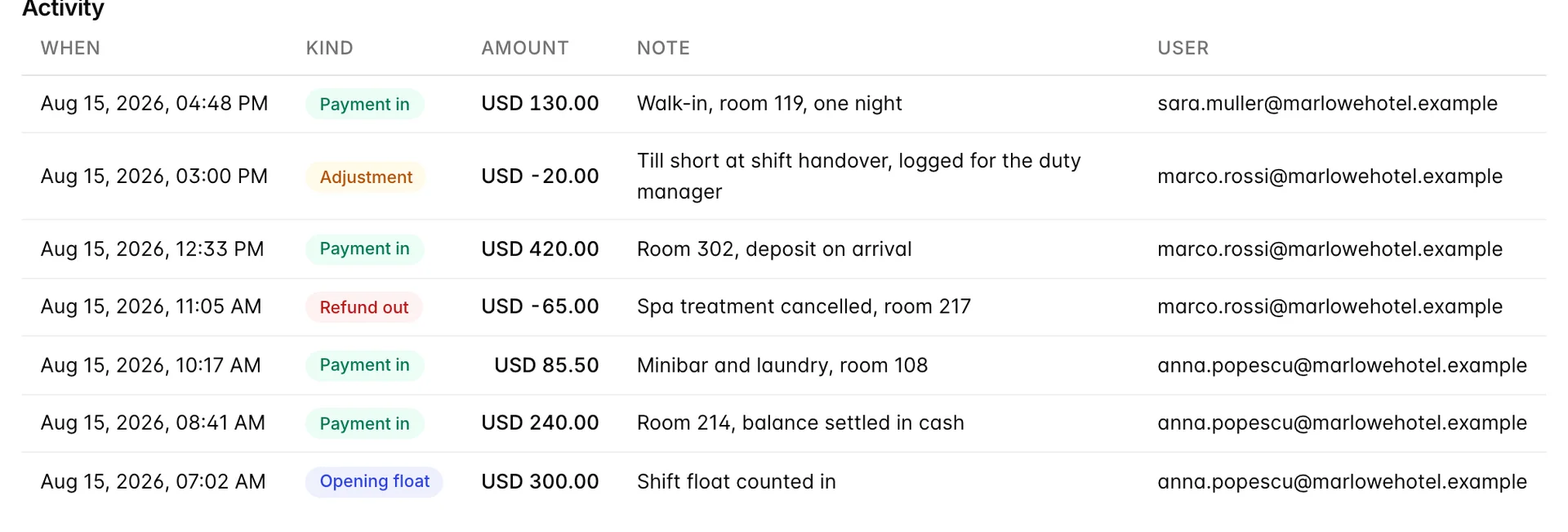
The activity table is that arithmetic written out, and the amount column is signed so that it adds up. Working up from the bottom of the figure above: 300.00 float, plus 240.00, plus 85.50, less 65.00 for the cancelled spa treatment, plus 420.00, less 20.00 for the adjustment, plus 130.00. That comes to 1,090.50, which is what the tile says.
The other three tiles are what they say. Opened at is when the shift counted in, Opening float is what they counted, and Activity entries counts every row in the table, the opening included.
Posting an adjustment

An adjustment records cash that moved for a reason the system did not otherwise see: a float topped up from the safe, a taxi paid for a guest, a shortfall found mid-shift and logged rather than hidden. Positive is money in, negative is money out.
Write a note every time. The amount tells the next person how much moved and the timestamp tells them when, but only the note tells them why, and an unexplained adjustment is indistinguishable from a covered shortfall when somebody reviews the shift a week later.
Closing and counting
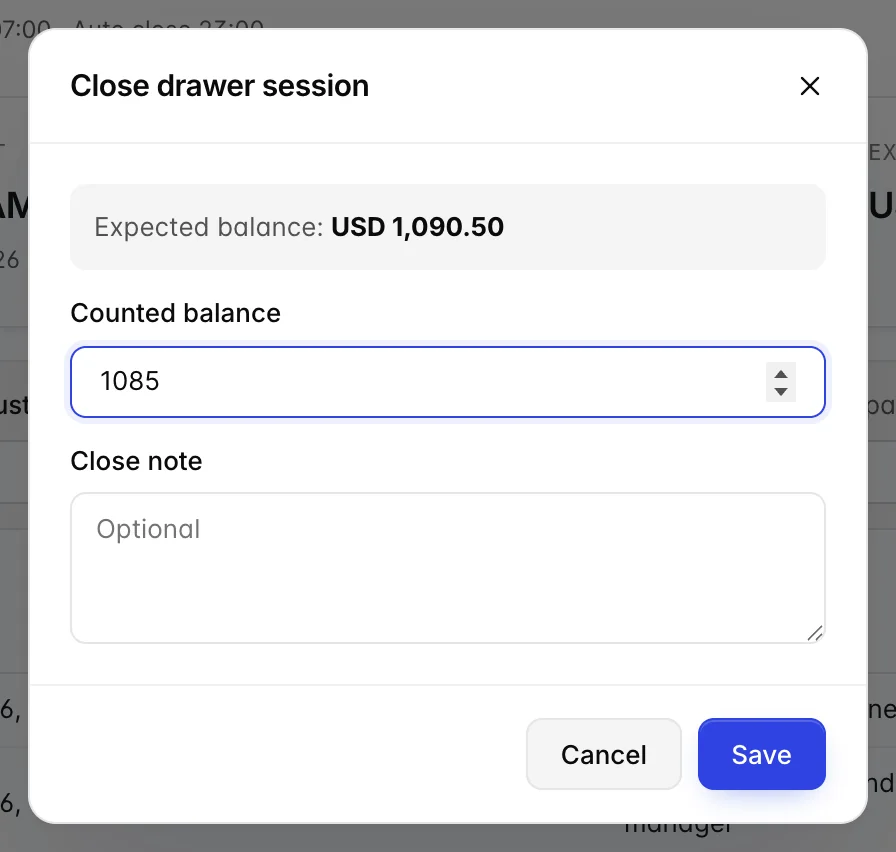
- Count the drawer. All of it, physically, before opening the dialog.
- Press Close session and enter what you counted in Counted balance.
- If it does not match the expected balance shown above the field, say why in the close note as far as you can. "Counted twice, still 5.50 short" is more use to the duty manager than an empty box.
- Save. The session closes and moves into past sessions.
Reading variance on past sessions
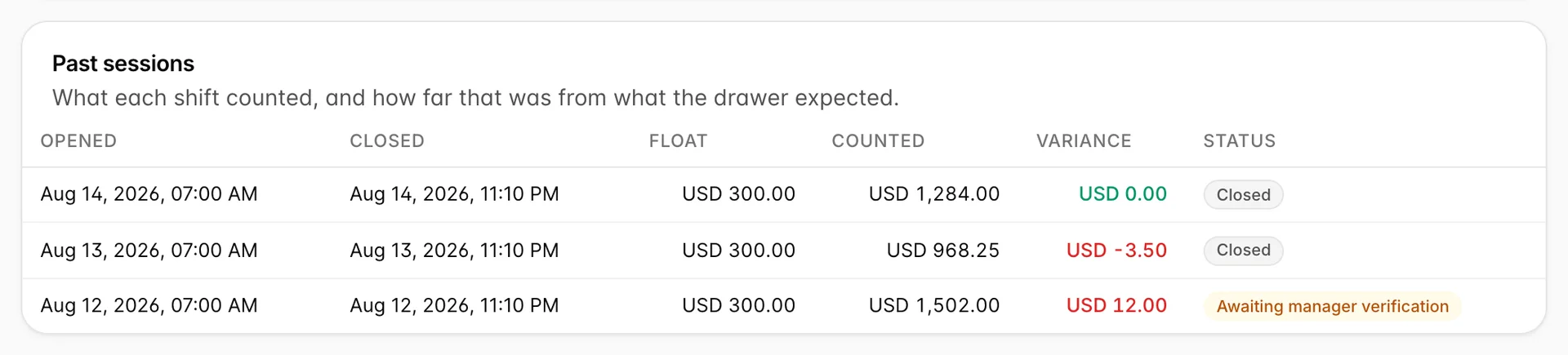
Variance is what was counted less what was expected, so a negative figure is a till that came up short and a positive one is a till with more in it than it should have. Both are worth looking at. An over is not good news; it usually means a payment went into the drawer without being recorded, or a refund was recorded that never physically left.
| Variance | What it means | Usual cause |
|---|---|---|
| Zero | The count and the arithmetic agree. | Nothing to do. Green in the table. |
| Negative, short | Less cash than there should be. | Change given wrong, a payment taken but not posted, or a genuine loss. |
| Positive, over | More cash than there should be. | A payment posted to the wrong drawer, or a refund recorded but not paid out. |
A session whose drawer is set to park pending counts closes into Awaiting manager verification rather than straight into Closed. That is a queue: it means the shift has ended but nobody with the authority to accept the variance has looked at it yet.
Opening and closing on a schedule
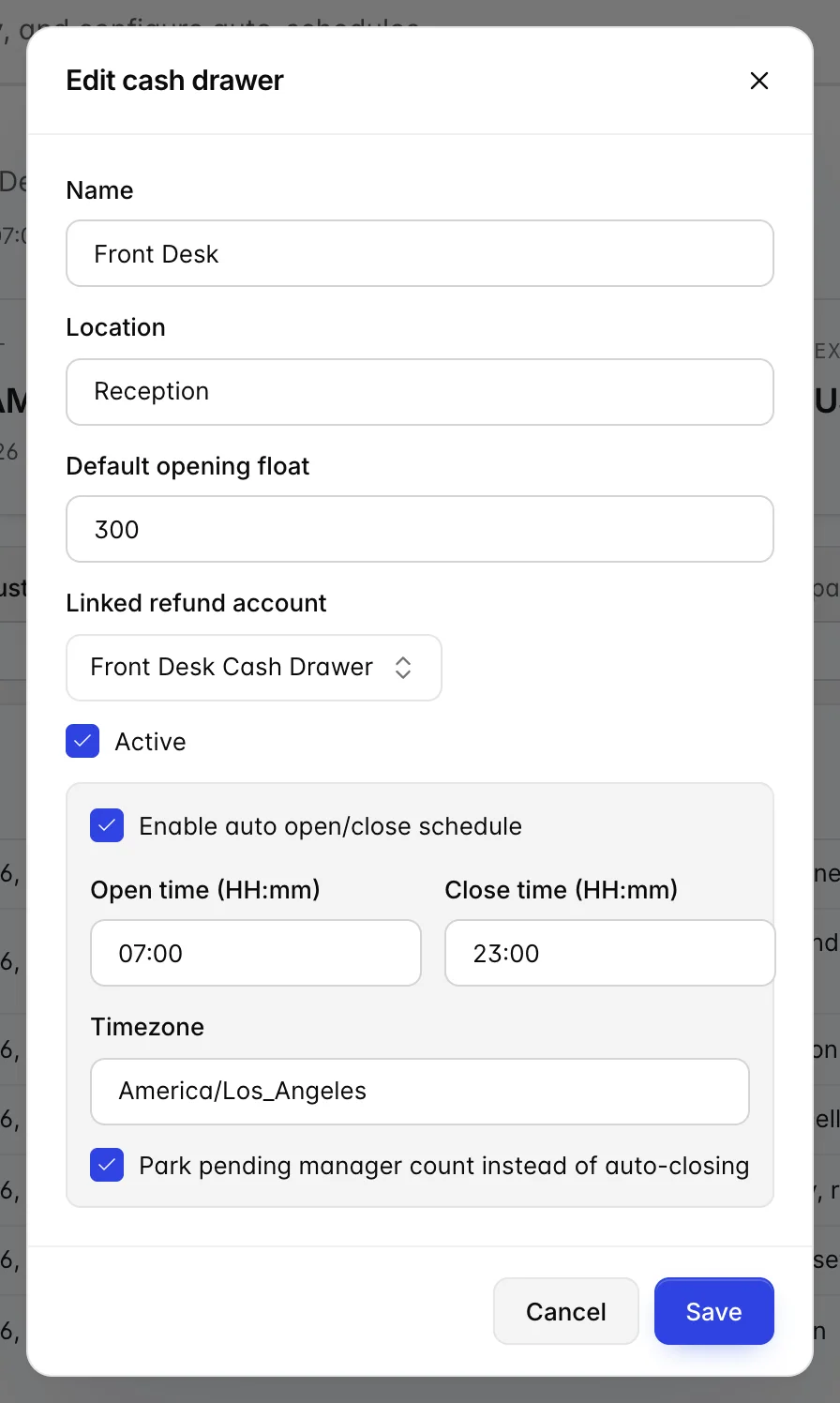
A drawer can open and close itself at fixed times, which suits a till that runs to a rota, like a pool bar that opens at seven and shuts at eleven. Set the times and the timezone in the drawer's settings.
The box worth understanding is Park pending manager count instead of auto-closing. With it ticked, the scheduled close ends the session but does not record a count, and the session waits for a person. With it clear, the schedule closes the session on its own, which means a count nobody made. Tick it for any drawer holding real money.
Who can do this
Cash drawers are not part of the access that comes with signing in. The cash drawer rights sit together in the permissions list, and an administrator grants them under Users, User Roles.
| Right | What it allows |
|---|---|
| View | Open the screen and read sessions and variances. |
| Create | Add a drawer and open a session on one. |
| Edit | Change a drawer, post an adjustment, and close a session. |
Without View you get a page naming the permission you are missing rather than an empty screen. If you have it and the page still looks wrong, sign out and back in; permissions are cached in the browser.
Where cash goes after it leaves this screen is covered in posting charges, payments and refunds, and the accounts a cash refund can be paid out of are set up in credits and refunds. To reconcile a day's takings against what the drawers counted, use the transaction report in finance reports.