The dashboard answers one question: what does this property need from you in the next few hours. It is not a reporting screen. Every figure on it is about today, tomorrow, or the fortnight ahead, and anything you want to look at over a longer horizon lives in Reports instead.
It is also the screen people misread most often, because two of its cards look almost identical and count completely different things. That distinction is in Things that catch people out at the bottom, and it is the part worth reading even if you skip everything else.
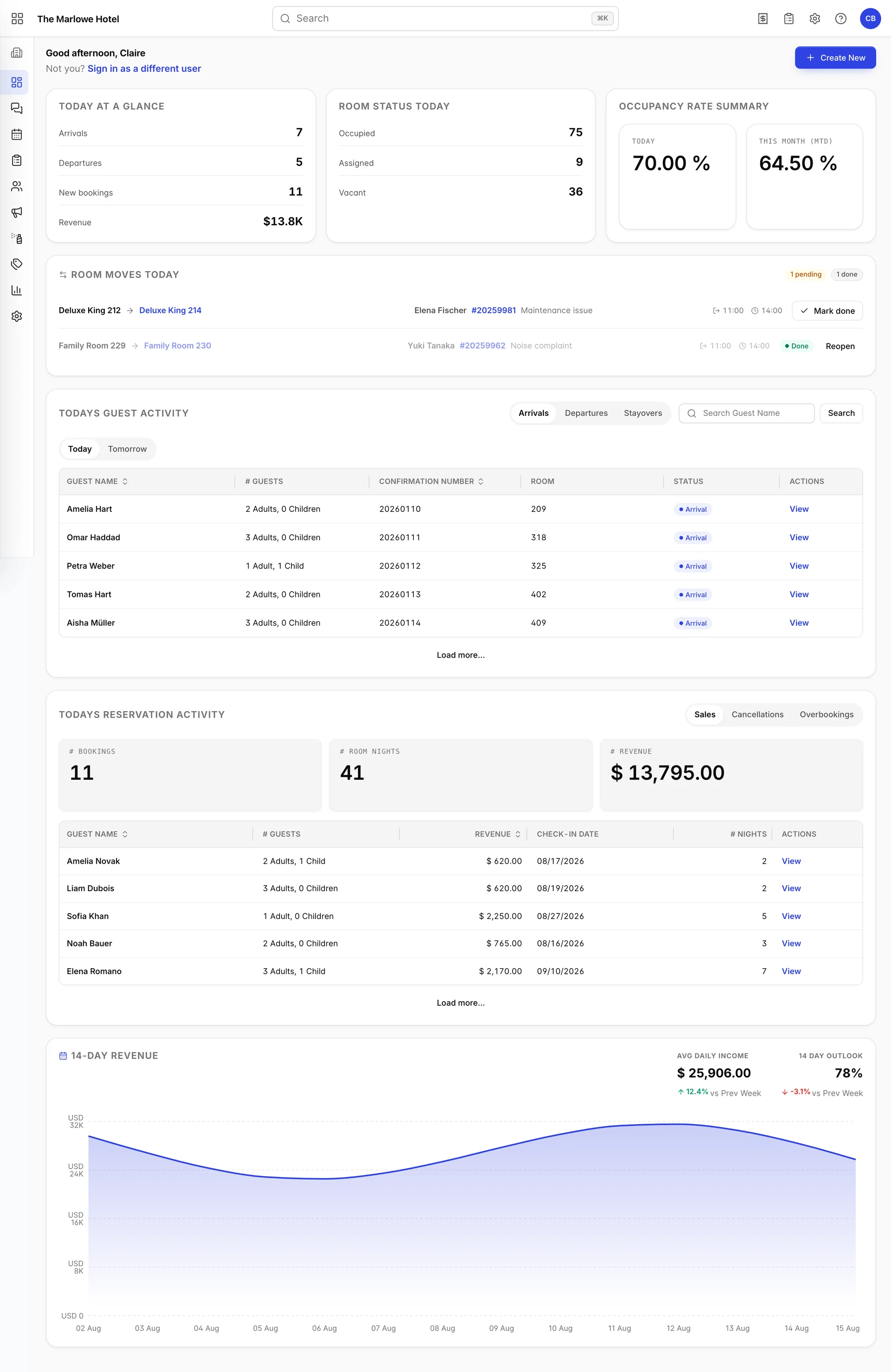
The top of the screen
The greeting changes with the clock on the computer you are sitting at, not with the property time zone: Good morning before noon, Good afternoon until 6pm, and Good evening after that. The name beside it is the first name on your user account.
Sign in as a different user underneath is a sign-out, worded gently. It asks you to confirm and then returns you to the login screen, so anything you have half-typed elsewhere is gone. On a shared front-desk machine this is the button you want at shift change, but do not click it to check something on a colleague's behalf.
The three summary cards
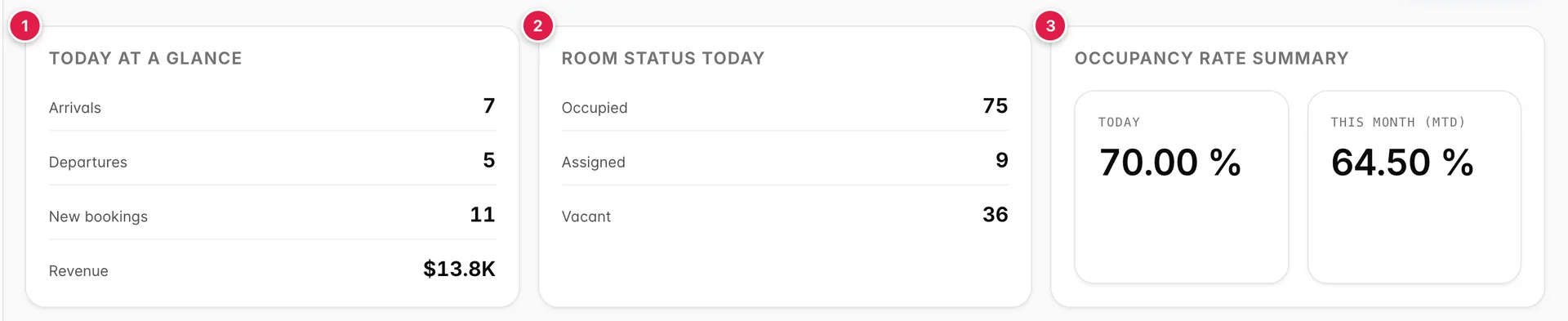
- Today at a glance: what is happening today.
- Room status today: where your rooms stand right now.
- Occupancy rate summary: how full you are, as a percentage.
Today at a glance
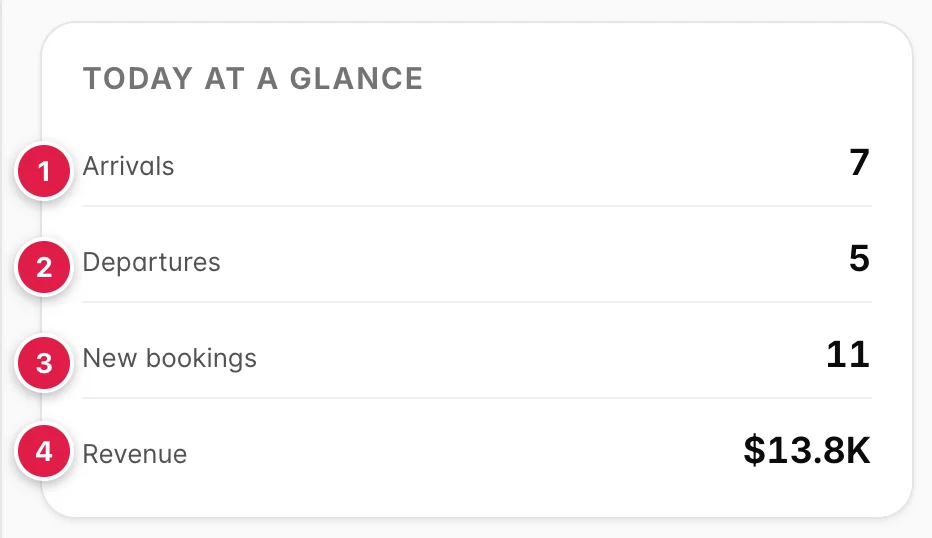
- Arrivals. Every reservation due to check in today, counted whether or not the guest has arrived yet. It does not go down as you check people in.
- Departures. Every reservation due to check out today, on the same basis.
- New bookings. Reservations created today, for any future date. A booking taken this morning for Christmas is in this number and in none of the others.
- Revenue. The total value of those new bookings, not the money the hotel takes today.
Revenue is abbreviated to fit the tile, so 13,795 dollars renders as $13.8K. Hover over it to see the exact figure in a tooltip. Large-denomination currencies scale the same way, into M and B where they need to.
Room status today
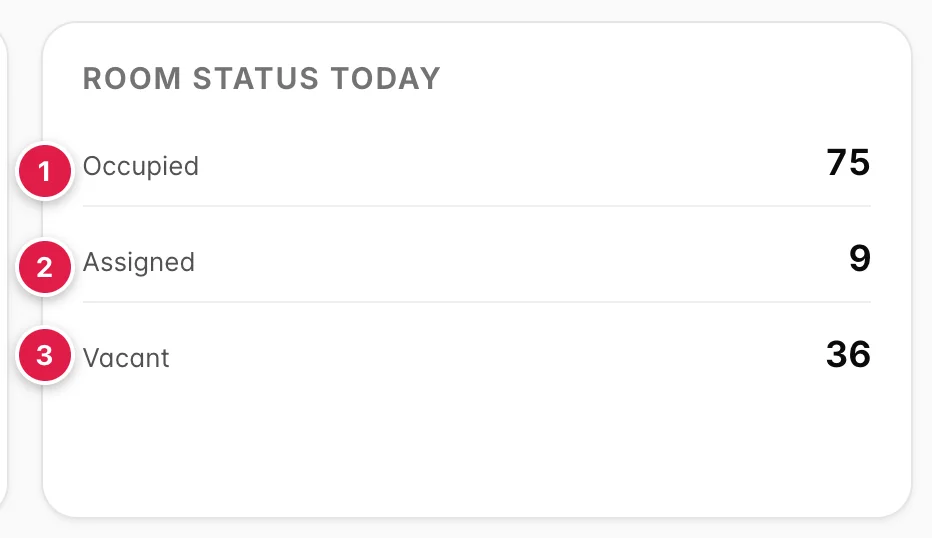
- Occupied. A guest is in the room now.
- Assigned. The room is spoken for by an arrival who has not checked in yet. Housekeeping needs these ready first.
- Vacant. Neither occupied nor promised to anyone arriving today, so it is sellable.
The card does not print your total room count, but the three figures always sum to it. In the screenshot above that is 75 plus 9 plus 36, for a property with 120 rooms. If they do not add up on your property, the cause is almost always accommodation units created or removed without the rest of the setup following, and it is worth fixing before you trust any occupancy figure.
Occupancy rate summary
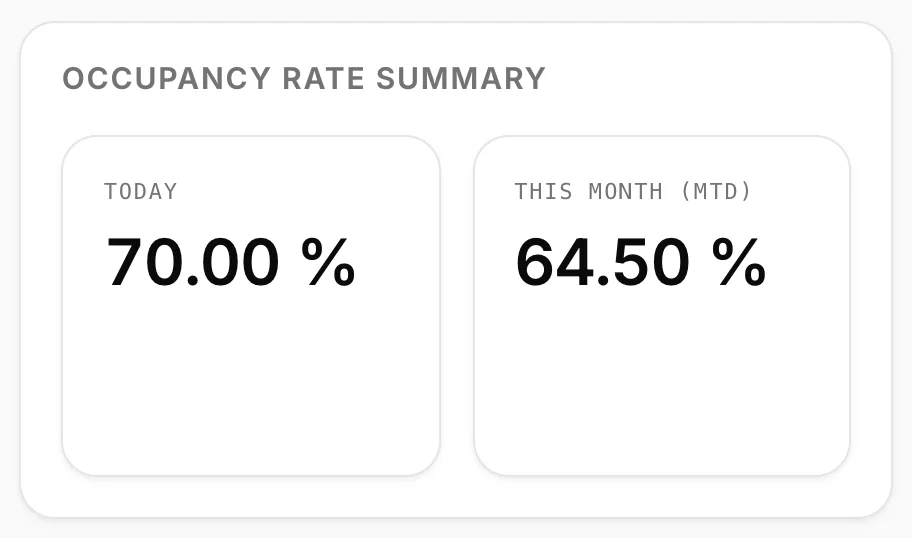
TODAY is the share of your rooms that are sold for tonight. It counts both occupied rooms and rooms assigned to arrivals who have not checked in yet, which is why it sits above the Occupied figure on the card to its left: 75 plus 9 of 120 rooms is 70.00 percent. THIS MONTH (MTD) is the same calculation averaged across every day of the month up to today, so it moves slowly and today's figure can sit well above or below it without anything being wrong.
Both are shown to two decimal places. Treat the second decimal as noise: on a 120-room property, one room is 0.83 percentage points, so nothing on this card can meaningfully change by less than that.
Room moves today
This panel is a work queue for guests who are changing room part way through their stay. It is the one part of the dashboard that disappears completely when there is nothing to do, so if you have never seen it, nobody at your property has had a scheduled move on a day you were looking.

- The route: the room the guest is leaving, then the room they are moving into.
- Mark done, which you press once the guest and their luggage are actually in the new room. A completed row turns into a Done badge with a Reopen button beside it, so a premature click is recoverable.
Between those two sits the guest name, a link to the reservation, and the reason for the move where one was recorded. The two times on the right are a window rather than an appointment: the first is when the guest should be out of the old room, the second is when the new room should be ready. Hover either one for a label saying which is which.
The badges in the panel header count the day. You get N pending in amber while work remains, plus a grey N done once some rows are complete, and the pair is replaced by a single green All done when the last row is closed.
Todays guest activity
This is the closest thing the dashboard has to a work list: the actual names behind the arrivals and departures counts above.
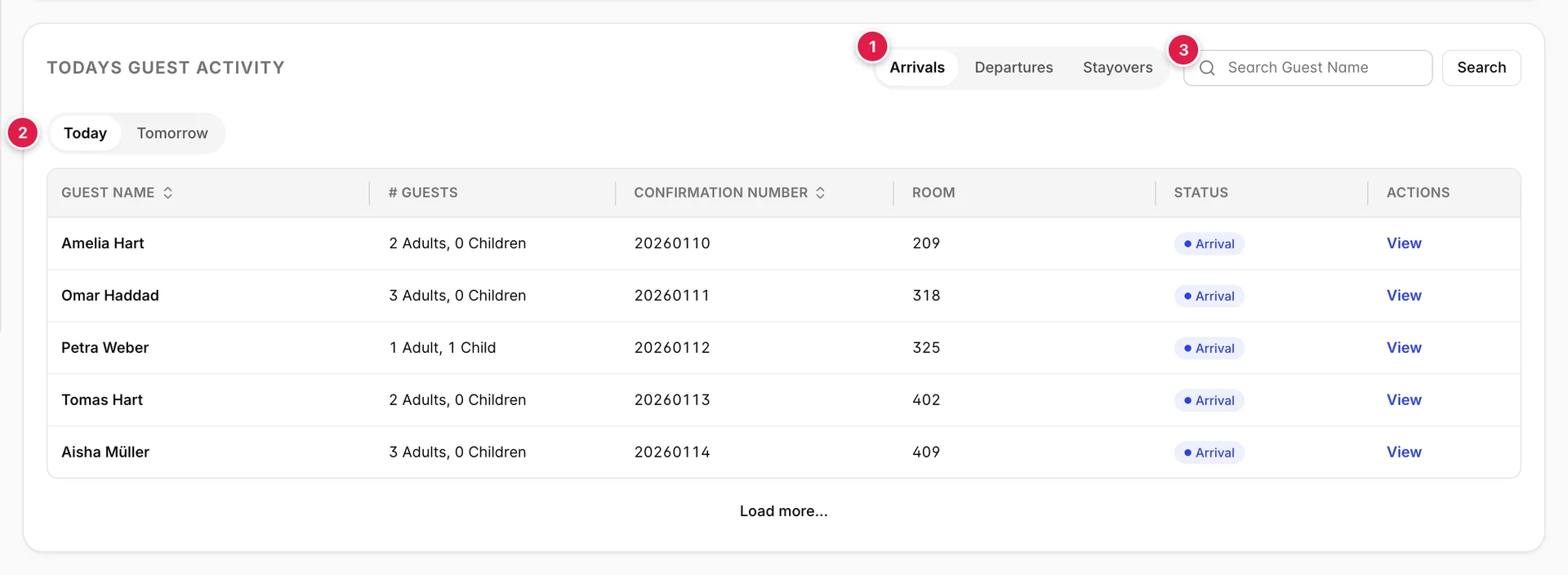
- Arrivals, Departures and Stayovers. Stayovers are guests already in house who are neither arriving nor leaving, which is the list housekeeping works from.
- Today and Tomorrow. This switch applies to whichever of the three tabs above you are on, so there are six lists here rather than three.
- Guest name search. It does not filter as you type; press Enter or click Search.
The columns are the same in all six combinations.
| Column | What it shows |
|---|---|
| Guest Name | The lead guest on the booking, or the first guest listed if nobody is flagged as lead. Sortable. |
| # Guests | Adults and children added up across every room on the reservation, so a two-room family booking shows one combined figure rather than one per room. |
| Confirmation Number | The booking reference. Sortable, which is the quickest way to find a booking when a guest reads you a number over the phone. |
| Room | The room number assigned to the first room on the booking, for example 209. An arrival with no room assigned yet falls back to the accommodation type instead. On a multi-room booking this column does not describe the other rooms. |
| Status | Where the reservation is in its life cycle: Reserved, Confirmed, Arrival, CheckedIn, DueOut, CheckedOut, Stayover, Tentative, Canceled, NoShow or Skipped. The colour follows the meaning, so cancellations and no-shows are red and anything in-house is green. |
| Actions | View opens the full reservation. |
Lists start at five rows. Load more... adds five at a time and turns into Show less once you reach the end, which collapses you back to the first five. Neither button appears at all when the list is five rows or shorter.
Todays reservation activity
Where guest activity is about people in the building, this card is about sales. Everything in it was created today, and almost none of it is for today.
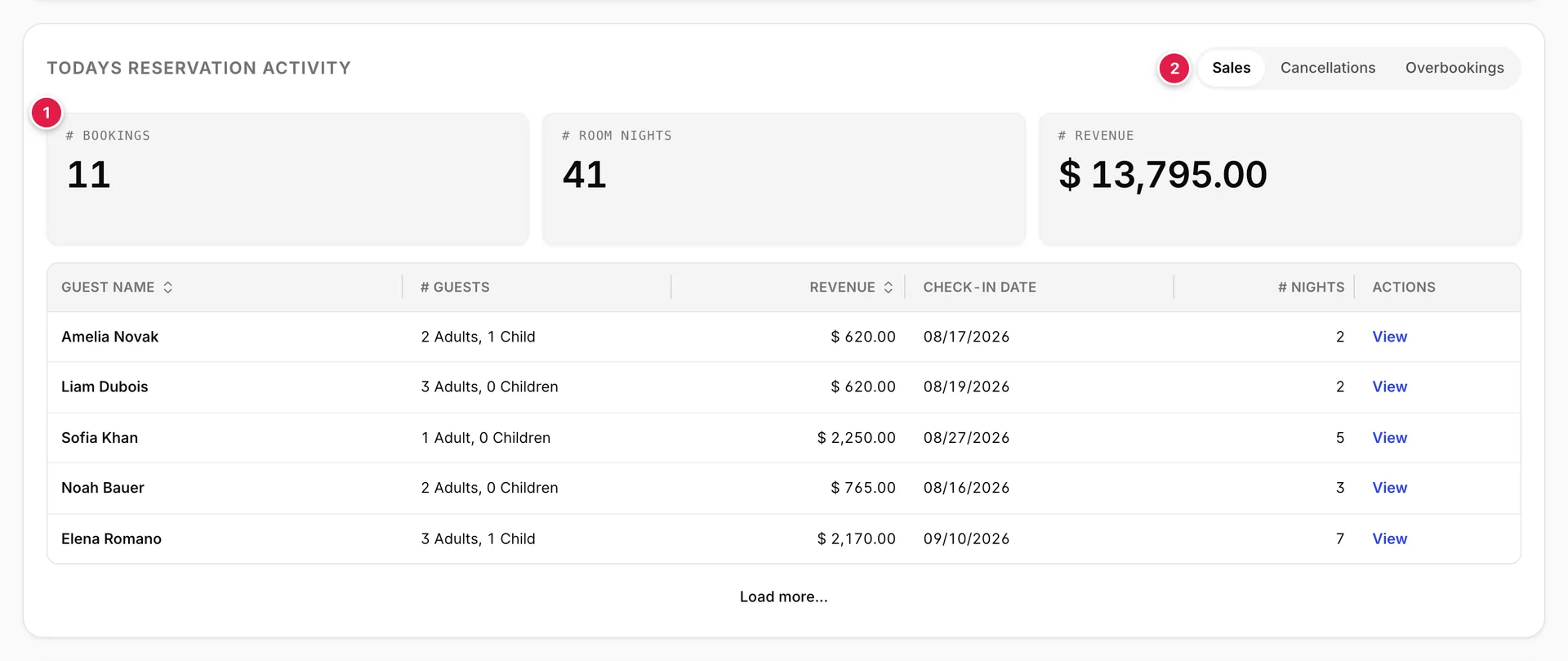
- The three figures for whichever tab you are on. Room nights is the sum of the nights across those bookings, so eleven bookings averaging under four nights each gives 41.
- Sales, Cancellations and Overbookings. Switching tab swaps both the table and the figures above it, and the first tile renames itself to match, so on the middle tab it reads # CANCELLATIONS.
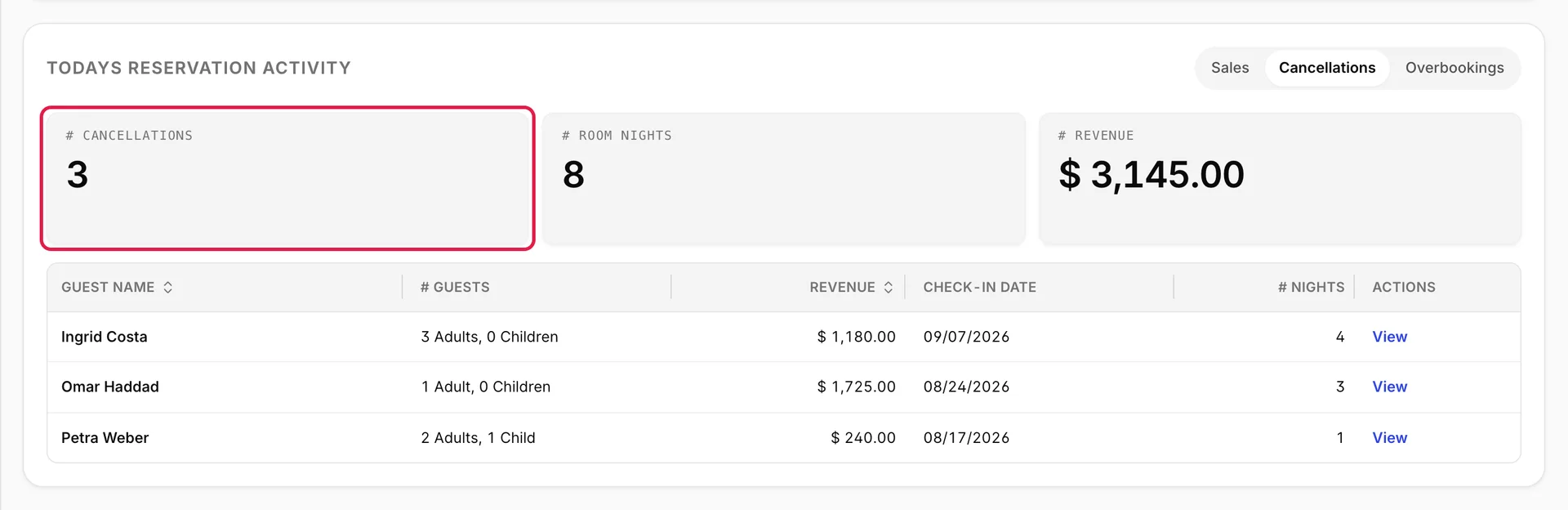
On Cancellations and Overbookings, room nights and revenue are counted from the rows actually loaded. If the list is long enough to still have a Load more... button under it, those two tiles show a dash instead of a number, because a total that quietly excluded the rows you have not opened yet would be worse than no total. Load the rest and the figures appear.
The table carries a different set of columns from the one above it.
| Column | What it shows |
|---|---|
| Guest Name | Lead guest, as above. Sortable. |
| # Guests | Adults and children across the whole booking. |
| Revenue | The grand total of the reservation, for the whole stay rather than one night. Sortable, which is how you find the largest booking of the day. |
| Check-in Date | When the guest arrives, in your property date format. On a normal day these are scattered across the coming weeks. |
| # Nights | Length of stay, counted as calendar nights between check-in and check-out. |
| Actions | View opens the reservation. |
Overbookings is the tab to check daily. It lists bookings taken for dates where you are already sold out, which usually arrive through a channel during a sync gap. They are cheap to fix a month out and expensive to fix at 6pm on the night.
14-day revenue
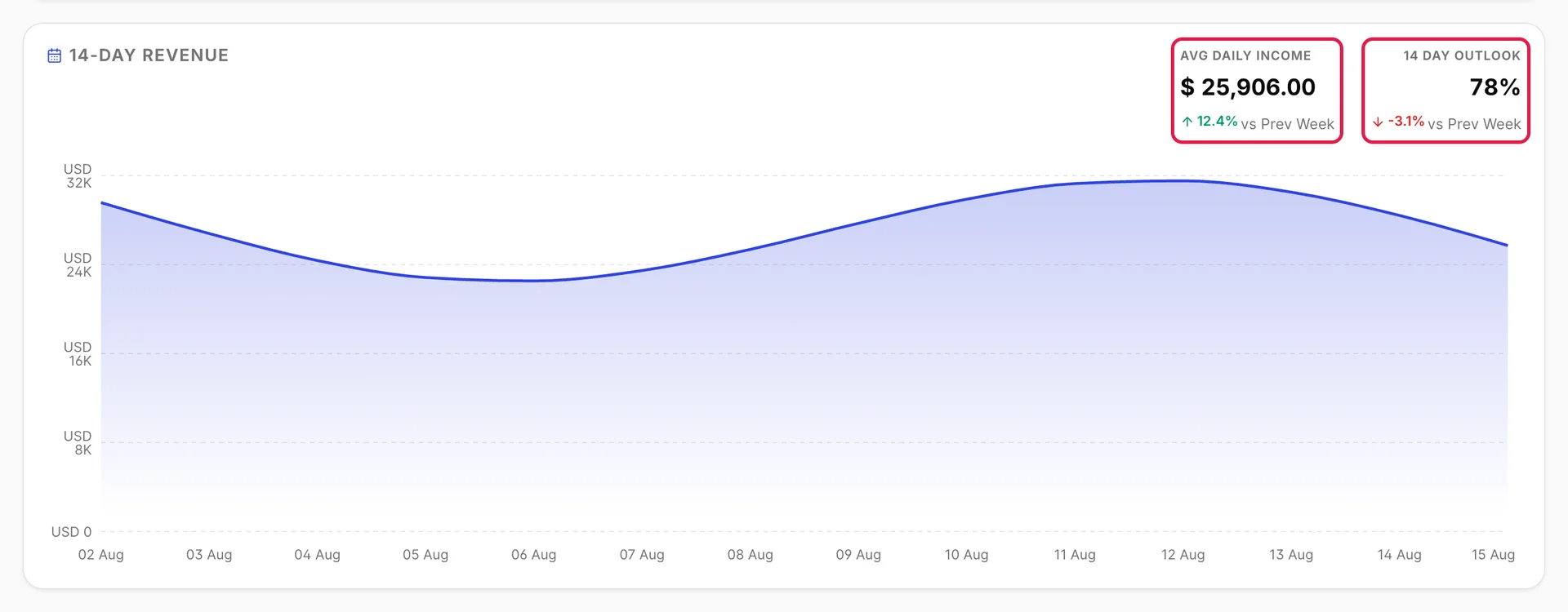
The chart plots revenue for each of the last fourteen days. Hover any point for the exact figure on that date.
The two figures above it, outlined in the screenshot, are the summary. AVG DAILY INCOME is the mean across those fourteen days. 14 Day Outlook is the occupancy you are currently holding for the fortnight ahead, so it reads as a forecast rather than a record.
Under each sits a comparison against the previous week, with an arrow that turns down and changes colour when the number is negative. In the screenshot income is up 12.4 percent while the outlook is down 3.1 percent, which is the shape of a strong recent week followed by a soft pickup, and it is the combination most worth acting on.
The Create New button
Create New sits at the top right of the dashboard and is the fastest route into anything that occupies a room.
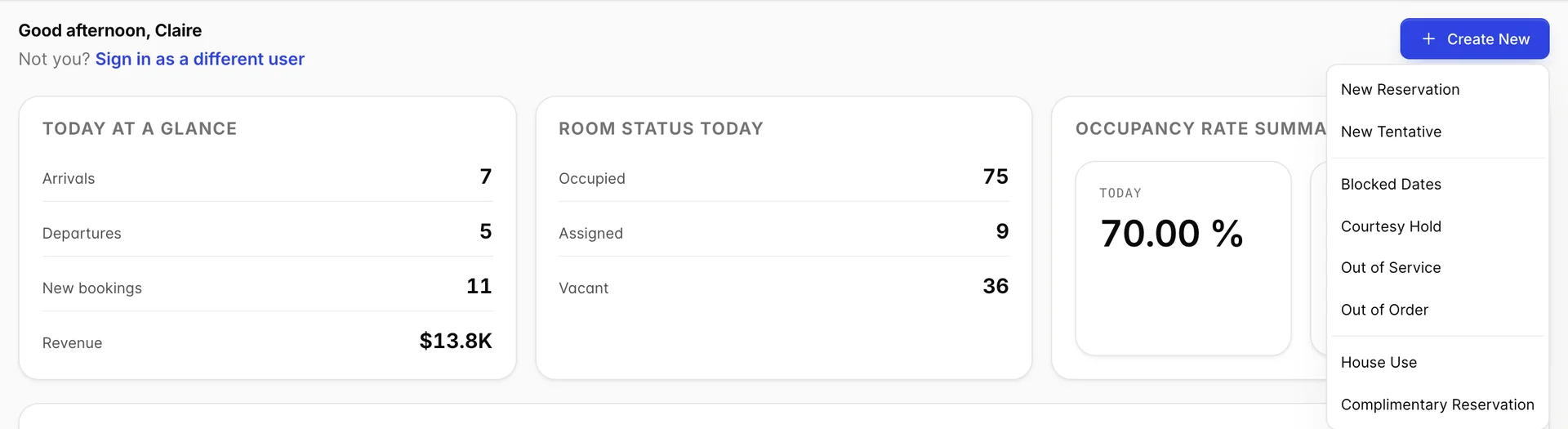
| Option | What it creates |
|---|---|
| New Reservation | A normal booking, opened on the reservation form. |
| New Tentative | A held booking that has not been confirmed. It occupies the room on the calendar so nobody sells it twice, and it is the right choice for a group enquiry you expect to firm up. |
| Blocked Dates | Dates taken off sale, with no guest attached. |
| Courtesy Hold | A short hold on a room for someone who is deciding. |
| Out of Service | A room that cannot be sold but is still physically fine, for example while it is being deep cleaned. |
| Out of Order | A room that is genuinely unusable, for example a failed bathroom. Out of order rooms are the ones that quietly distort occupancy if you forget to bring them back. |
| House Use | A room occupied by the hotel itself rather than a paying guest. |
| Complimentary Reservation | A genuine guest stay at no charge. |
Things that catch people out
Guest activity and reservation activity are not the same list
They sit one above the other, they have similar titles, and they both say "Todays". Todays guest activity is people physically arriving, leaving or staying. Todays reservation activity is bookings that were made today, for dates that are mostly in the future. A guest can appear in both, but only by coincidence: they booked today and they are also arriving today.
This is worth being deliberate about when you quote a number to somebody. "We had eleven bookings today" and "we have eleven arrivals today" describe two entirely different days.
Revenue on the two cards means two different things
Revenue in Today at a glance is the value of the bookings taken today, and it stays on that figure no matter which tab the reservation activity card below is showing. # REVENUE in that lower card follows the tab. On Sales the two agree, because they are the same bookings. On the other two tabs they will not, and both are right.
Counts do not fall as you work
Arrivals is a count of reservations due today, not a count of people still to check in. It will read the same at 11pm as it did at 7am. To see who is still outstanding, open the arrivals list and read the Status column, where anyone already in the building shows as CheckedIn.
The dashboard is a summary and nothing on it can be changed. When a number here raises a question, the answer is usually a room at a time on the calendar.