Both of these pages live under System Settings, and both do the same kind of job: they decide which tools exist at your property, rather than how those tools behave. A switch here does not change a number on a bill. It removes a button from somebody's screen, or puts one back. That makes them the fastest settings in Prostay to get right and the easiest to forget you ever touched.
Feature switches, not preferences
The distinction matters because of what happens when you switch something off after months of use. Nothing that was already done is undone. Split stays already created stay split. Charges already posted through Quick Charge stay on the folio. What disappears is the ability to do it again. The Billing Features page says this in as many words, and it is true of the reservation page too.
So switching a feature off is a safe experiment, and switching one on is the change that deserves thought, because it hands an action to every member of staff who has the relevant permission.
The five reservation features
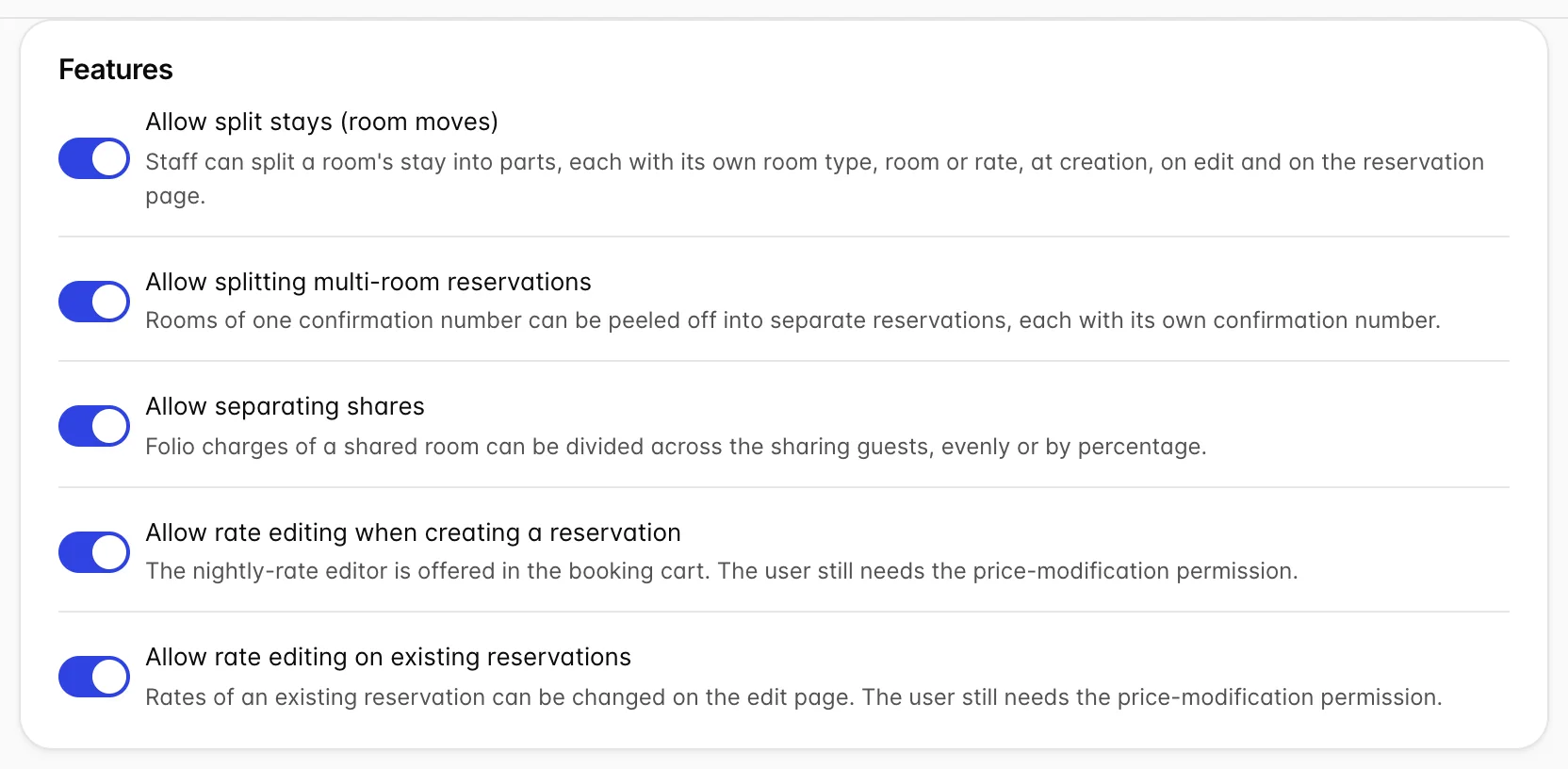
Allow split stays (room moves) lets one stay be cut into parts, each with its own room type, room or rate. This is how a guest who is in a Standard Double for two nights and a Sea View Suite for the third is held as a single reservation rather than two. Switch it off and the desk has to make two bookings, which is worse for the guest and worse for your arrivals list.
Allow splitting multi-room reservations is a different operation despite the similar name. It peels rooms off a booking that has several, giving each its own confirmation number. Useful when a family booking becomes two separate bills paid by two separate people.
Allow separating shares divides the charges on a shared room's folio between the people sharing it, evenly or by percentage. This is the one to have on if you take group business at all.
The last two, Allow rate editing when creating a reservation and Allow rate editing on existing reservations, are deliberately separate. A common configuration is the first on and the second off: the desk can negotiate at the point of sale, and cannot revisit the price afterwards.
Reason lists and when they are compulsory
Two cards manage lists of reasons, one for room moves and one for rate overrides. Both work the same way, and both have a switch above the list that turns the reason from optional into compulsory.
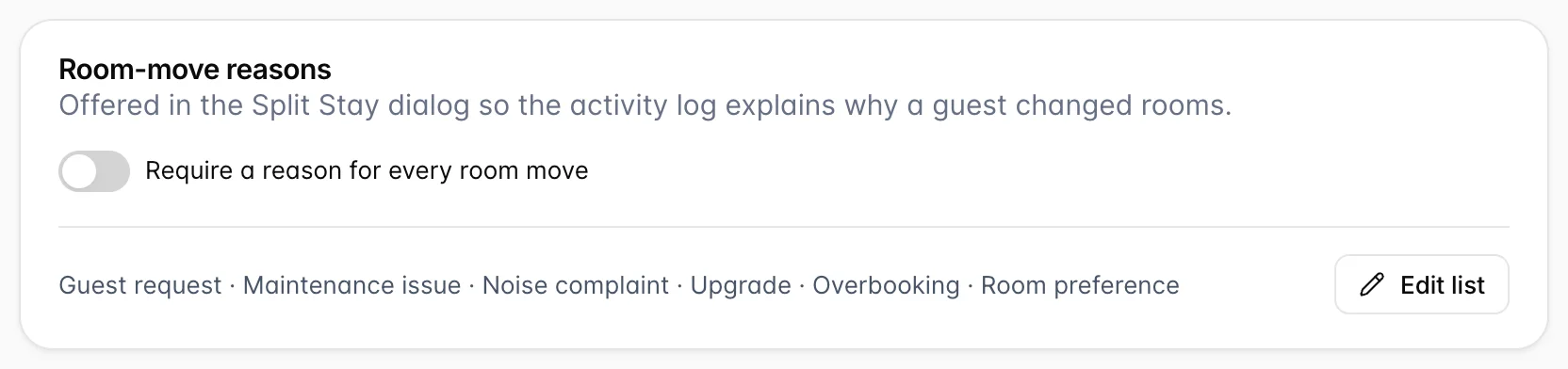
Edit list opens a small editor where reasons are added and removed. Keep the list short. A picker with six entries gets read; a picker with thirty gets whatever is at the top, which poisons the reporting you built the list for.
The reasons are not decoration. Every room move and every rate override, with its reason, the user who did it and the reservation it belongs to, is collected in the Room Moves & Rate Overrides report under Reports, and on each reservation's Activity Log tab. If you are going to read that report, make the reasons compulsory. If you are not, leave them optional and save your staff the click.
Override approval
The last card is the one with teeth. It puts a percentage threshold on rate overrides and sends anything beyond it to a manager.
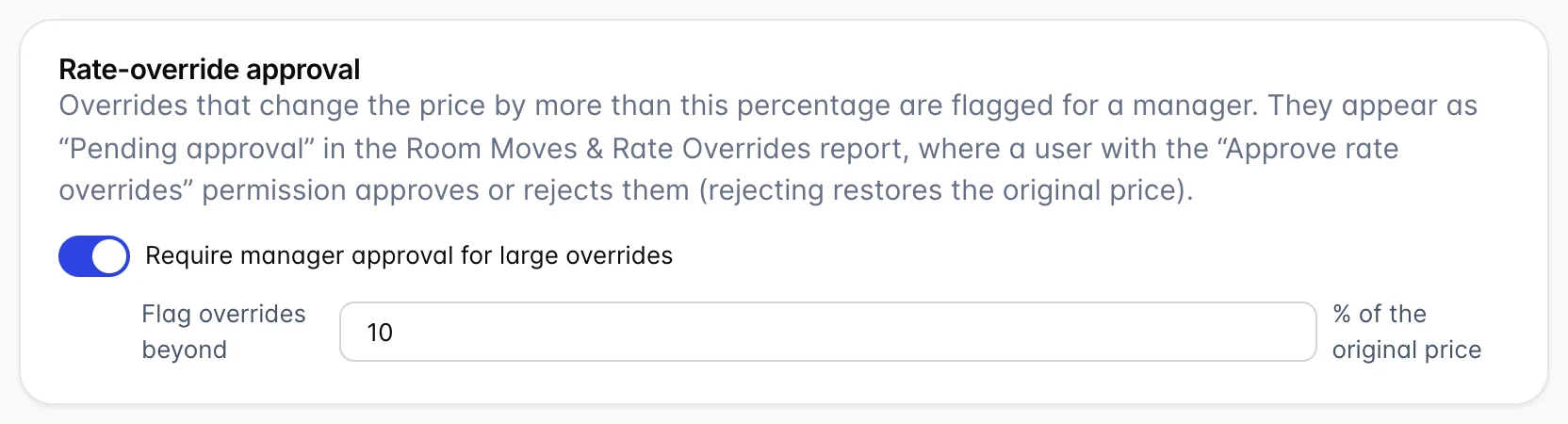
The threshold is a percentage of the original price, so ten means an override that moves the price by more than a tenth in either direction is flagged. Flagged overrides are not blocked. The rate is applied, the guest is quoted it, and the override appears as Pending approval in the report for somebody with the Approve rate overrides permission to deal with. Rejecting it restores the original price, which is worth knowing before you set the threshold low: a rejection changes what a guest has already been told.
Pick the number by looking at what your staff actually do. A threshold under the size of your normal negotiating room turns every ordinary discount into a manager's task and the queue stops being read.
Billing features
The second page, under System Settings, is the master switch panel for the newer billing tools.
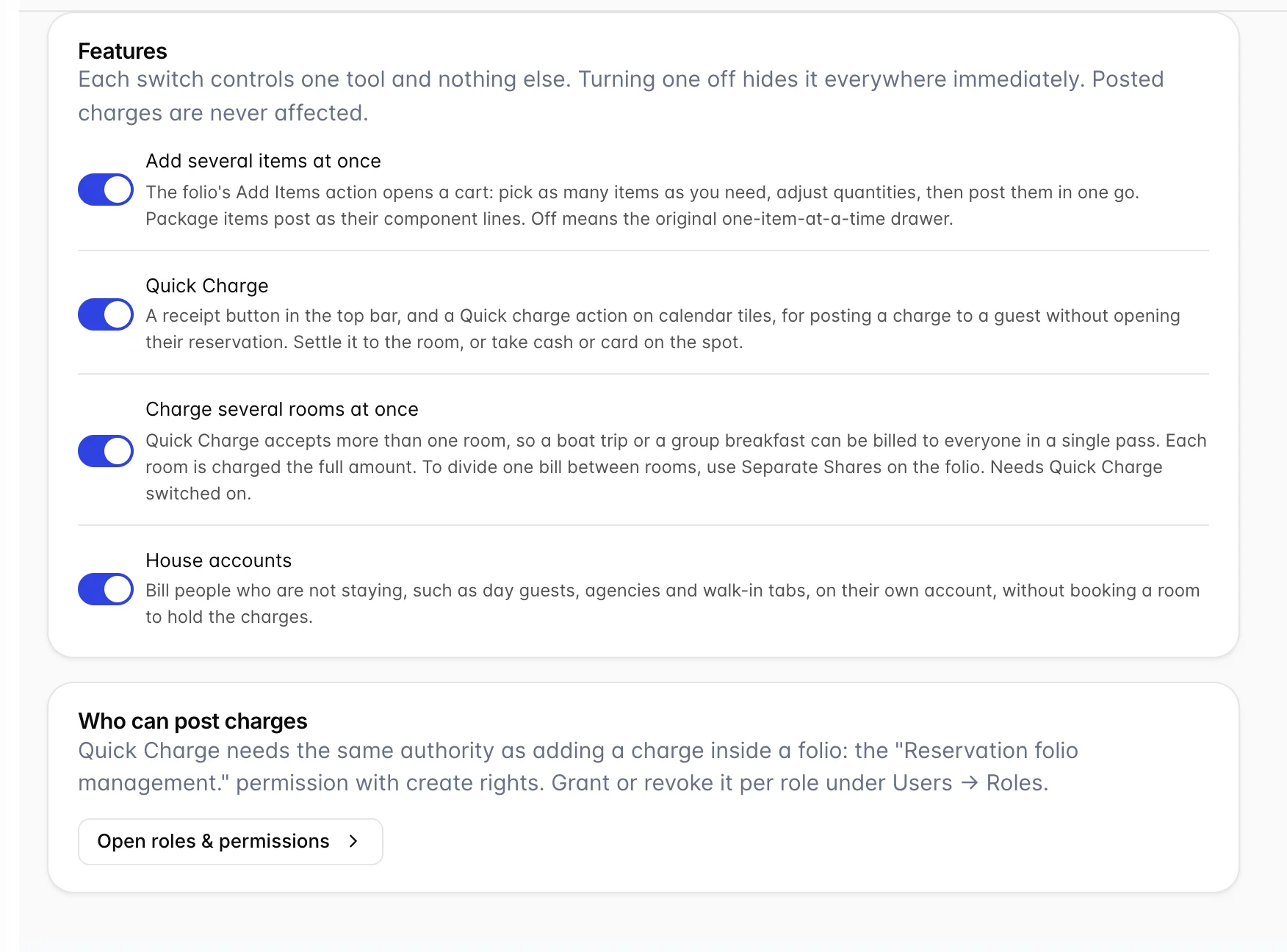
- Add several items at once turns the folio's Add Items action into a cart, so a table of four drinks is one posting rather than four. Off, you get the original one-item drawer.
- Quick Charge is the counter sale: a receipt button in the top bar and an action on calendar tiles, for charging a guest without opening their reservation. Which items appear in it is controlled per item, on the items and services screen.
- Charge several rooms at once lets Quick Charge accept more than one room, so a group breakfast is one pass. Each room is charged the full amount, which is the behaviour you want for a boat trip and not for a bill being split. For that, use share separation.
- House accounts allows billing people who are not staying, without booking a room to hold the charges.
A switch is not a permission
Everything on both pages is property-wide. It decides whether a tool exists here at all, and nothing about who may use it. The second card on the Billing Features page is there to make that point: Quick Charge needs the Reservation folio management. permission with create rights, granted per role, and the two rate editing switches both remind you that the user still needs the price-modification permission.
The practical consequence is that a feature can look broken when it is configured correctly. The switch is on, the button is not there, and the reason is the role rather than the setting. Check the role before you touch this page.
The Billing Features page is itself permission-gated: without the general system settings permission you see a locked empty state rather than the switches. That is deliberate, because these four switches decide what every cashier in the building can see.
Common pitfalls
- Turning on a reason requirement and leaving the list empty. Compulsory selection from an empty list is a dead end. Fill the list first, then require it.
- Setting the approval threshold too low. Every override goes to a manager, the queue is ignored, and rejections start undoing prices guests were quoted days ago.
- Enabling multi-room Quick Charge to split a bill. It does the opposite: each room is charged the full amount. Splitting one bill between rooms is share separation.
- Switching a billing feature on and expecting the button to appear. The flags are cached per page load. Reload before you conclude it did not work, and check the role before you conclude anything.
- Blaming the setting for a missing action. Both rate editing switches and Quick Charge need a permission as well. The switch makes the feature possible; the role makes it available.