Most of the reservation page is about money and rooms. Three of its tabs are not. Diary Notes holds what staff wrote down, Attachments holds what is filed against the booking, and Activity Log holds who changed what. Nothing in any of the three affects the balance, which is exactly why they are the tabs people forget until an argument starts.
Three tabs, one job
Between them they answer the three questions that come up after the guest has left and the folio is closed: what did we know, what did we send, and who did this. Keep them in that order in your head and it is usually obvious which one to open.
| Tab | What lives there | Who writes it |
|---|---|---|
| Diary Notes | Free text about the guest or the stay. Preferences, promises, warnings. | You. Nothing is written here automatically. |
| Attachments | Invoices the system generated, plus any file you upload against the booking. | Both. Invoices arrive on their own; files are yours. |
| Activity Log | A dated line for every change made to the reservation. | Only the system. There is no way to add or edit an entry. |
The counts on the first two tab chips are live. Diary Notes counts active notes only, so archiving one makes the number drop, which is the point of archiving. Attachments counts invoices and uploads together. The activity log has no count, because a number that only ever goes up tells you nothing.
Diary notes
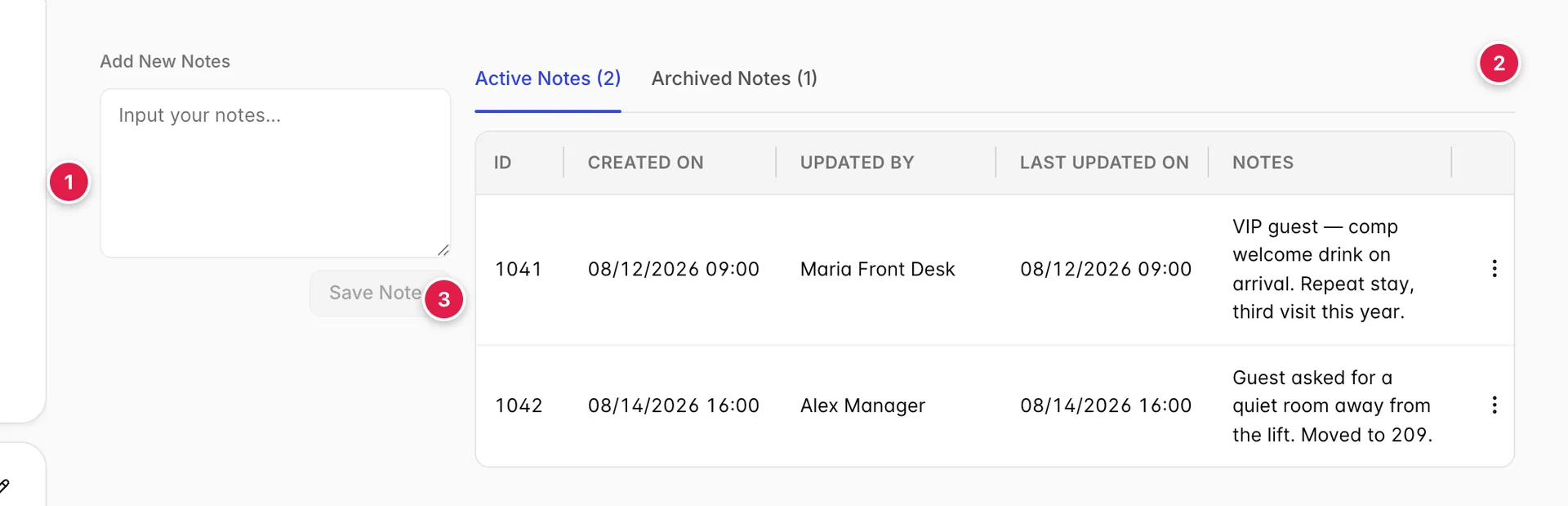
- The compose panel. Always there, always empty on arrival.
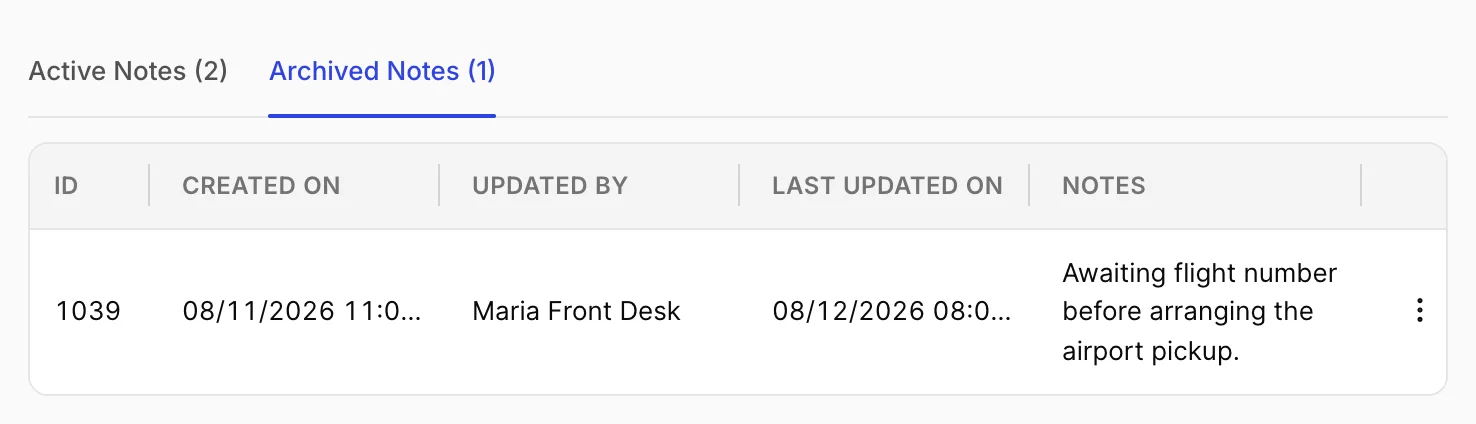
- Active and archived. Two lists, one table. The counts are the tab labels.
- The notes themselves. Newest is not necessarily first, see below.
| Column | What it holds |
|---|---|
| ID | The note's number in your property. It is sequential across the whole property, not per reservation, so the numbers on one booking will have gaps. |
| CREATED ON | When it was first written, in your property's date and time format. |
| UPDATED BY | Who touched it last, not who wrote it. Editing somebody else's note puts your name here and theirs disappears. |
| LAST UPDATED ON | When that happened. On a note nobody has edited it matches CREATED ON. |
| NOTES | The text. It wraps rather than truncating, so a long note makes a tall row. |
Writing a note
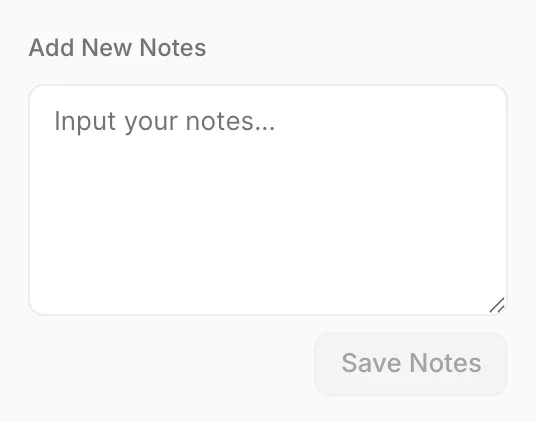
Type and press Save Notes. There is no title, no category and no length limit; a note is one block of text with your name and the time stamped on it. The button is disabled until the box has something other than spaces in it.
The note lands in Active Notes and the box clears. If you were reading the archive when you saved, the tab switches back to active so you can see what you just wrote rather than wondering where it went.
Write for the person on the next shift
A note is read by somebody who was not there. "Guest unhappy" is useless three days later; "Guest unhappy about noise from the lift on the 14th, moved to 209, comped one breakfast" is a handover. The activity log will record that the room changed and the folio will record the comp, but only the note explains why either happened.
Archive, edit, delete
The three dots at the end of a row hold everything you can do to a note. What is in the menu depends on which list you are looking at.
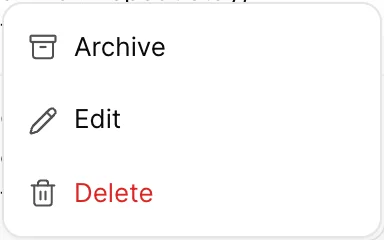
| Item | What it does |
|---|---|
| Archive | Moves the note to Archived Notes. It stays on the reservation and stays readable; it just stops counting and stops being in the way. Reversible. |
| Edit | Rewrites the text in place. The original wording is not kept anywhere. |
| Delete | Removes it from the reservation for everyone. Not reversible, and the activity log records that a note was deleted but not what it said. |
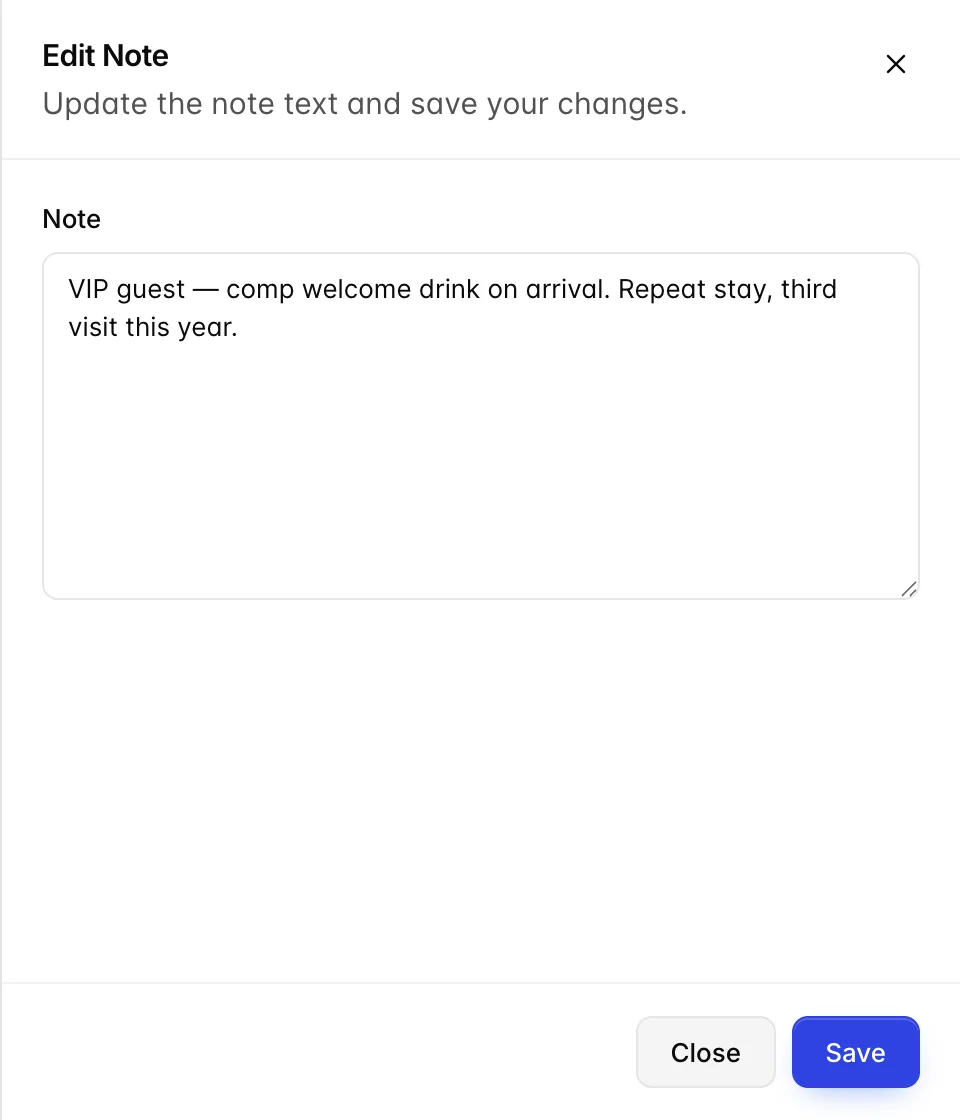
Save is disabled while the box is empty, so you cannot blank a note by editing it, deleting it is the only way to make it go away, and that asks first.
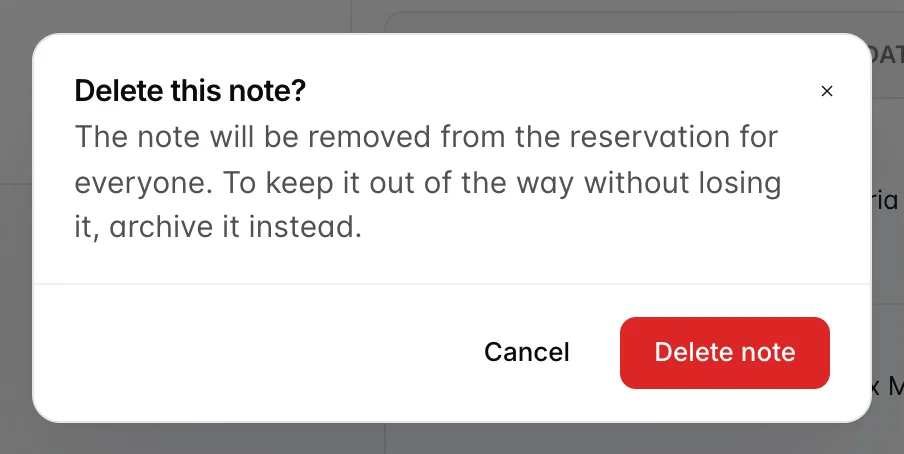
If you are deleting because the note is stale rather than wrong, archive it instead. Notes are frequently the only record of a verbal promise, and a stale note costs nothing to keep.
The archive
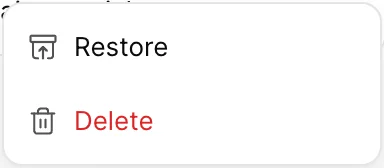
An archived note cannot be edited. To change one, restore it, edit it, and archive it again. That is deliberate: the archive is meant to be a record of what was true at the time, not a drafts folder.
Attachments
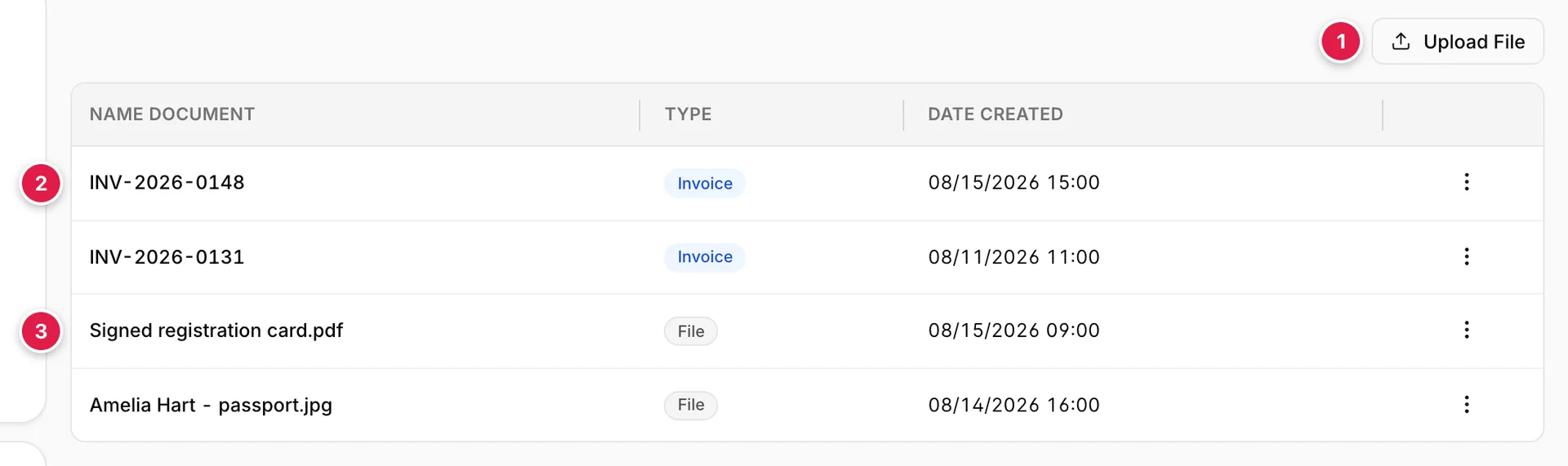
- Upload File. One button, no dialog. Covered below.
- Invoices. Generated by Prostay. Tagged Invoice and carrying a document number.
- Files. Anything you uploaded. Tagged File and carrying its filename.
The TYPE tag matters more than it looks, because the row menu is completely different for the two kinds. An invoice can be settled, voided and emailed; an uploaded file can only be opened. Invoices are always listed first, then uploads, each group oldest to newest.
Uploading a file
Upload File opens your computer's file picker and uploads whatever you choose straight away. There is no dialog, no description field and no category. The filename is the only label the file will ever have, so name it before you upload it, scan.pdf on a booking with three guests is a file nobody will open twice.
The file is filed against the booking's lead guest. There is no picker for that, which is worth knowing on a multi-guest reservation: a passport belonging to the second guest still files under the first. If you need documents attached to a specific person, the Guest tab has a per-guest ID upload that does exactly that.
There is no delete
Nothing on this tab removes an attachment. An uploaded file stays on the reservation permanently, and an invoice can be voided but not deleted. Check what you are uploading before you upload it, particularly with documents that carry passport or card data.
What you can do to an invoice
| Item | What it does | When it appears |
|---|---|---|
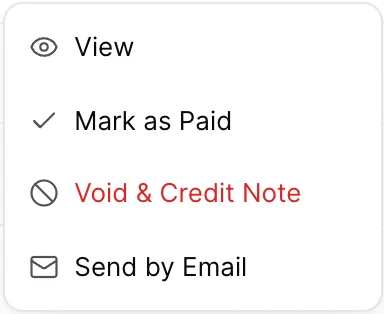
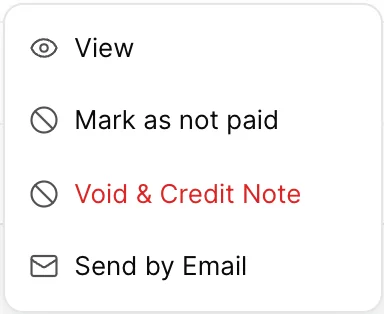
| View | Opens the document in a new browser tab. | Always, on both kinds of row. |
| Mark as Paid | Records the invoice as settled. It does not post a payment to the folio: this is bookkeeping on the document, not on the money. | On an open invoice. |
| Mark as not paid | Puts it back to open. Use it when the payment turns out not to have cleared. | On a settled invoice. |
| Void & Credit Note | Cancels the invoice. See below. | On any invoice. |
| Send by Email | Emails the invoice to the lead guest's address. | On any invoice. |

Mark as Paid is not a payment
Settling an invoice here changes the invoice's own state and nothing else. The folio balance does not move, and no payment line appears. If money actually arrived, post it on the Folio tab as well, an invoice marked paid against a folio that still shows a balance due is the single most common source of "the accounts do not tie out" at month end.
Voiding an invoice
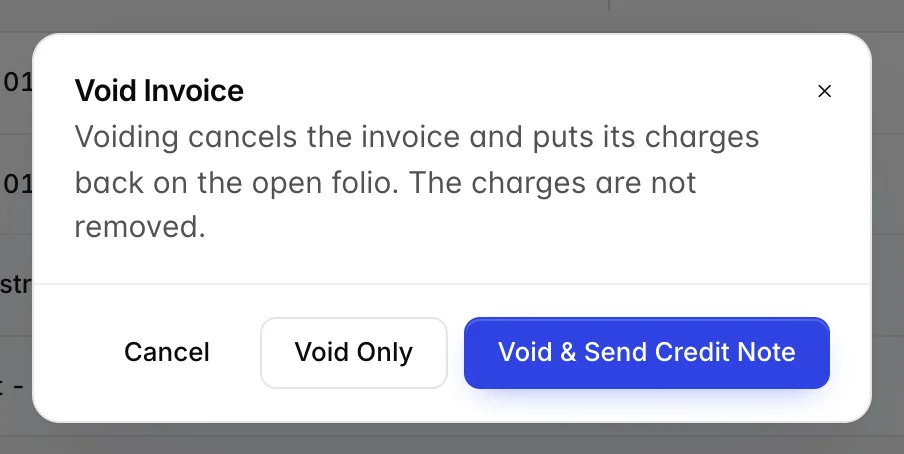
Voiding cancels the document, not the charges. The lines that were on the invoice go back to being open items on the folio, ready to be invoiced again, correctly this time, or to a different payer. Nothing is written off.
- Void Only, cancel it quietly. Right when the invoice never left the building, or when you are about to reissue it within the minute.
- Void & Send Credit Note, cancel it and send the guest a credit note against it. Right when the guest or their company already has the invoice in their accounts, because their bookkeeping needs a document that cancels the one they are holding.
If you are unsure, ask whether the invoice has left the property. Once it has, a credit note is not optional courtesy; it is what lets the other side close their books.
The activity log
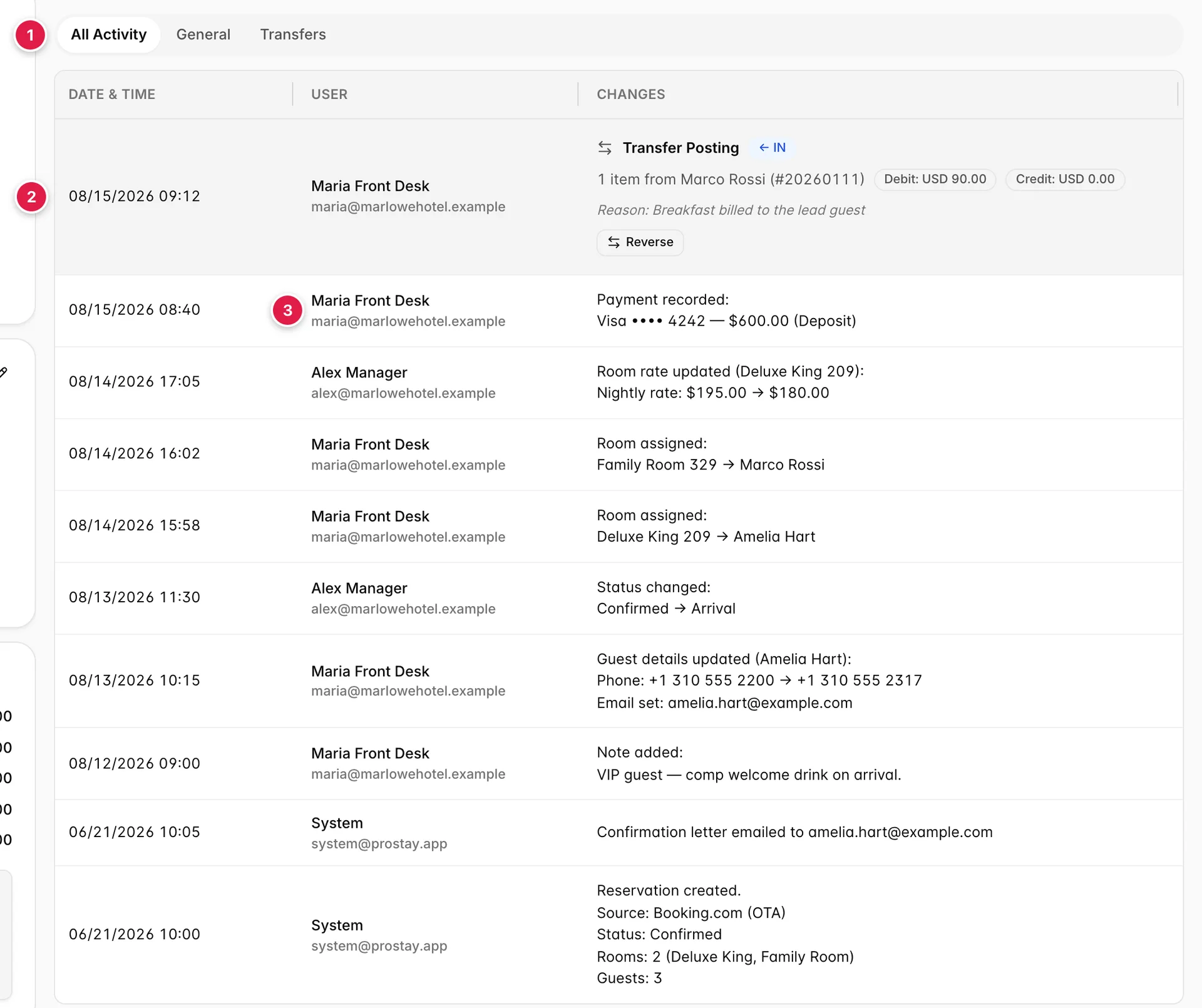
- The filter. Three views of the same list.
- Transfers get a card. Everything else is a line of text.
- Who did it. Name and email, or System for anything automatic.
The log is written by the system and cannot be added to, edited or cleared. Every status change, rate change, room assignment, payment, note and guest edit lands here with a timestamp and an author. It is the answer to "who authorised this rate", and it is the reason that question is usually settled in ten seconds rather than an afternoon.
| Filter | What it shows |
|---|---|
| All Activity | Everything, newest first. |
| General | Everything except transfer postings. The day-to-day history without the accounting. |
| Transfers | Transfer postings only. Use it when you are chasing money between two bookings. |
Entries recording a reversal are never shown as rows of their own. Instead the transfer they undid is marked Reversed and carries the reason underneath, so one event reads as one row rather than two rows contradicting each other.
Transfer postings
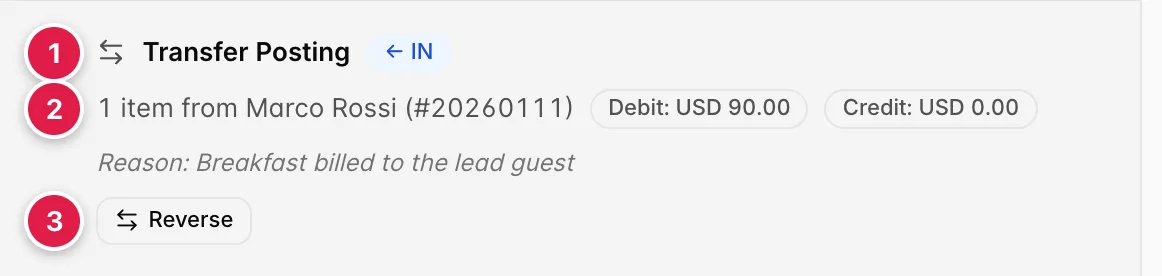
- Which way it went. IN means this booking received the charge; OUT means it sent it.
- What moved, and what it was worth. Debit is charges, credit is payments.
- Reverse. Only on a transfer that has not already been reversed.
A transfer posting moves folio lines from one reservation to another, billing the group leader for the whole party's breakfast, say, or pushing a charge onto the company account. The same event appears on both reservations, as OUT on the one that gave the charge up and IN on the one that took it, sharing a reason and a reference.
Reversing a transfer
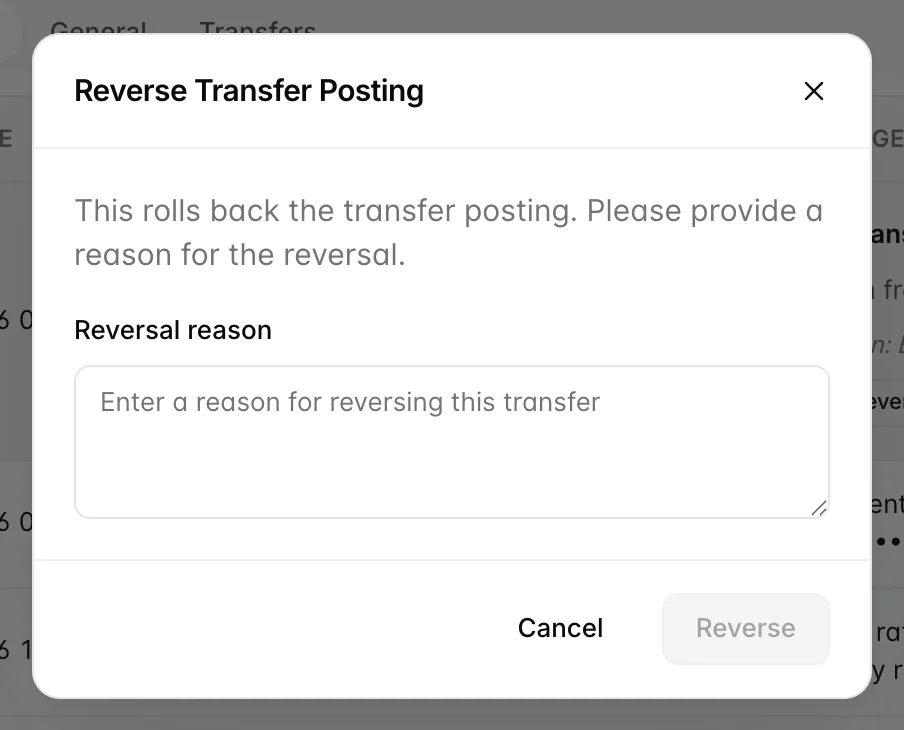
Reversing sends the transferred lines back where they came from. Both folios move: the charge leaves the reservation that received it and reappears on the one that sent it, and both balances change to match. The Reversed badge and your reason are written against the original transfer on both bookings.
The reason is compulsory. It is the only explanation anybody will have for why a charge was moved twice, and it is read far more often than the reason on the original transfer.
A reversal is not a second transfer
Reverse when the transfer was a mistake. If the charge genuinely belongs somewhere else now, transfer it again from the folio instead, that leaves a trail showing where it went, whereas a reversal only shows that it came back.
The E-mails tab
The fourth tab in this group, E-mails, is a placeholder for a per-reservation mail history. Nothing sends it real data, so treat anything it shows as sample content rather than as a record of what went to the guest: if a booking that has never had an email lists a row, that row is furniture. Mail sent to the guest is recorded in the activity log in the meantime, Confirmation letter emailed to… in the screenshot above, and mail is sent from Actions in the reservation header, not from here.
Things that catch people out
- The Diary Notes count ignores the archive. A tab reading Diary Notes 2 on a booking with six notes means four of them are archived, not that four are missing.
- Updated by is not the author. The column shows whoever saved it last. Fix somebody's typo and the note is attributed to you.
- Marking an invoice paid does not touch the folio. They are two separate records and both need settling.
- Voiding an invoice does not remove the charges. They return to the open folio, so the balance is unchanged and the guest still owes the money.
- Uploads always file under the lead guest. Use the Guest tab if the document belongs to somebody else on the booking.
- Nothing on Attachments deletes. There is no undo for an upload.
- Reversals hide themselves. Filtering to Transfers shows the original entry with a Reversed badge, never a separate reversal row.