Most of what happens on the housekeeping board is somebody making a decision: this room is clean, that room is out of order, this attendant takes the second floor. Three things on the screen are not that. A guest hangs a sign on a door. An attendant opens a room and finds it in a state the front desk did not predict. The night audit runs at four in the morning and puts the whole house back to dirty. Nobody chose any of it, and all three end up as a badge somebody has to read correctly.
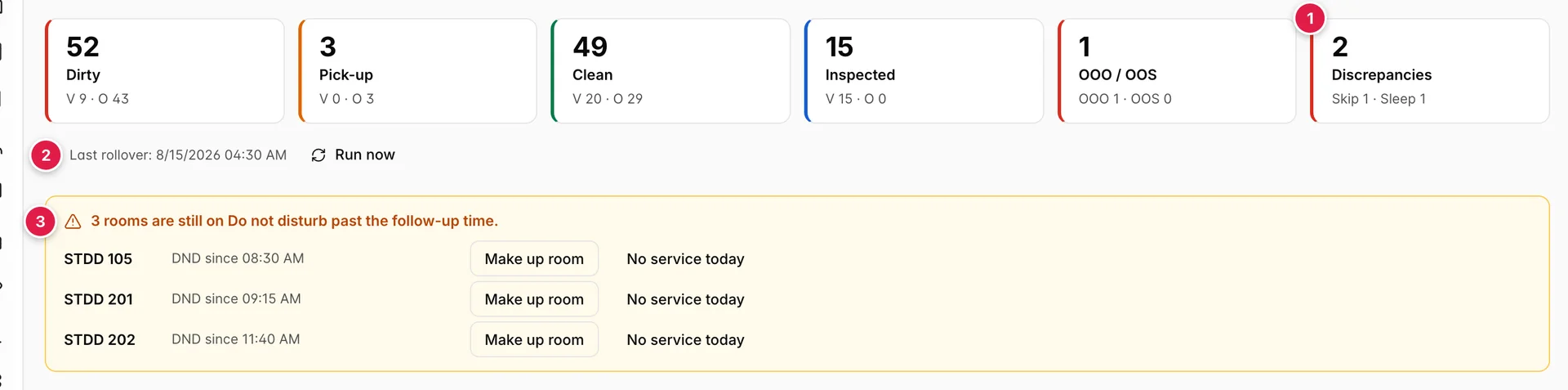
Three things nobody chose
- Discrepancies. Rooms where housekeeping's account of who is in the room and the front desk's account disagree. The tile splits into Skip and Sleep, which are opposite problems.
- Last rollover. When the night audit last reset the house, and a Run now button to do it again.
- The follow-up banner. Rooms still on do not disturb past the time you set, which is the list of rooms nobody has been able to get into today.
All three are read most usefully in the middle of the afternoon. That is when the morning clean is finished, when the rooms nobody could enter have stopped being a matter of patience, and when a discrepancy raised at ten has had four hours to be somebody else's problem.
Skip and sleep
A discrepancy is a disagreement between two columns, and only ever those two. FO Status is what the front office believes: Occupied or Vacant, derived from the reservations. Discrepancy is what housekeeping reported after opening the door. When the two contradict each other, the board names the contradiction.
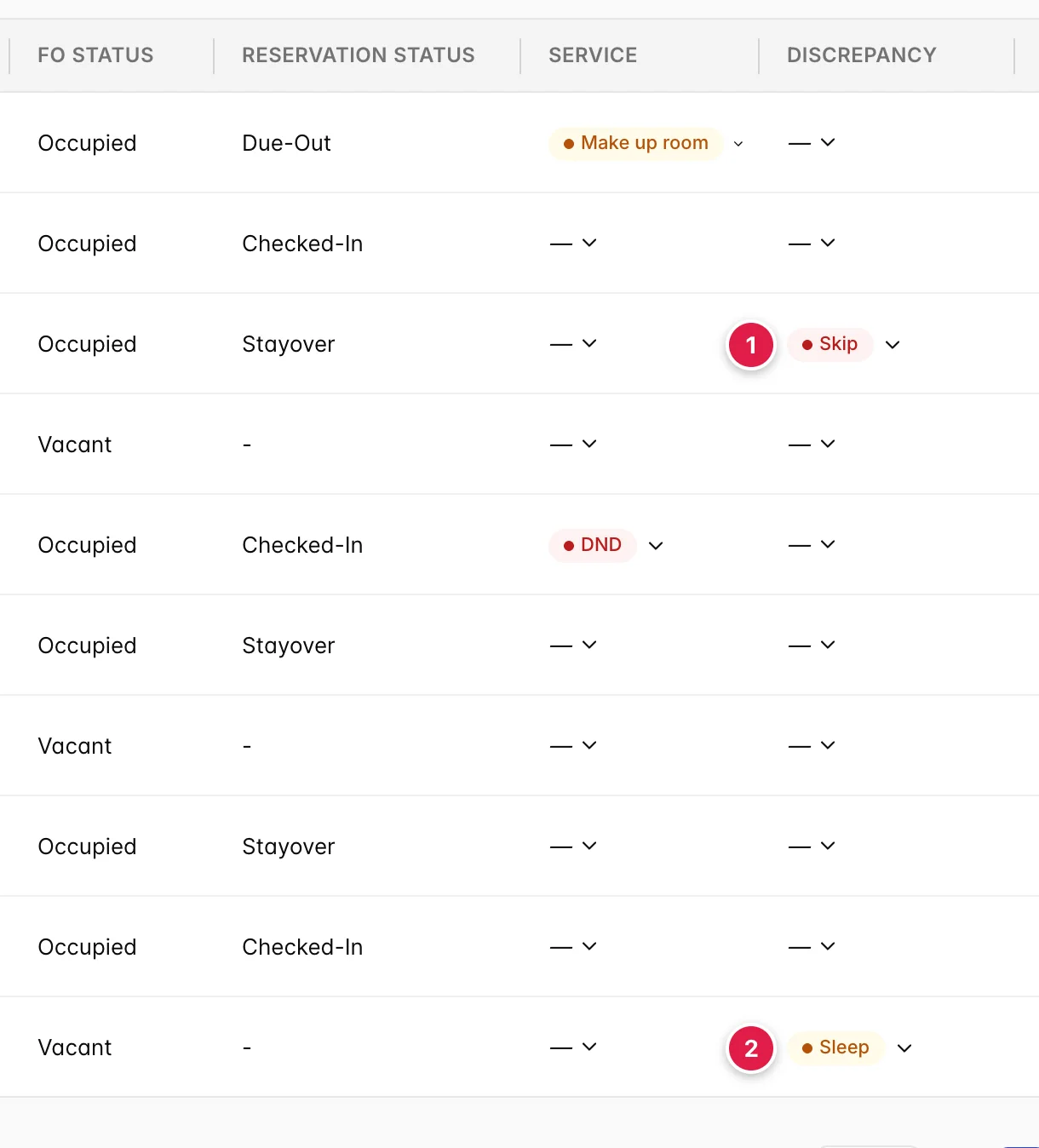
- Skip. The front office says occupied. Housekeeping found the room empty: no luggage, bed unslept, wardrobe bare.
- Sleep. The front office says vacant. Housekeeping found somebody's belongings, or a bed that has been slept in.
The two matter for different reasons, and the money runs in opposite directions. A sleep is usually somebody in a room with no live booking against it: a guest moved rooms and nobody recorded it, an extension nobody put in the system, or in the worst case a room being used that will never be invoiced. Every night it stays unresolved is a night you cannot bill. A skip is usually the opposite: the guest has gone, but nothing recorded the departure, so the room sits marked occupied and unsellable while the front desk turns away a walk-in.
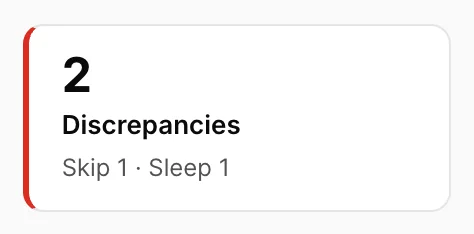
The tile counts both together, so the number on its own tells you very little. The Skip 1 · Sleep 1 line underneath is the part worth reading, because two sleeps at four in the afternoon is a revenue problem and two skips is a housekeeping scheduling problem.
Reporting what housekeeping found
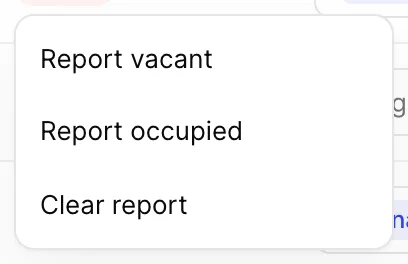
Nothing raises a discrepancy automatically. Somebody has to say what was actually behind the door. That happens in the Discrepancy column, which looks like a badge and is a dropdown.
| Option | What it does |
|---|---|
| Report vacant | Records that housekeeping found nobody in the room. On a room the front office calls occupied, this raises a Skip. |
| Report occupied | Records that housekeeping found the room in use. On a room the front office calls vacant, this raises a Sleep. |
| Clear report | Withdraws the report. Only in the menu once something has been reported, which is why it is missing the first time you open it. |
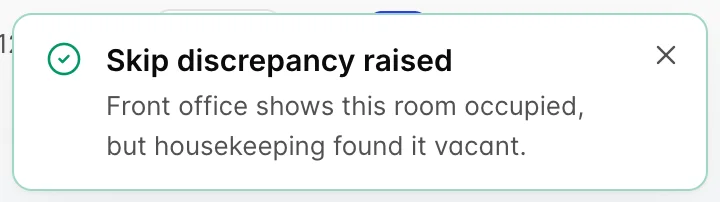
The report saves as soon as you pick it, and the badge that comes back tells you whether you have raised anything. Report a vacant room as vacant and the front office agrees with you: the cell shows a grey Reported vacant and no discrepancy exists. Report it against the front office and a red or amber badge appears, along with a message naming which direction the room has gone.
Resolving a discrepancy
Press the Discrepancies tile and the table below becomes the list of rooms in dispute. This is the two-minute job at the start of an afternoon shift.

Resolving one is not something you do on this screen. Take the room number to the reservation and settle which side is wrong:
- Open the booking the front office thinks is in the room.
- For a skip, check whether the guest has actually departed. If they have, check them out properly so the room goes dirty and vacant and can be sold. If they have not, somebody misread an empty-looking room and the report should be cleared.
- For a sleep, find out who is in there. A room move nobody recorded, an extension taken over the phone, or a guest in the wrong room all end up looking identical from the corridor.
- Come back to the board and choose Clear report on the row once the reservation is right.
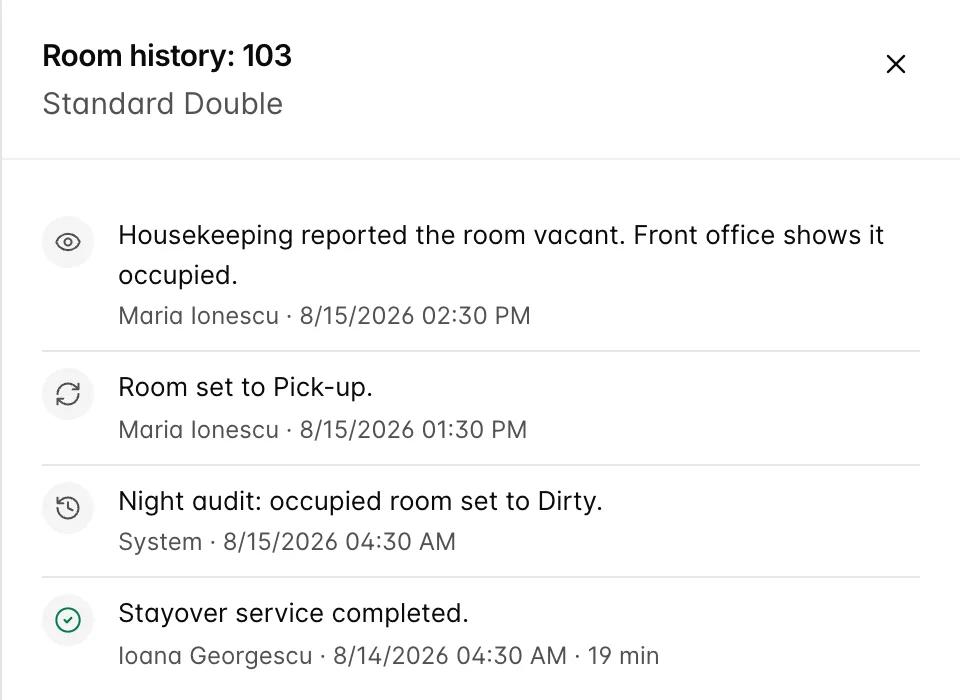
Every report is written to the room's history along with the name of whoever made it, so a room that has been in dispute twice this week is visible rather than folklore.
Do not disturb and make up room
The Service column is what the guest has asked for, as opposed to what the room needs. It holds one of three values, and it beats the cleaning schedule: an attendant does not enter a room showing DND.
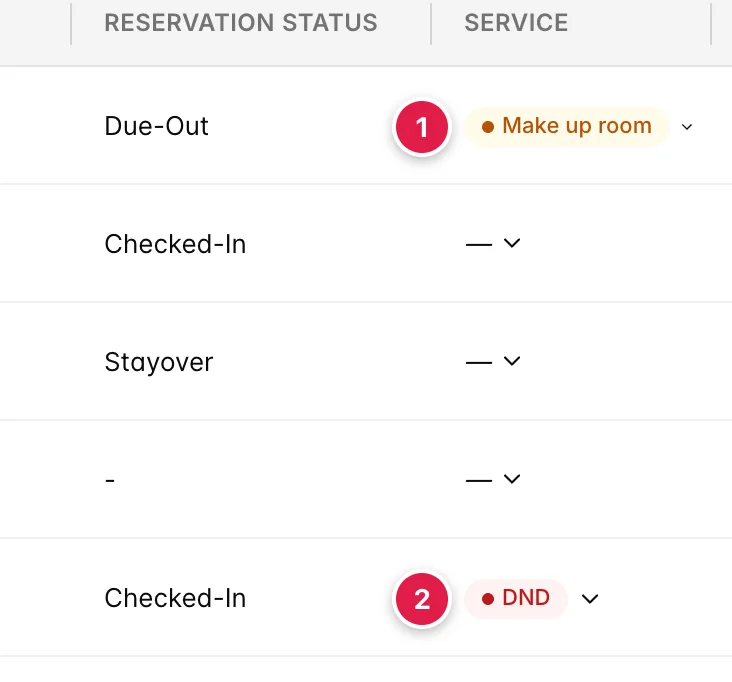
- Make up room. The guest wants the room serviced, usually now or next. Amber, because it is a request with a clock on it.
- DND. Do not disturb. Red, and the reason a room can sit dirty all day with nobody at fault.
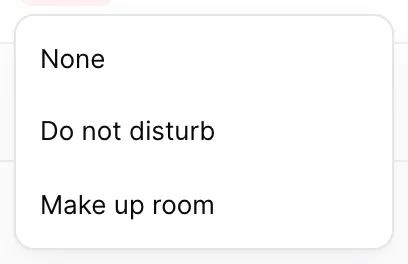
Prostay does not see the sign on the door. Somebody records it here: the attendant who found the hanger, or the front desk taking the call. The moment it is set, the time is stamped, and that timestamp is what the afternoon follow-up counts from. The status travels onto the attendant's task sheet as well, so it is worth recording rather than remembering.
The afternoon follow-up
A room on do not disturb at nine in the morning is a guest having a lie-in. The same room at three in the afternoon is a decision somebody has to make, because the shift ends and the room has not been touched. Prostay draws the line for you at a time you choose.

- The count. How many rooms are still on do not disturb past the cutoff. The banner does not exist before that time, and disappears when the list empties.
- DND since. When the sign was recorded, not when the guest hung it. A room reading since 08:30 has had nobody in it all day.
- Make up room. Flips the room to a make-up-room request, which is what you press after ringing the room and being told to come up.
- No service today. Records that the guest has declined service. The room leaves the list for the rest of the day.
The cutoff is DND follow-up time, under Service follow-up in housekeeping settings, and it defaults to 14:00. Set it to the hour your attendants would still have time to turn a room around, not to the hour their shift ends.
What no service today does

Pressing it does one thing: it takes the room off the follow-up list until the next rollover and leaves a grey No service badge in the Service column, so anybody looking at the row later can see the room was declined rather than missed. Hover it and it reads Guest declined service for today.
It is worth being clear about what it does not do. The room status is untouched: a dirty room stays dirty, and the room does not become clean or sellable because the guest waved the attendant away. Tomorrow is untouched too. The flag is cleared at the next rollover, so the room comes back into the ordinary run of work in the morning, and if the sign is still on the door it will be on the following afternoon's follow-up list again.
The night rollover
Overnight, the night audit resets the house for a new day. It is the reason the board looks completely different at seven in the morning from how you left it at seven the night before.
| What it touches | What happens |
|---|---|
| Occupied rooms | Set back to DIRTY. Somebody slept there, so it needs servicing again, whatever state it was left in yesterday. |
| Blocked rooms | Left alone. OUT OF ORDER and OUT OF SERVICE survive the rollover, because a block is about the room rather than the day. |
| Vacant rooms | Left alone. A clean empty room is still clean in the morning. |
| Turndown | Back to Required on every occupied room, ready for tonight. |
| Make up room requests | Cleared. Yesterday's request has either been done or missed, and either way it is not today's instruction. |
| Occupancy reports | Cleared, so the Discrepancies tile starts the day at zero. |
| No-service flags | Cleared, so a room declined yesterday is back in the ordinary run of work. |
| DND | Kept. This is deliberate: the sign is physically on the door, and it stays there overnight. |
Every room the rollover changes gets an entry in its history reading Night rollover set room to Dirty with Night audit as the name against it, which is how you tell an automatic change from somebody's mistake at half past four in the morning.
Running the rollover by hand

The Last rollover line is the useful half of this. If it reads a date that is not today, the audit has not run, and the board you are looking at is describing yesterday. That is the one situation Run now is for.
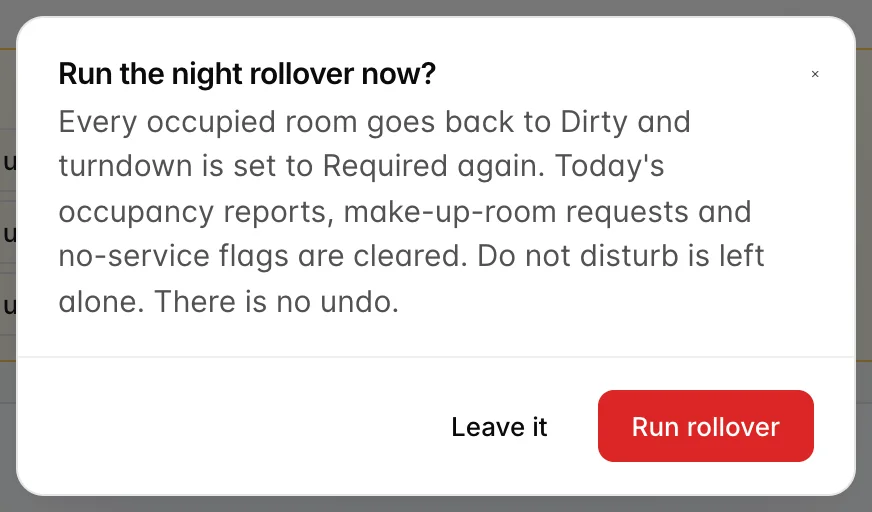

Afterwards a Rollover complete message counts the rooms that moved, and the tiles show the shape of a morning: pick-up empty, discrepancies at zero, and the dirty count now carrying every occupied room in the house.
Things that catch people out
- The board cannot resolve a discrepancy. Clearing the report clears the badge, not the problem. If the guest really has gone, the check-out still has to be recorded on the reservation, or the same room will be a skip again tomorrow.
- Reporting agreement raises nothing. Marking a vacant room as vacant gives you a grey Reported vacant badge and no discrepancy. That is correct behaviour, not a failed save.
- Do not disturb is only as good as what was recorded. A hanger nobody entered into Prostay is invisible here, and the room shows as simply not cleaned. The follow-up banner can only chase what it knows about.
- No service today is a note, not a clean. The room stays dirty and stays occupied. It is a record that somebody asked and was refused.
- The discrepancy column can be missing. It and the Discrepancies tile are gated on Housekeeping discrepancy management., so a user without it sees five tiles and no Discrepancy column. Nothing is broken.
- Everything unresolved expires overnight. Occupancy reports, make-up-room requests and no-service flags all clear at the rollover. Only do not disturb survives.