Reading a folio is one job; changing one is another. This article covers everything that adds a line to a bill or takes one off it. If you only need to understand what is already there, start with Reading the folio.
Before you post anything
Three things are true of every screen below, and knowing them saves repeating them nine times.
- Check which folio you are on first. Most of these screens have their own folio picker, defaulted to the property's default folio, not to whatever the table behind them is showing. On a booking with two folios, that is the single easiest way to post to the wrong bill.
- The button stays greyed out until the screen has what it needs. Every posting screen disables its own save button while a required field is empty. If the button will not light up and nothing above it is blank, the missing thing is a right rather than a field: adjusting, voiding and moving a line each need their own permission, and the screen opens for everybody either way.
- Post with current date and time is ticked by default. Untick it and you can date the line yourself, which is what you want when you are catching up on yesterday's postings after the night audit has run.
Money in: payments and credits
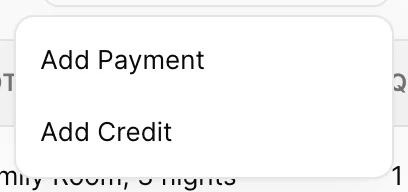
The three items on this menu do genuinely different things, and they are easy to confuse:
| Action | Use it when | Lands in |
|---|---|---|
| Add Payment | The guest has handed over money. Card, cash, bank transfer, a deposit. | CREDIT |
| Add Credit | You are taking money off the bill without anybody paying it. Compensation, a goodwill gesture, a discount agreed after the booking. | CREDIT |
| Add Refund | You are giving money back that the guest already paid. | DEBIT |
Add Payment
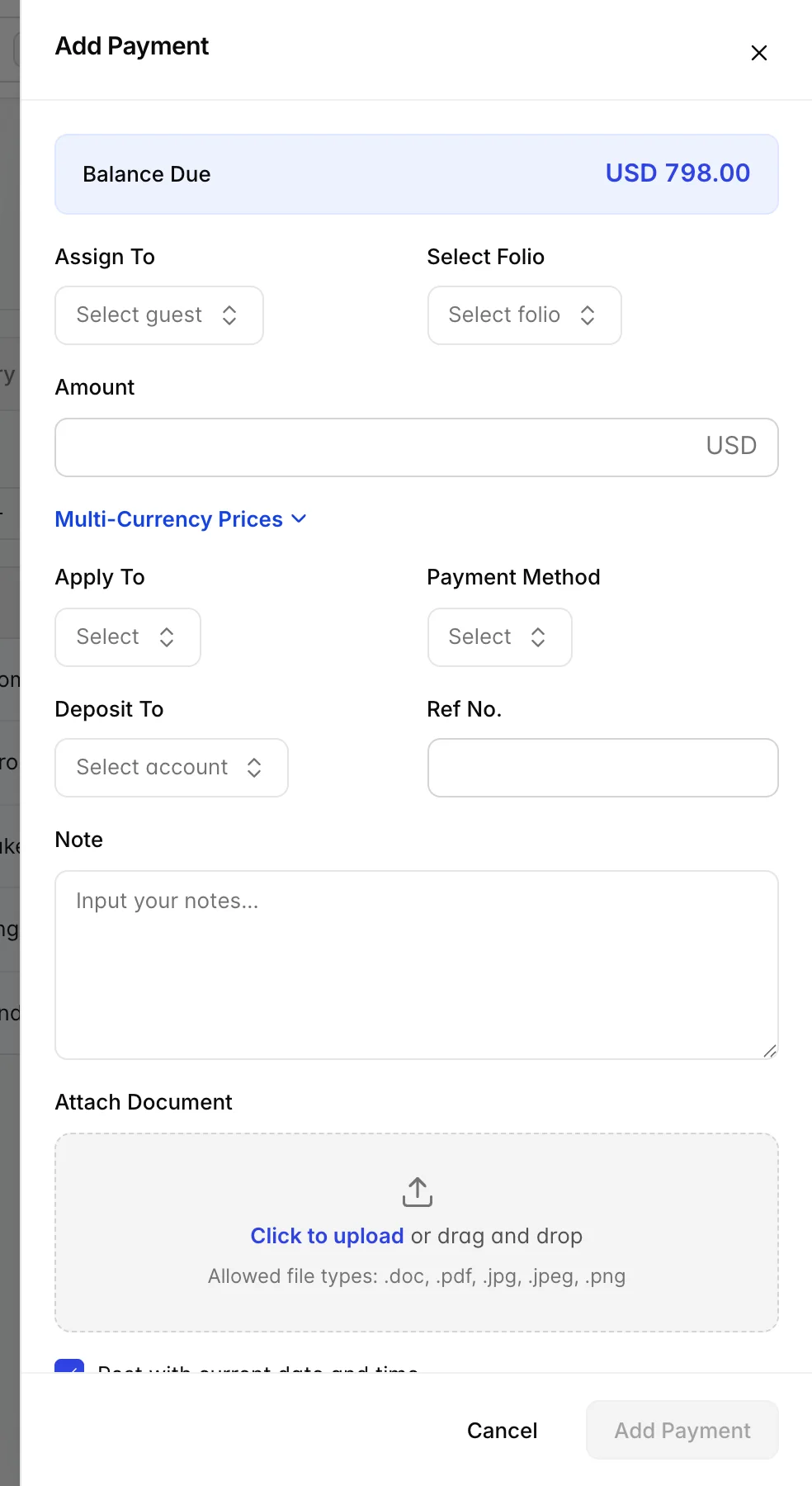
| Field | What it does |
|---|---|
| Balance Due | Not a field. What is currently outstanding on the booking, shown so you do not have to close the drawer to check it. |
| Assign To (required) | Which guest the payment is credited to. On a shared booking this decides whose balance goes down in the By guest view. |
| Select Folio (required) | Which bill the payment settles. |
| Amount (required) | How much. Must be more than zero. |
| Multi-Currency Prices | Expands to let you record what the guest actually handed over in another currency, with the rate used. Only relevant when you take foreign cash. |
| Apply To | What the payment is against, room charges, or items and services. This is not how it arrived; that is the next field. |
| Payment Method (required) | How it arrived: cash, card, bank transfer, and whatever else your property has configured. This is what shows in the folio's Product Name column. |
| Deposit To | Which of your accounts the money lands in. Drawn from your chart of accounts, so it is the bookkeeping side rather than the guest side. |
| Ref No. | Free text for the transaction reference, the terminal's approval code, the bank reference. Worth filling in: it is what you match against when a payment is queried weeks later. |
| Note | Free text, shown in the folio's Notes column. |
| Attach Document | Files kept against the payment, a signed slip, a bank confirmation. Accepts .doc, .pdf, .jpg, .jpeg and .png. |
Cash is the one payment method with a second record to keep. A card payment reconciles itself against the gateway, but notes and coins only reconcile against somebody counting the till, so a cash payment posted here should correspond to money physically going into an open drawer session. Recording the shift, and the count at the end of it, is covered in cash drawers.
Add Credit
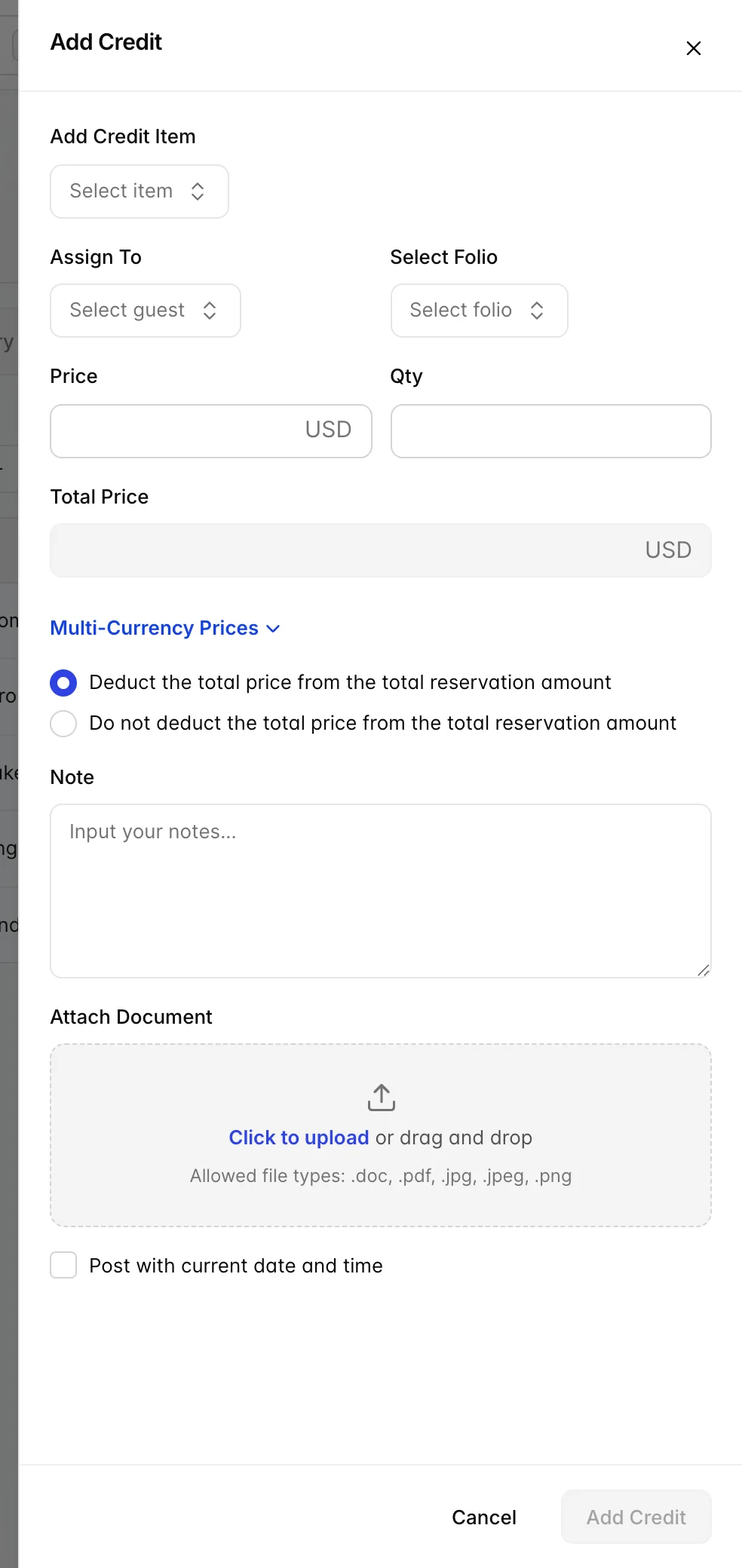
A credit is chosen from a list rather than typed freely: Add Credit Item is your property's own list of credit reasons, set up in the product catalogue. That is deliberate, it keeps "why did we give away USD 90" answerable at the end of the month.
Price and Qty multiply into Total Price, which is calculated rather than typed. The pair of radio buttons underneath is the part worth reading twice:
| Option | What happens |
|---|---|
| Deduct the total price from the total reservation amount | The credit comes off what the guest owes. This is the usual case: you have agreed to reduce the bill. |
| Do not deduct the total price from the total reservation amount | The credit is recorded on the folio but the balance does not move. Used when the credit is being settled some other way and you only want the record of it. |
Add Refund
Add Refund only appears on the menu once the booking is checked out. Before then, a guest who wants money back is normally handled with a credit against the bill instead, because they have not finished staying yet.
The drawer asks the same four required things as a payment, guest, folio, method, amount, and will not let the amount exceed the booking's grand total. The line it writes lands in DEBIT, which looks wrong until you remember the columns mean "owed to us" and "received from them": handing money back means less has been received.
Money owed: charges
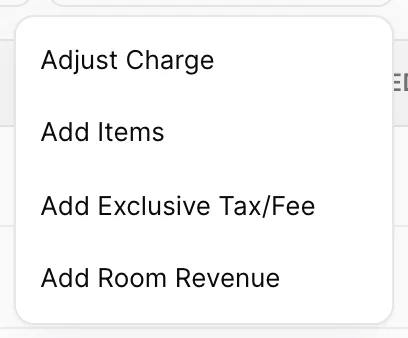
Adjust Charge is only on this menu if you have adjustment rights. The other three are always there.
Add Items
This is how anything from your product catalogue gets onto a bill: breakfast, parking, a spa treatment, a bottle of wine.
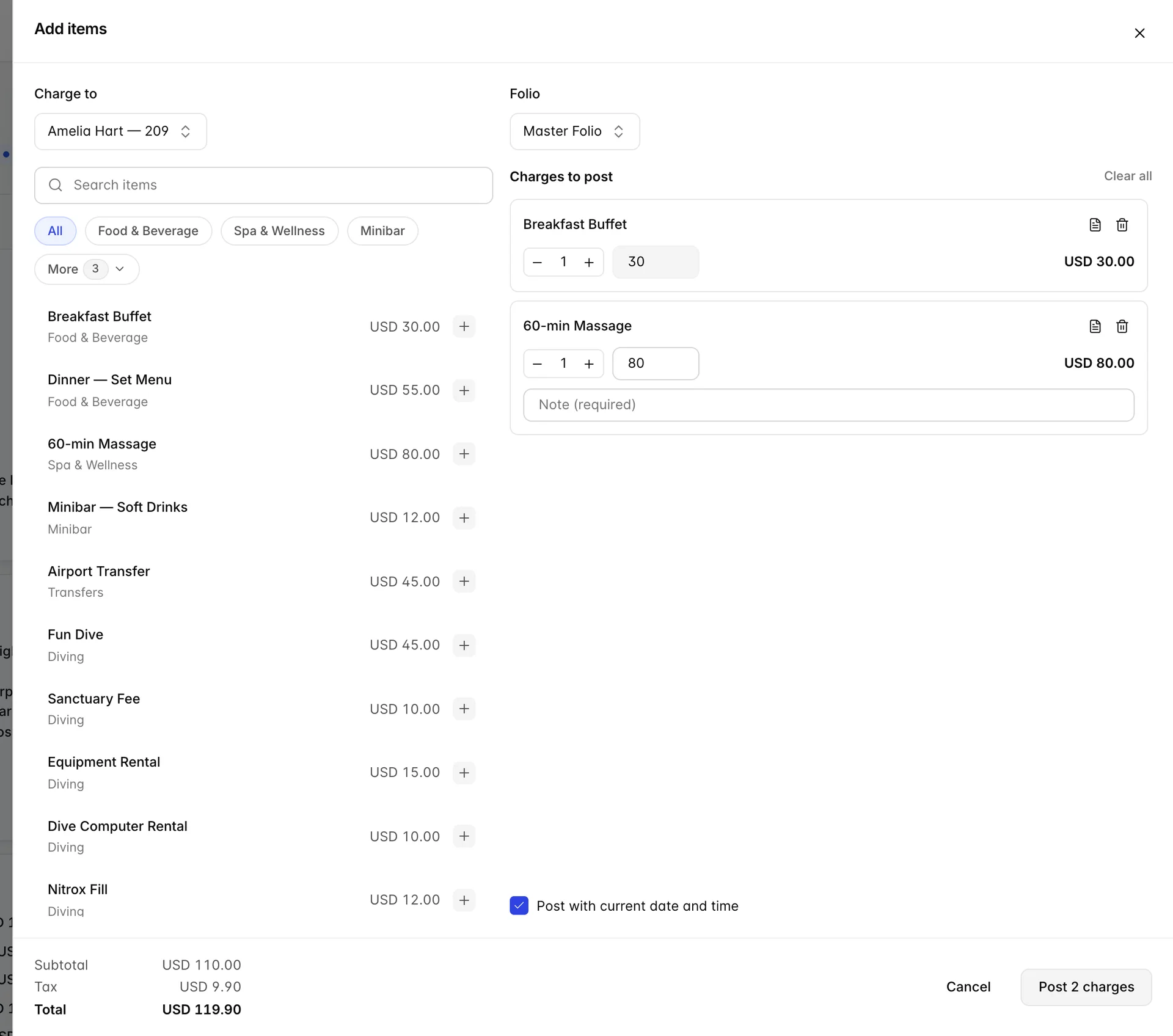
Pick the guest and folio at the top, then click items on the left to build up the cart on the right. Nothing is posted until you press Post, and the running Subtotal, Tax and Total in the footer tell you what pressing it will do.
Each line in the cart has a quantity stepper and a price box, and two things about those are set per product rather than per posting:
- A greyed-out price is a fixed-price product. The catalogue says this item cannot be sold at anything other than its list price. Where the box is editable, you may override it.
- A Note (required) box is a product that demands a reason. Typically the open-priced ones and the ones that get abused. The post will not go through until it is filled in.
A product marked as a package explodes into its component lines when it posts, so one click in the cart can become three lines on the folio.
Add Exclusive Tax/Fee
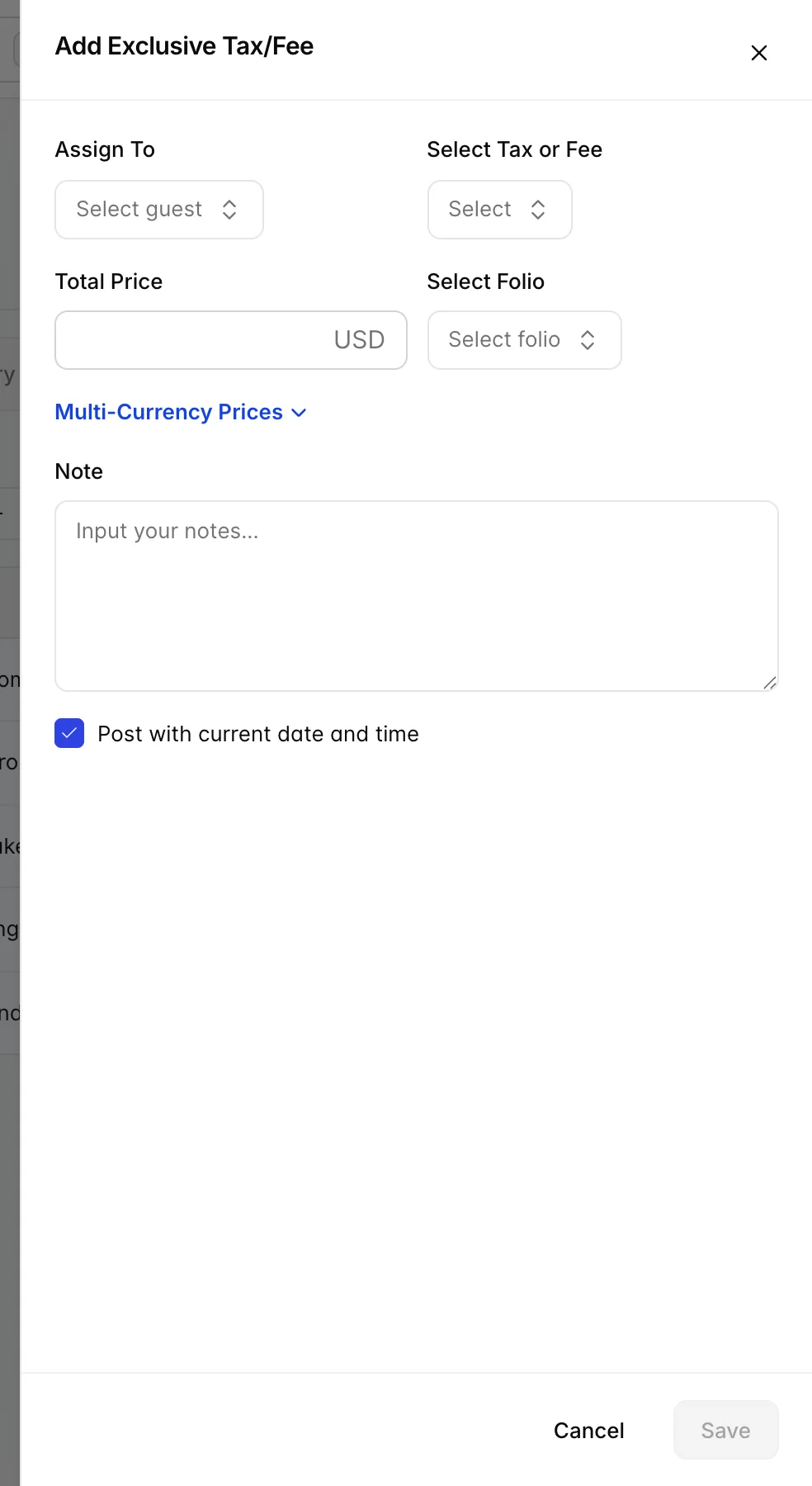
Most taxes post themselves: they are attached to the rate and appear on the folio the moment room revenue does. This screen is for the ones that do not, a tourist levy that only applies to certain guests, a fee agreed at the desk, a tax that the rate plan was set up without.
Select Tax or Fee comes from your property's tax setup; you cannot invent one here. Total Price is what the tax is being charged on, and how that becomes a figure on the bill depends on the tax: a percentage tax works it out, a flat one ignores it.
Add Room Revenue
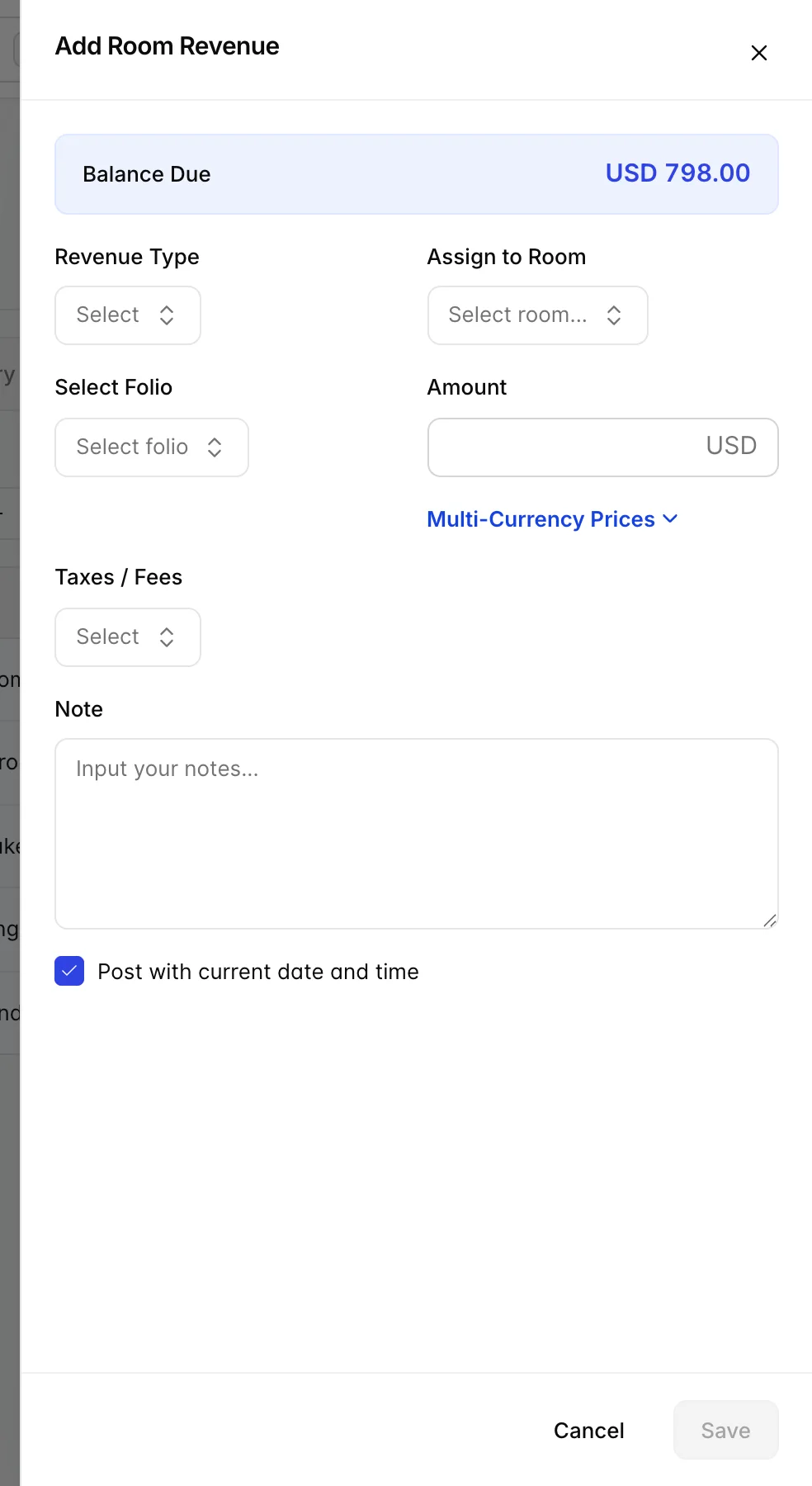
Use this when money belongs to the room rather than to a product, a late check-out, an early check-in, an agreed supplement, or a correction to a night the rate plan priced wrongly. It matters which one you use: revenue posted here counts as room revenue in your reporting, where the same amount posted as an item would not.
Revenue Type and Amount are required, along with the folio. Assign to Room and Taxes / Fees are optional, leave the tax blank and the amount posts untaxed, which is right for some supplements and wrong for most.
Adjust Charge
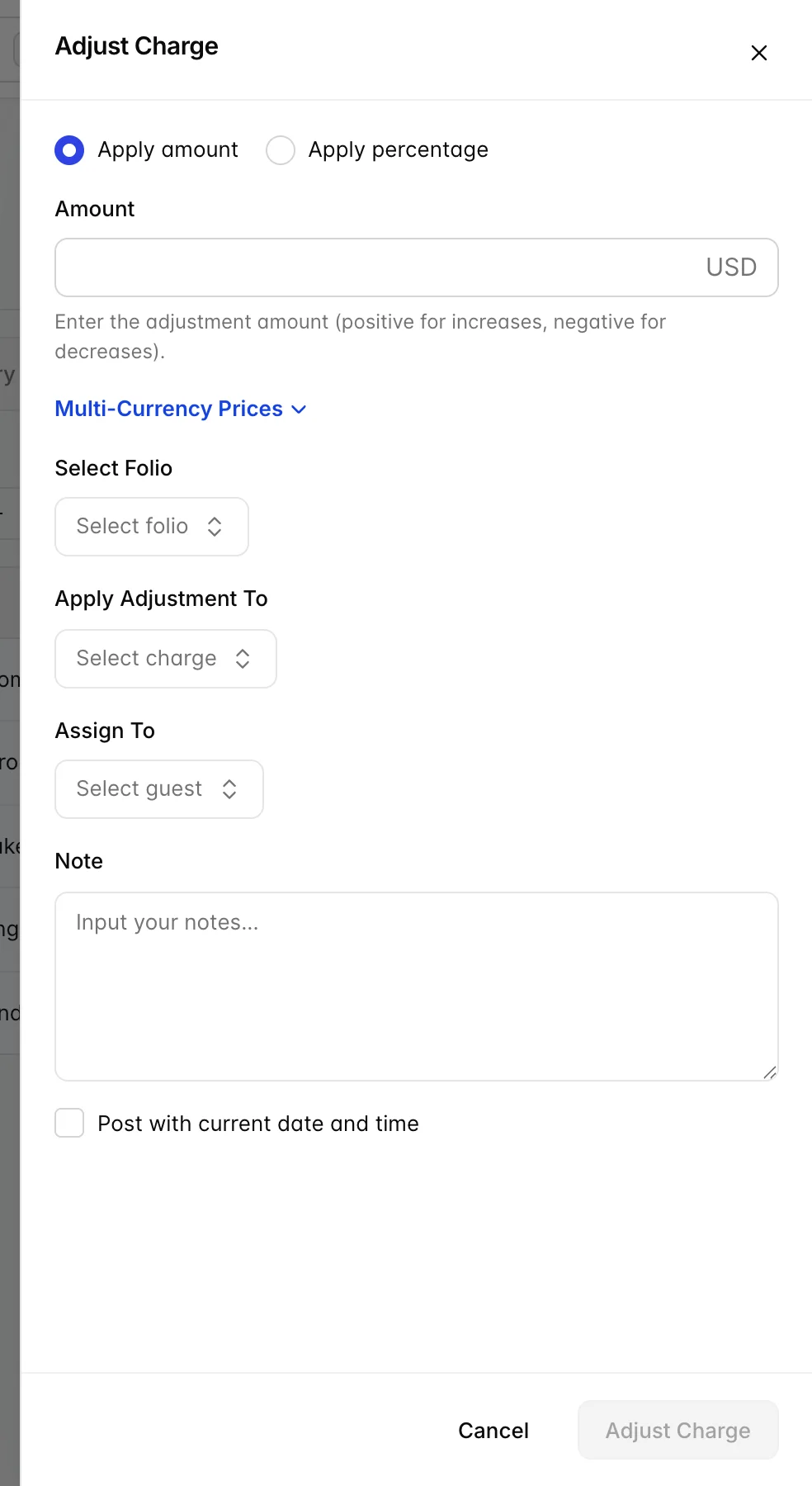
An adjustment is the grown-up way to fix a wrong amount. Rather than voiding the charge and re-posting it, it attaches a correction to the original line, so the folio shows both what was charged and what it was changed to.
| Field | What it does |
|---|---|
| Apply amount / Apply percentage | Whether you are adjusting by a fixed sum or by a proportion of the original charge. |
| Amount (required) | Positive increases the charge, negative reduces it. This is the one field on the folio where a minus sign is meaningful. |
| Select Folio (required) | Which folio holds the line you are correcting. Choose this first, it filters the list below. |
| Apply Adjustment To (required) | The specific line being corrected. Voided lines are not offered, because a correction to a charge that no longer exists is not a correction. |
| Assign To | Which guest wears the adjustment, on a shared booking. |
| Note | Why. Fill it in, an unexplained adjustment is the first thing an auditor asks about. |
Voiding a line
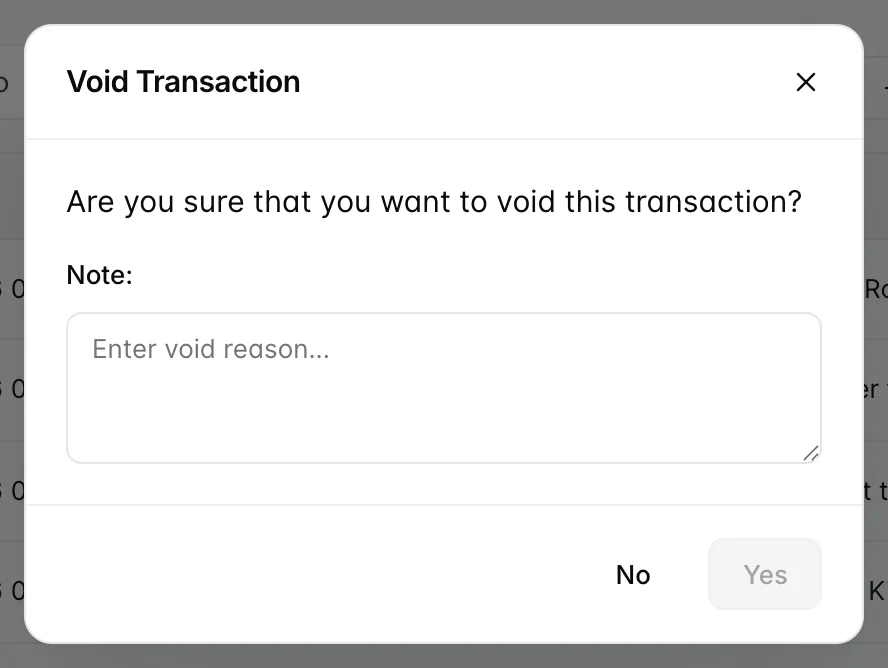
Void from the three-dot menu on the row itself. The confirmation asks for a reason and confirming stays greyed out until you type one, there is no way to void a charge anonymously. It also stays greyed out for anybody without the right to void, with the reason typed and nothing on screen to say so, which is worth knowing before you spend a minute rewording it.
Once voided, the line disappears from the table and stops counting towards the balance. It is not deleted: the Activity Log records who voided what and why, and that record is the reason voiding is preferred to deleting.
Use a void when a line should never have existed. Use an adjustment when it should have existed for a different amount.
Moving a line to another folio
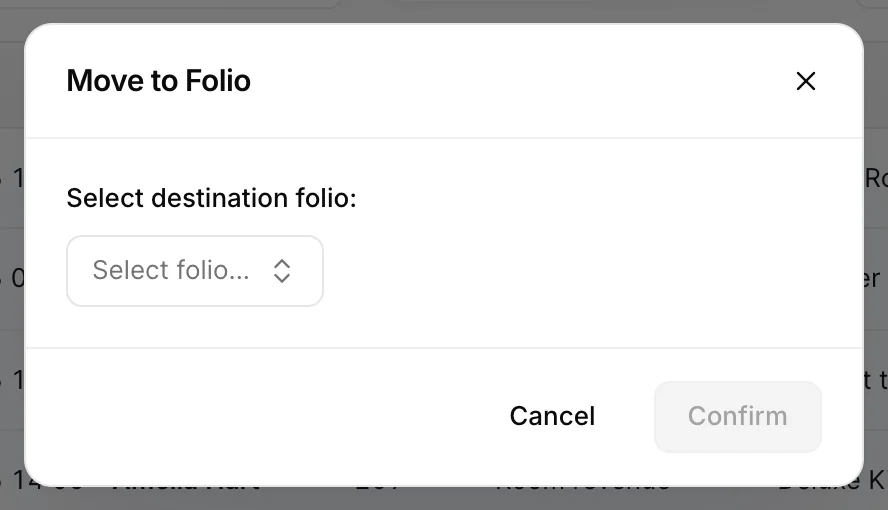
Also from the row's three-dot menu. Pick the destination folio and confirm. The amount, the date and the description all stay as they were; only which bill it sits on changes.
This is the everyday tool for "the company is paying for the room but not the bar": post everything to the master folio as it happens, then move the personal items across before check-out.
Folio Actions
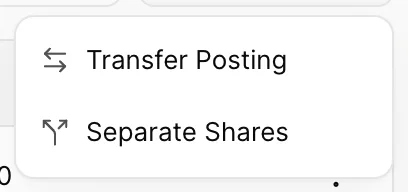
| Action | What it does |
|---|---|
| Transfer Posting | Moves charges between bookings, not just between folios on the same booking. Used when a charge went to the wrong room, or when one party is settling for another room's extras. Transferred lines are marked as transfers on both folios so the trail survives. |
| Separate Shares | Splits a shared booking into genuinely separate bills, rather than the breakdown that By guest gives you. Only appears if your property has share separation turned on. |
Things that catch people out
| What you see | Why |
|---|---|
| The save button will not light up | A required field above it is empty. The usual culprits are Assign To and Select Folio, both of which start blank on several of these screens even though the folio behind them is already chosen. |
| Add Refund is missing from the menu | The booking is not checked out yet. Until then, reduce the bill with a credit instead. |
| Adjust Charge is missing from the menu | Your user has no adjustment rights. An administrator grants maker or approver rights per user. |
| You posted the charge and cannot find it | Check the folio picker inside the drawer, not the one on the toolbar. They are separate, and the drawer's defaults to the property's default folio. |
| The price box in the cart is greyed out | That product is fixed-price in the catalogue. If it genuinely needs a different price, it has to be changed on the product, not on the posting. |
| The adjustment you raised has not changed the balance | It is waiting for approval. It shows on the folio as Pending approval and starts counting once an approver signs it off. |
| No toolbar buttons at all | You are on the booking's restricted-user list, which allows reading the folio but not posting to it. |