The reservation list is a list of bookings. This is a list of people. Everybody who has ever been on a booking at your property has a record here, whether they stayed once in 2024, are asleep upstairs tonight, or cancelled before they ever arrived. It is the screen you use when a caller says "I stayed with you last year" and gives you a name and nothing else.
One row is one guest record, and the record outlives the booking. Open one and you get their whole history, their spend and whatever your team has written about them, which is covered in The guest profile.
The screen
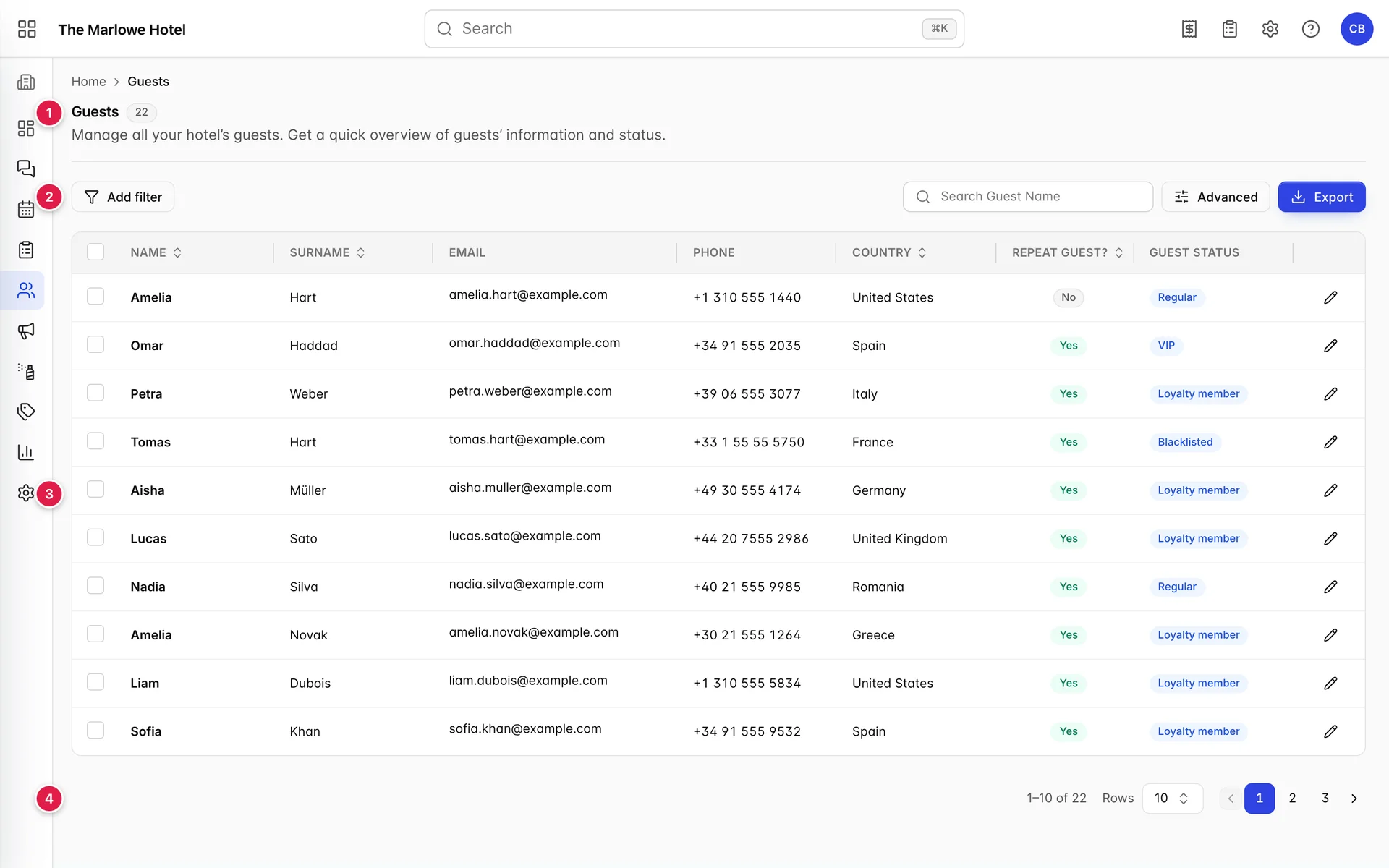
- The heading. The grey number beside Guests is how many records match what you have filtered to. With nothing set it is the size of your whole guest database.
- The filter bar. Add filter and its chips on the left, search, Advanced and Export on the right.
- The table. Ten rows at a time, with a tick box on each one.
- The pager. How many matched, and where you are in them.
The columns

| Column | What it holds |
|---|---|
| Name and Surname | Held as two separate fields, which is why searching for the two in the wrong order finds nothing. Both sort. |
| The guest's address, and a live mail link: click it and your mail client opens rather than the profile. It is also the field Prostay treats as the guest's identity, so two records sharing one address are the duplicate problem further down this page. | |
| Phone | The landline field from the profile, the one labelled Phone there. A guest whose only number is in Mobile shows a dash here. |
| Country | The country on the profile, which doubles as nationality. Sorts, and drives the Country filter. |
| Repeat Guest? | Yes in green or No in grey, worked out from their stay history rather than typed by anyone. See the next section. |
| Guest Status | The label somebody has given this guest: VIP, Loyalty member, Regular, Blacklisted or whatever your property has defined. A dash means nobody has set one. Statuses are set per guest on the profile and the list of them is maintained in general settings. |
| The pencil | Opens the guest profile. It is the only part of the row that navigates: clicking the name does nothing. |
What makes a guest a repeat guest
A guest is a repeat guest when they have more than one stay behind them that was not cancelled. Nobody sets this and you cannot override it. Prostay counts the stays attached to that guest and fills the column in.
Two consequences worth knowing before you trust the column. A guest who has booked twice and cancelled once still reads No, because a cancellation is not a stay. And a guest who arrives tomorrow for the second time already reads Yes, because the booking counts from the moment it exists rather than from the moment they walk in.
This is the same count the profile shows in its Reservations tile, so if the column and the tile disagree with the number of rows on the profile's History tab, the difference is cancelled bookings.
Finding one person

- Search. Matches the name and the email address, and runs on its own a moment after you stop typing. Partial words are fine: cost finds Ingrid Costa.
- Advanced. Opens every filter in one panel, with a count of how many are applied.
- Export. Writes what you are looking at to a file. Covered at the end of this page.
What the box does not match matters as much as what it does. Typing a phone number, a room number or a booking number returns nothing, and so does typing the surname before the first name. Names are held in two fields and the search reads them in the order they are stored.
The six filters
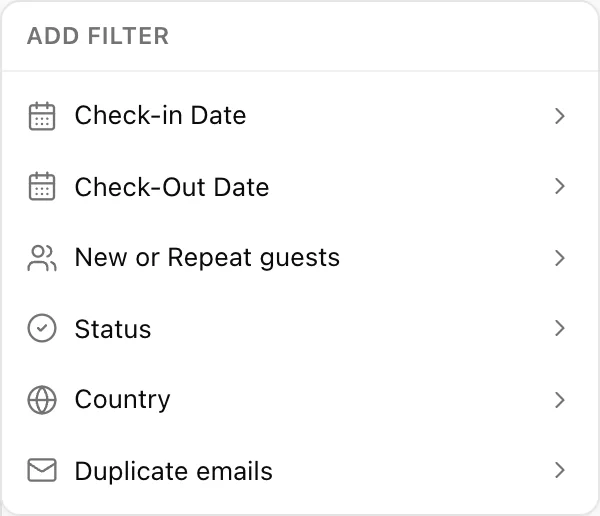
Filters combine: set two and you get the records that satisfy both. Each one leaves an editable chip on the bar, and Clear all removes the lot. Changing any filter takes you back to page one.
| Filter | What it does | Useful for |
|---|---|---|
| Check-in Date | A from and to pair. Keeps guests with a stay arriving inside the range. | Everyone who came in during the conference week. |
| Check-Out Date | The same pair for departures. | Everyone who left in July, for a follow-up mailing. |
| New or Repeat guests | Tick New guests or Repeat guests. Ticking both shows everybody, which is the same as ticking neither. | Counting how much of last month was returning business. |
| Status | Tick any number of your property's guest statuses. The list is searchable because a property can define a lot of them. | Pulling every VIP before a busy weekend, or checking the blacklist. |
| Country | Tick one or more countries, matched against the country on the profile. | Language cover on the desk, or a market-by-market count. |
| Duplicate emails | One option, Show duplicates only. Hides every record whose email address belongs to it alone. | Cleaning the database. See below. |
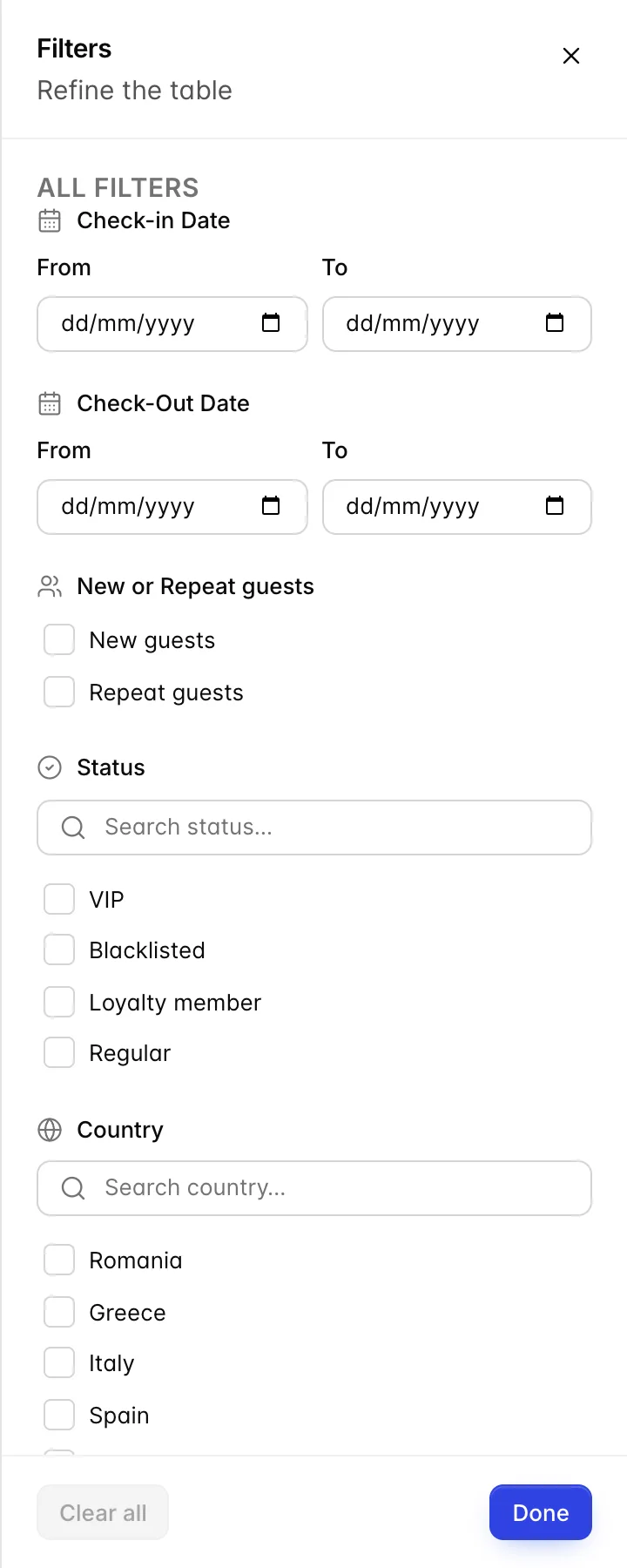
Advanced opens all six as a single panel and is the quicker route when you are setting several. The two are the same filter: a country picked in the drawer appears as a chip on the bar when you close it, and the number on the Advanced button counts what is currently applied.
The four date fields
Two of the six filters are date ranges, which gives you four boxes: arrival from, arrival to, departure from and departure to. They filter people by the stays those people have, and that produces one behaviour that surprises everybody the first time.
All four describe a single stay. Set arrivals in August and departures in September and you get the guests who had one stay that began in August and ended in September. You do not get the guest who came in August and came back again in September, because no single stay of theirs satisfies both halves.
The To date includes the whole day you picked, so a range ending on the 31st keeps somebody who arrived on the 31st.
Finding the same person twice

Duplicates happen when somebody types a returning guest in by hand instead of picking them out of the existing-guest list on the booking. The damage is quiet: their stays split across two records, so neither one shows them as a repeat guest, neither one carries the full spend, and the note about their allergy is on the record you are not looking at.
Show duplicates only keeps the records that share an email address with at least one other record. The screenshot above is the shape you are hunting: same address, two spellings of the surname.
There is no merge button on this screen. What you can do is decide which record is the one to keep, copy anything worth keeping across to it, and make sure the next booking for that person is created from the existing-guest picker described in Guests on a reservation, so a third record does not appear next month.
Sorting and paging
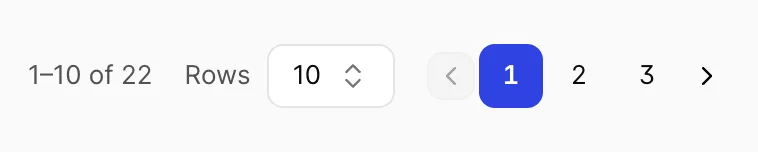
Four columns sort: Name, Surname, Country and Repeat Guest?. Click a header once for ascending and again for descending. There is no third click that clears it; pick a different column or reload the screen.
Sorting here reorders every record that matched, not the ten in front of you, and drops you back on page one. Sort by Surname on page three and you get the true beginning of the alphabet rather than page three rearranged.
Rows at the foot switches between 5, 10, 50 and 100 records a page. The range on the left is the honest count of what your filters matched.
Selecting and exporting
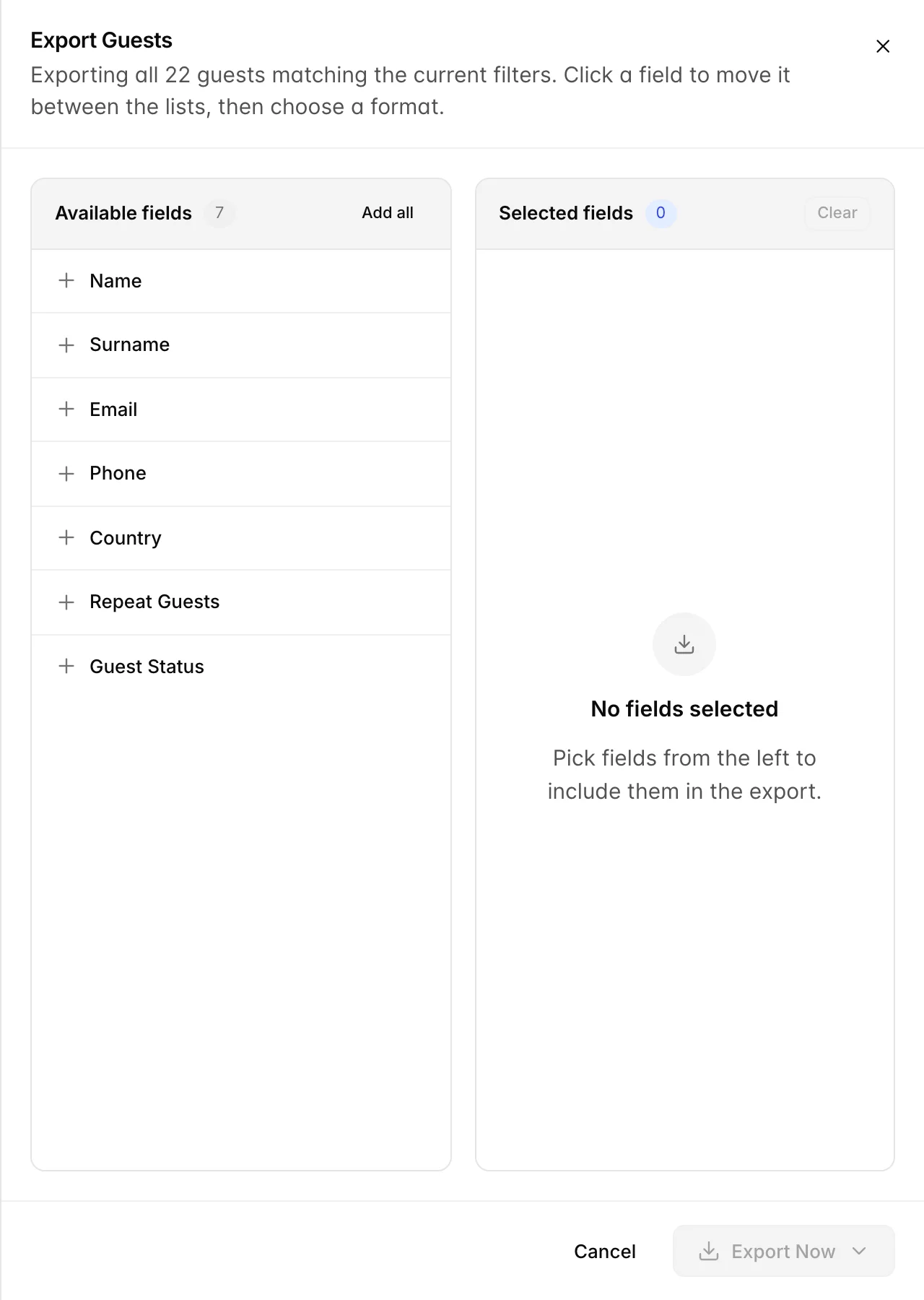
There are two ways to decide who ends up in the file, and the line at the top of the panel tells you which one you are about to use.
| What you ticked | What you get |
|---|---|
| No rows ticked | Every guest matching your filters, including the ones on pages you have not looked at. The panel says Exporting all 22 guests matching the current filters, with your own number in place of 22. |
| Some rows ticked | Only those guests. Selection survives paging, so you can gather four people from three pages and export the four. The panel counts them back to you. |
- Narrow the list, or tick the rows you want. The tick box in the header takes the whole page.
- Press Export. The panel opens with the seven available fields on the left and nothing chosen on the right.
- Click fields to move them across. Left to right adds, right to left removes, and Add all takes the seven in one go. The order you add them is the column order in the file.
- Press Export Now and pick a format. PDF to hand to somebody, Excel to work with. The file downloads as GuestsReport.
Things that catch people out
| What you see | Why |
|---|---|
| No guests found for a guest you are sure about | Either a filter chip is still applied, or you typed something the box does not match: a phone number, a booking number, or the surname first. |
| A guest here who has never stayed | Correct. A record is created when somebody is put on a booking, so a cancellation, a no-show and a future arrival all appear in this list. |
| Repeat Guest? says No for a regular | Their stays are split across two records. Try Show duplicates only, or search the email address rather than the name. |
| The number beside Guests keeps changing | It counts matches, not people. Anyone quoting a total from this screen should say what they had filtered. |
| An empty Phone column on somebody you have a number for | The number is in Mobile on their profile. This column shows the landline field only. |
| The pencil is the only thing that opens a guest | By design. Clicking the row does nothing, which stops a mis-click on a tick box from taking you off the list you were building. |