The base rate is what a room type sells at before anything else is applied: before a rate plan discounts it, before a package adds breakfast to it, before a member of staff overrides it on a booking. Everything else in Prostay's pricing is expressed as a change to this number, so it is the one to get right first.
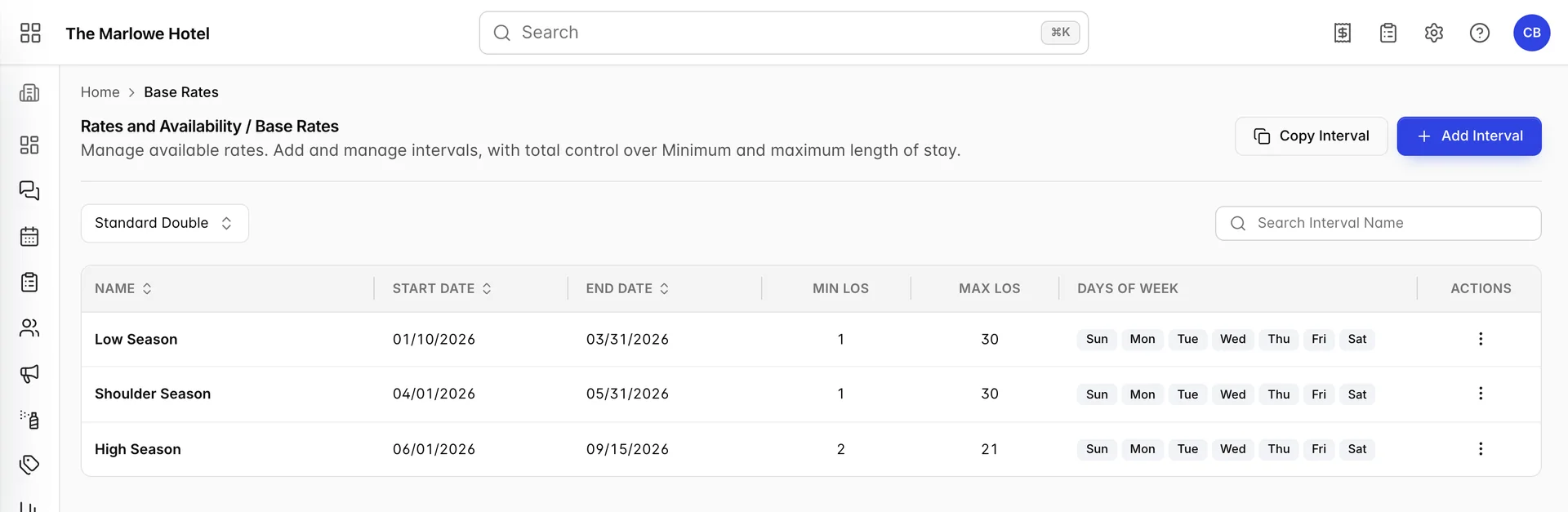
An interval is the base rate
Prostay does not hold one price per room type with seasonal adjustments layered over it. It holds a list of dated intervals, and each interval carries its own price for each day of the week. The interval named High Season above is not a modifier applied to some underlying rate. It is the rate, for every night between 06/01/2026 and 09/15/2026.
That means an interval is really four things at once, and all four are set in the same form:
- A date range the rate applies to.
- A price for each day of the week inside that range, so a Friday can cost more than a Tuesday.
- A minimum and maximum length of stay for arrivals in that range.
- Optionally, what each extra adult and child costs on top.
A season here is an interval you named
People who have run a property on other systems open the Rates & Availability menu looking for a seasons screen, do not find one, and assume it is hidden behind a permission or an upgrade. There is no seasons screen in your rate setup because the seasons are these rows. The words Low Season and High Season in the screenshot are names somebody typed into an interval, nothing more. You could call them Festival Week and The Rest Of March and the system would behave identically.
One accommodation type at a time
The list shows the intervals for a single accommodation type, chosen with the filter at the top left. This is the part most often missed on a first visit: the screen is not showing you a partial list of the property's rates, it is showing you all of the rates for one type.

- Accommodation type. Which type you are looking at. It opens on the first type in your list, so if you have never touched it you are looking at whatever that happens to be.
- Search Interval Name. Filters the rows below by name as you type. It only searches the name, not dates or prices.
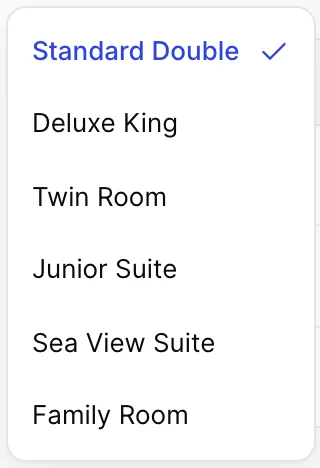
Nothing is shared between types. Six accommodation types with three seasons each is eighteen intervals, each with its own seven prices, and putting the summer rate up means editing six rows rather than one. That is what the Copy Interval button exists for, and it is covered in creating and editing base rate intervals.
The types themselves come from Accommodation Types in general settings. Add a type there and it appears in this filter with no intervals against it, which means it has no price until you give it one.
What a row tells you

| Column | What it means for the guest |
|---|---|
| Name | A label for staff. Changing it changes nothing about the price. |
| Start Date and End Date | The nights this rate applies to, shown in your property's date format. Both ends are included. |
| Min Los | The shortest stay that can begin in this range. A minimum of 2 means a guest asking for a single Saturday night is refused rather than quoted. |
| Max Los | The longest stay that can begin in this range. It is the control that stops a rate meant for a week being taken for a month. |
| Days of Week | Which days of the week carry a price in this interval. Seven chips means the whole week is priced, which is the usual case. |
| Actions | Edit opens the interval, Delete removes it after a confirmation. Deleting takes the price for those dates with it. |
The prices are not on this screen. The list is deliberately about coverage, which dates are priced and under what stay rules, and you open a row to see the seven numbers underneath it.
Dates no interval covers
Nothing forces your intervals to be continuous, and nothing tells you when they are not. A gap between the end of one interval and the start of the next is a stretch of nights with no base rate at all.
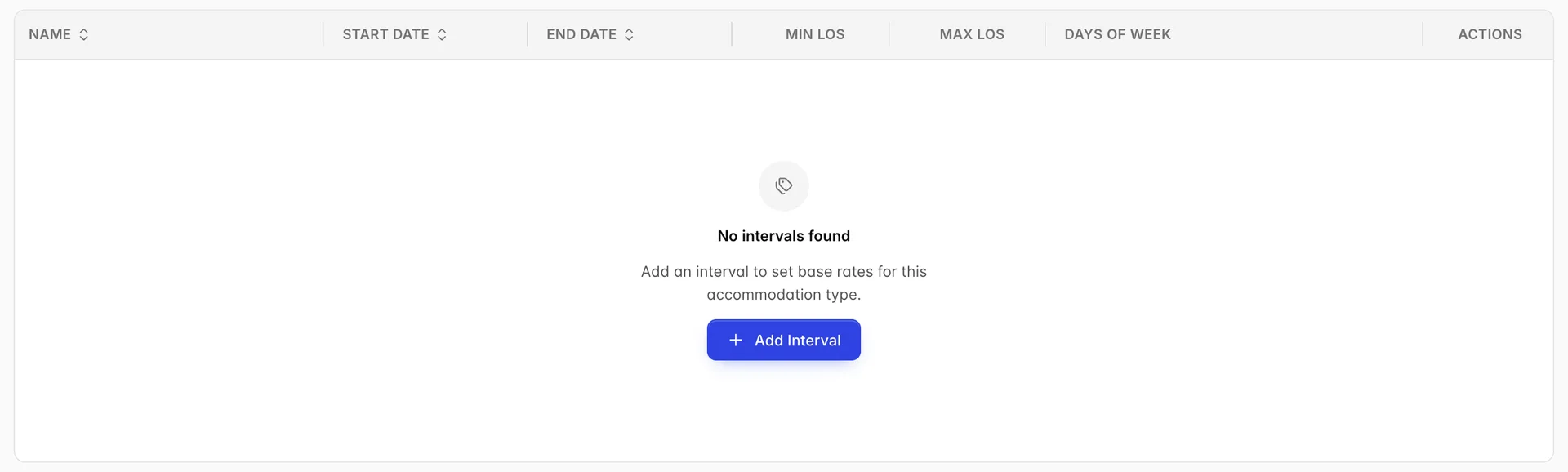
The example above uses three intervals that stop at 09/15/2026. Every night from 16 September onward is unpriced for a Standard Double, and the way to see that is the availability matrix rather than this list: run your eye along the rate row and look for zeros.
Dates two intervals cover
The opposite mistake is quieter. The date pickers on the interval form grey out every day already covered by another interval for the same accommodation type, so you cannot start or end a new interval inside an existing one. What they cannot stop is a range that steps over the top: pick a start date before an existing interval and an end date after it and both ends are legal, while the middle is now covered twice.
When that happens the price comes from the first matching interval, which is the order they were created in rather than anything you can see or sort by. So a wide interval added over an existing summer range does not take priority. The summer interval was there first and keeps its nights. Shorten or split the existing interval rather than layering another one over it.
What reads the base rate
- The availability matrix. Its top row per accommodation type is the base rate for that night, and it is read-only there. That row is the quickest way to check your intervals are doing what you think, because it shows the result rather than the rule. See the availability matrix.
- Derived rate plans. A rate plan can be defined as the base rate plus or minus an amount or a percentage, so moving a base rate moves every derived plan with it. See pricing intervals on rate plans.
- New bookings. A reservation with no rate plan chosen is quoted at the base rate for its dates and type.
- Length of stay rules. Min and max stay on the interval are the defaults the availability matrix starts from. A value typed into the matrix overrides them for that one date.
Base rates against rate plans
Two screens sit next to each other in the menu and are easy to confuse.
| Base Rates | Rate Plans & Packages | |
|---|---|---|
| What it is | The price of the room itself. | A named offer built on top of that price. |
| How many | One set per accommodation type. There is no choosing between them. | As many as you like, sold side by side. |
| Who sees the name | Nobody outside your team. | Guests see the public name in the booking engine. |
| What it can carry | Dates, day-of-week prices, stay limits, extra person prices. | All of that, plus inclusions, policies, add-ons, sources and a promotion code. |
If you are trying to run a two-night package with breakfast, that is a rate plan. If you are trying to say what a Standard Double costs on a Tuesday in July, that is a base rate interval.
Things that catch people out
- The filter opens on one type and stays there. Editing what you think is the property's summer rate is editing one accommodation type's summer rate. Check the filter before you decide the job is done.
- Nothing checks your coverage. The date pickers stop you starting an interval inside another one, and that is the whole of the checking. No warning for a gap, and no warning for a year with no intervals in it at all.
- Deleting an interval deletes a price. There is a confirmation, but no undo, and the nights it covered become unpriced immediately.
- Minimum stay here is not the same as minimum stay on a rate plan. This one applies to anybody booking the room type at the base rate. A rate plan carries its own, and a value typed into the availability matrix beats both for that date.