What this screen decides
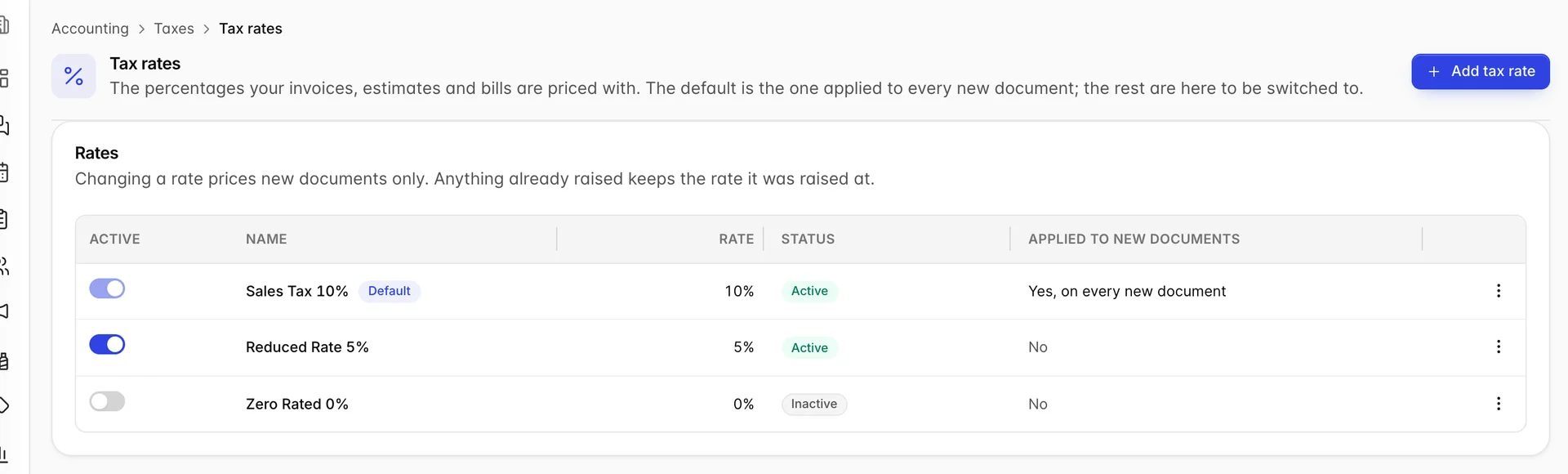
Every accounting document you raise is priced with a tax rate: an invoice, an estimate, a sales receipt, a bill. This screen holds the rates available to your property, and marks one of them as the one a new document actually uses.
It sits beside the Taxes wizard, and the split between them is worth getting straight before anything else, because they sound like the same screen. The wizard records how you file: which agency, how often, on what basis. This screen records what you charge. A property can have its filing answers perfectly set up and still be pricing every invoice at the wrong percentage, and the two screens are where you would fix each of those.
The default is the whole answer
A property with three rates on this screen does not charge three rates. It charges one, and that one is the row carrying the blue Default chip. The Applied to new documents column exists to say so out loud, because a table of three plausible percentages otherwise gives you no way to tell which one an invoice will pick up.
To change which rate is the default, open the row menu on the rate you want and choose Make default. The chip moves, and the next document you raise is priced at the new rate. Nothing else on the screen changes, and nothing you have already raised changes either.
Adding a rate
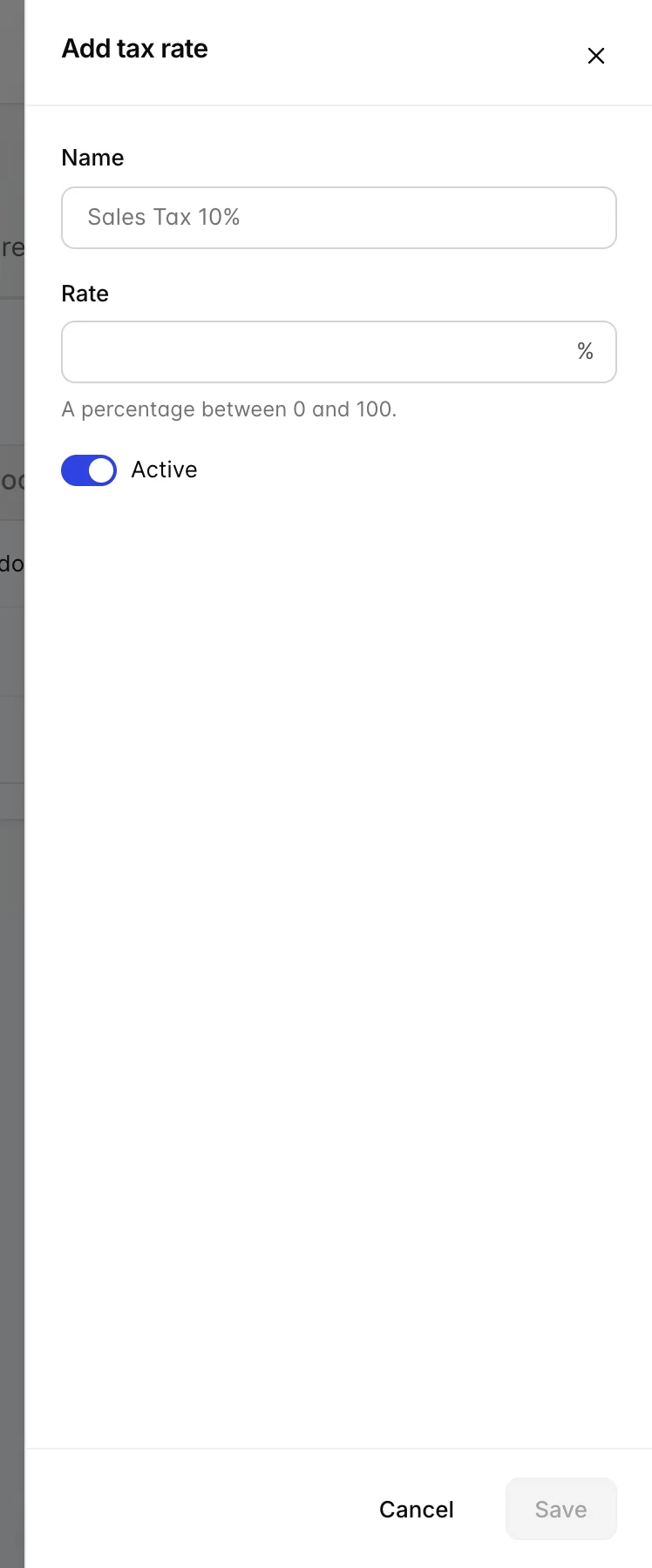
A rate is a name and a percentage. Give it a name you will recognise in a list a year from now: the shipped one is called Sales Tax 10%, which puts the number in the name, and that is a habit worth keeping because the name is what appears when you are choosing between rates rather than reading this table.
The Active switch controls whether a rate is available to be used at all. An inactive rate stays on the list and keeps its history, but it cannot become the default. Deactivating is the softer alternative to deleting when a rate has stopped applying but you would rather not lose the record of it.
Adding a rate does not make it the default. That is deliberately a second, separate decision, so that adding next year's rate in advance cannot silently reprice everything you raise between now and next year.
The two things it will not let you do
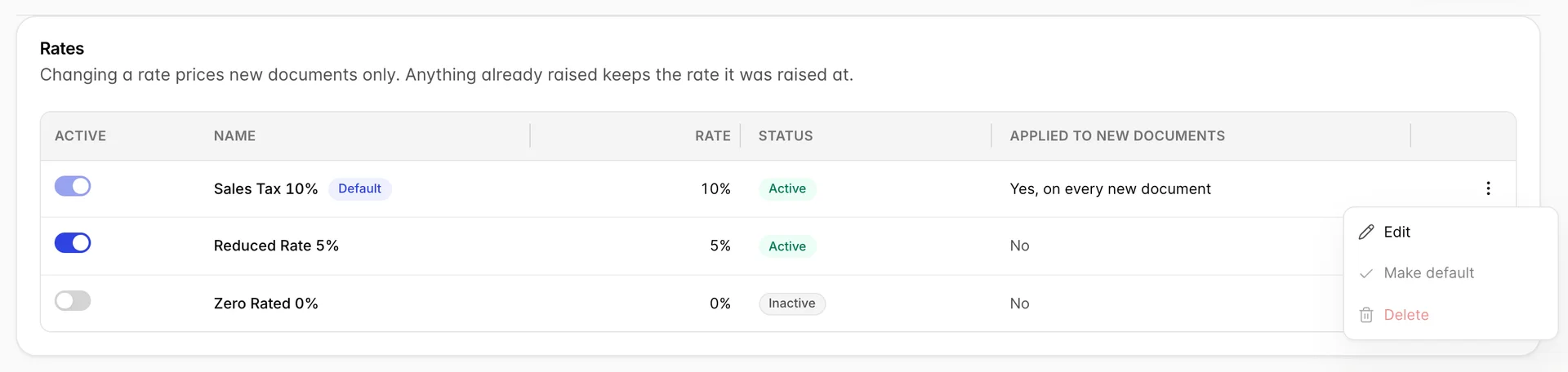
On the default rate, Make default and Delete are both greyed out, and its Active toggle is fixed on. The first is just tidiness; the other two are load bearing.
You cannot delete the default rate. Every new document reads it, so deleting it would leave the sales forms with no rate to price with. If you genuinely want a rate gone, make another rate the default first, and then delete it.
You cannot make an inactive rate the default. A rate the screen shows as switched off should not be the one quietly applied to every invoice you raise, and allowing it would put the table in the position of saying two contradictory things about the same row.
Both refusals happen on the way in rather than being warned about afterwards, so there is no state in which the property is briefly pricing documents at nothing.
Changing a rate does not restate your history
This is the part worth reading twice, because it is the question an accountant will ask first. Editing a rate, switching the default, or deleting a rate changes what your next document is priced at. It does not reach backwards. An invoice you raised last month keeps the tax it was raised with, on the invoice itself, on the customer's balance, and in every report that counts it.
That is the behaviour you want, and it is worth knowing in the other direction too. If you have been invoicing at the wrong percentage for a month, correcting the rate here fixes tomorrow and leaves the month alone. Those documents have to be put right one at a time, or credited and re-raised.
The other taxes screen
Prostay has a second screen that is also a list of taxes with percentages, at Integrations › Tax & Fees Settings. They are not the same thing and neither one feeds the other.
- Tax rates, this screen, prices accounting documents: invoices, estimates, bills, sales receipts.
- Tax and Fees prices reservations and sold items: the tax on a room night, a city tax per person per night, a resort fee.
A hotel will normally need both, and they will normally not hold the same numbers, because a room night and a consultancy invoice are not taxed the same way in most places. If you are trying to work out why a percentage you changed has not moved, the likeliest answer is that you changed it on the other screen.
Who can change a rate
This screen and the Taxes wizard share one permission, Tax filing configuration and tax rates, granted under Users › User Roles. It is one right rather than two because the two screens are two views of the same record: the agency that sets the percentage is the agency the return goes to.
Without it the screen opens on an explanation rather than the table, naming the permission you are missing. Viewing and editing are separate rights, so a role can be allowed to see what the property charges without being able to change it, which is the usual arrangement for anyone who reads the books but does not keep them.
Where to go next

- Accounting settings, whose Taxes section covers the wizard this screen sits beside: the agency, the tax period, the filing frequency and the accrual or cash basis.
- Raising a sales document, to see the rate arrive on an invoice and become part of a total.
- Tax and Fees, if what you meant to change was the tax on a room night rather than on an invoice.