All Sales is every sales document you have ever raised in one list: invoices, estimates, sales orders, receipts, credit notes, refunds, delayed charges and credits, payments received and statements sent. It is also five numbers that tell you which of them needs attention, and those are the reason to open it in the morning rather than when you are looking for something.
One list, ten kinds of document
Everything from the nine documents arrives here, plus payments received. Newest first. Because ten kinds of thing share one table, the columns are the ones they all have: a date, a type, a number, a customer, a memo, an amount and a status. Anything specific to one type, an expiry date or a payment method, is on the document rather than in the list.
The five cards

Each card is a count and a total, and clicking one filters the list beneath to exactly what it counted:
- Estimates, quotations still live. Your pipeline: money that is not yours yet and might be.
- Unbilled income, delayed charges nobody has put on an invoice. Money you have earned and not asked for.
- Overdue invoices, past their due date and still owed.
- Open invoices and credits, everything owed to you, whether overdue or not. This is the same figure as Accounts Receivable on your chart of accounts, which is worth knowing because it means the two can be checked against each other.
- Recently paid, invoices settled lately. Not money you need to do anything about, but a useful sense of whether the account is moving.
What the cards are telling you to do
Two of the five are work queues rather than statistics, and they are the two people ignore:
Unbilled income should usually be near zero. Anything sitting there is a service you delivered and never billed for, and it stays invisible in every revenue figure you have until somebody invoices it. Once a month, click the card and clear it.
Estimates is a different kind of neglect. A quotation that has sat pending for three weeks is not waiting for you, it is waiting for a phone call. The estimate card is the shortest route to that list.
The four filters

The filters combine, so the interesting questions are the combinations: invoices, this quarter, overdue. One customer, all types, all dates, which is their whole history with you.
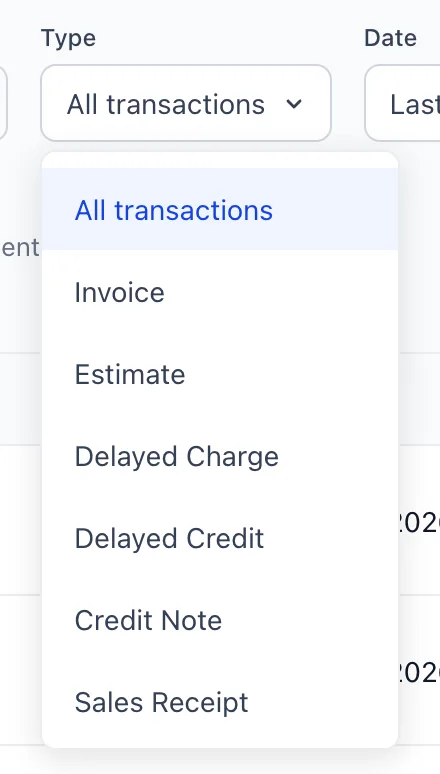
- Type is the one to reach for first, because it is what turns a list of everything into a list of one kind of thing.
- Date defaults to the last 12 months, which is worth remembering: a document from two years ago is not missing, it is outside the filter. The options run from this month to last year, with quarters and rolling periods in between.
- Customer narrows to one account.
- Status holds nineteen values, because ten kinds of document have different vocabularies for what state they are in. An estimate is Pending, Accepted, Rejected, Expired or Converted; an invoice is Open, Sent, Partially paid, Paid, Overdue or Voided; a delayed charge is Unbilled or Billed; a credit is Unapplied, Partially applied or Applied.
Reading a row
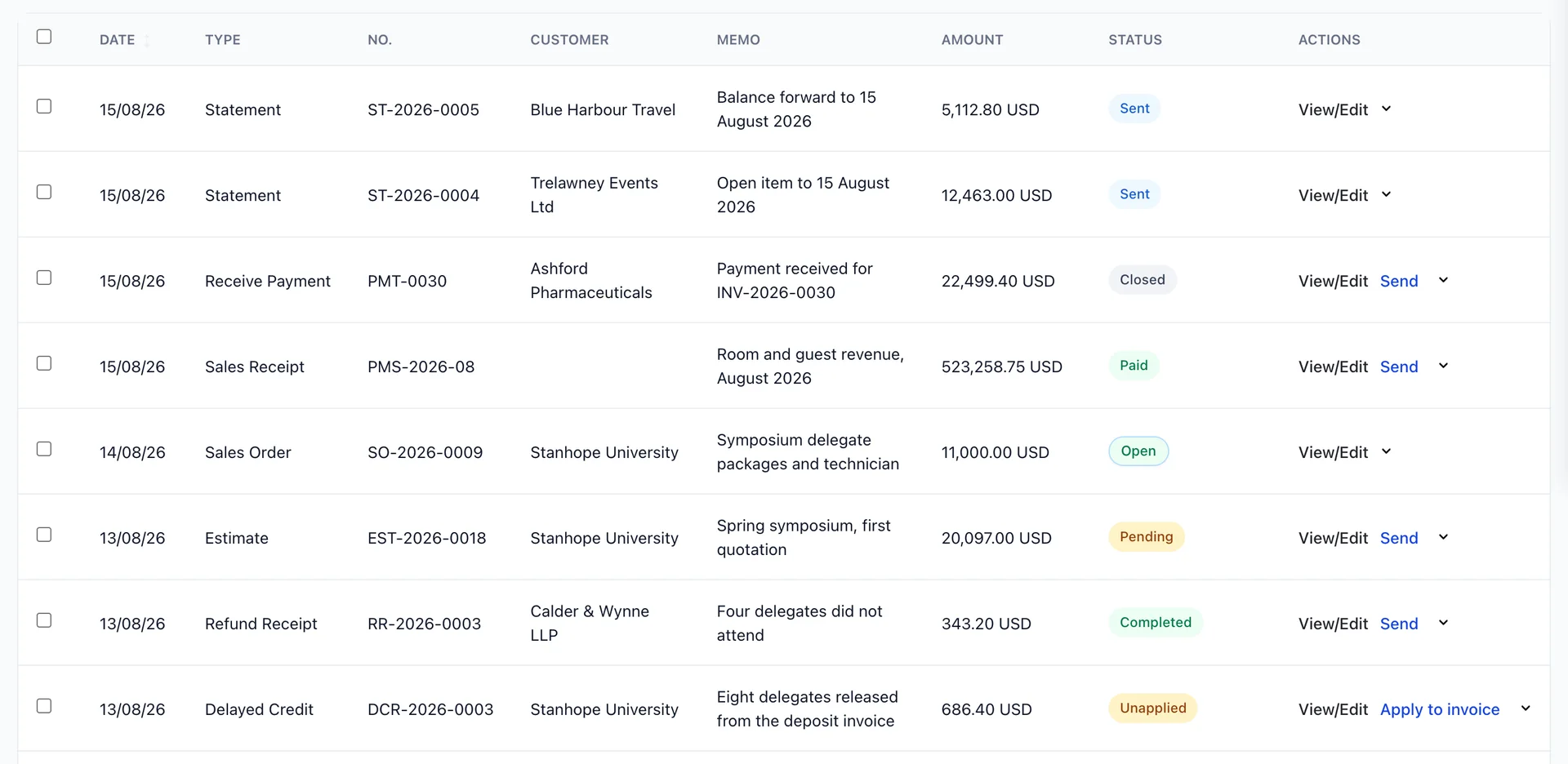
Two columns need a word of explanation.
Amount is the document's total, not what is still owed. An invoice for 6,820.00 USD that has been paid in full still says 6,820.00 USD here, and its status is what tells you it is settled. If you want what is outstanding, the cards and the payment screen are where the open balances live.
Memo is the one column you wrote yourself, and this list is the argument for filling it in. A row reading "Autumn conference, deposit invoice" is findable a year later; eleven rows reading "Invoice" are not.
The badges
Nineteen statuses is too many to hold in your head, so the colour is doing the work. It groups them by what you should do rather than by which kind of document they belong to:
- Green, nothing to do. Paid, Open, Accepted, Converted, Completed, Applied, Billed.
- Blue, in progress. Sent, Partially paid, Partially applied.
- Amber, waiting on somebody. Pending, Unbilled, Unapplied.
- Grey, over, with nothing further to come. Closed, Voided, Expired, Rejected, Draft.
- Red, late. Overdue, which gets a warning icon and the number of days rather than a pill.
Which means a screen with no red and no amber on it is a screen with nothing waiting for you, and that is a judgement you can make at a distance without reading a single number. It is also why the same word is the same colour everywhere: Pending on an estimate in this list is the amber it is on the Estimates list, and if the two ever disagree, one of them is a bug.
Working the overdue list
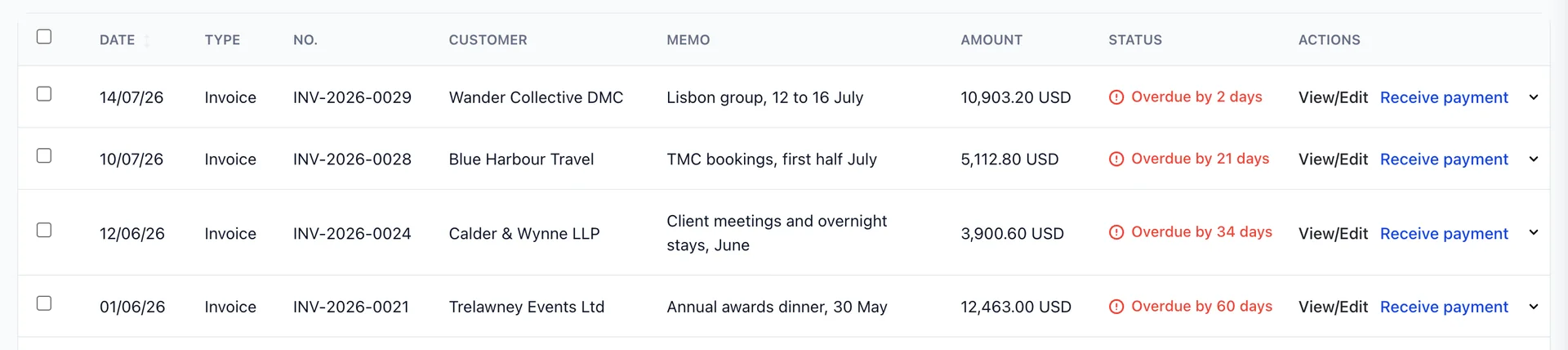
Filter to Overdue and the list becomes a work queue in the right order. The badge says how many days late each one is, which matters because the days change the action: two days is an administrative reminder, sixty days is a conversation with somebody senior.
Each row offers Receive payment beside View/Edit, which takes you straight to the payment form for that customer with that invoice already in front of you. Before chasing anything, it is worth checking the account for an unapplied payment or an unused credit, which is the other thing that makes an invoice sit here looking unpaid.
Doing one thing to many documents
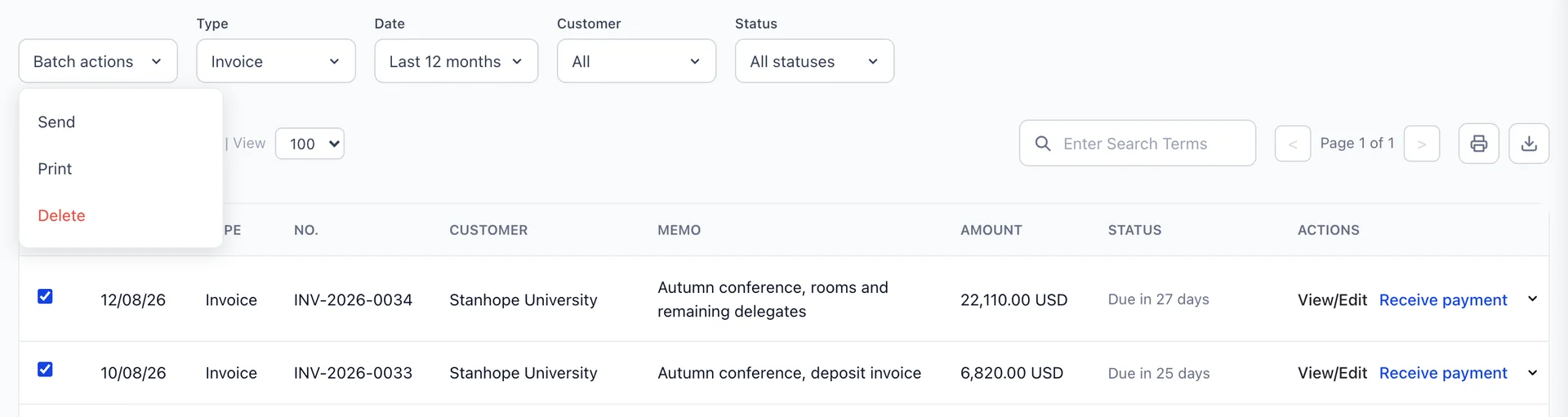
The tickboxes down the left feed Batch actions, which stays grey until something is ticked. Three actions: Send emails each document to its own customer, Print produces them together, and Delete removes them.
A menu with only Send and Print on it is a permission rather than a fault: your role does not include the one that allows deleting, which an administrator can add from Users in System Settings, under Accounting › Invoices.
Send is the one that earns its keep, at the end of a month when twenty invoices are ready to go out. The tickbox in the header selects the whole filtered page, which is why setting the filters first is the habit worth having.
Exporting and printing
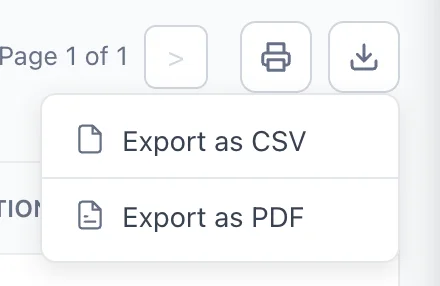
The export takes what is on screen, filters and all. CSV for anything you intend to work on in a spreadsheet, PDF for anything you intend to send to a person. "All overdue invoices for this customer as a PDF" is two filters and one click, and it is a better attachment to a chasing email than a screenshot.
What happened to this document
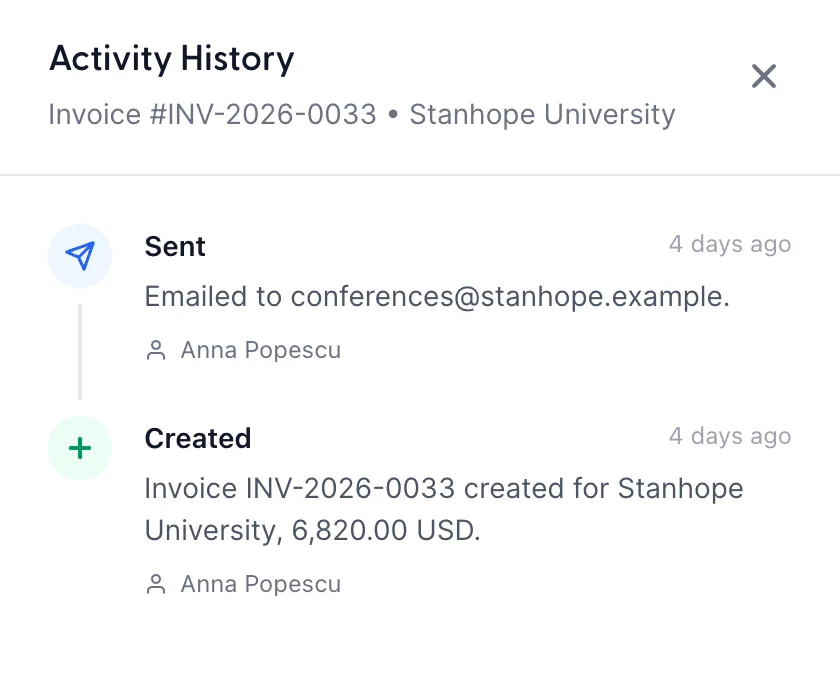
View activity in the row menu opens the history of one document, newest first, with who did each thing and when. It records creation, sending, the customer opening the emailed link, and payments applied.
It settles two arguments. Whether an invoice was ever actually sent, and when, which is the first question in any dispute about a late payment. And whether the customer opened it, which is a different fact from having sent it and often the more useful one.
Where to go next
That is the sales side of the module: the documents, the choice between them, the money coming in and the list it all lives in. The purchases side works the same way from the other direction, with bills and suppliers in place of invoices and customers.