This is the screen for a payment run. It lists every bill with anything still owing, oldest due date first, and lets you settle as many of them as you like in one go, from one bank account, on one date.
What this screen settles
Bills, and only bills. Expenses and cheques were paid at the moment they were recorded, so they never appear here. Neither does anything you have already settled: a bill leaves this list the moment its balance reaches zero, which is the quickest way to check whether a payment went through.
You can get here from Pay bill on the Expenses screen, or from Mark as paid on an open bill, which opens the screen with that one bill already ticked and its balance filled in.
One date and one account for the run

Everything you tick below is paid on this date, out of this account. If half the run is going out of the current account and half off a card, that is two runs, not one.
| Field | What it does |
|---|---|
| Payment Date | The date the money leaves. Set it to the date on the bank statement rather than the day you are keying, or reconciling the account later becomes an exercise in guessing. |
| Payment account | Which bank or card account the money comes out of. Required: the run will not save without it, because a payment that does not reduce an account balance has not really happened. |
| Ref. no | Your reference for the whole run, not per bill. A batch number or a transfer reference here is what ties the row on the statement back to the several bills it paid. |
Reading the table
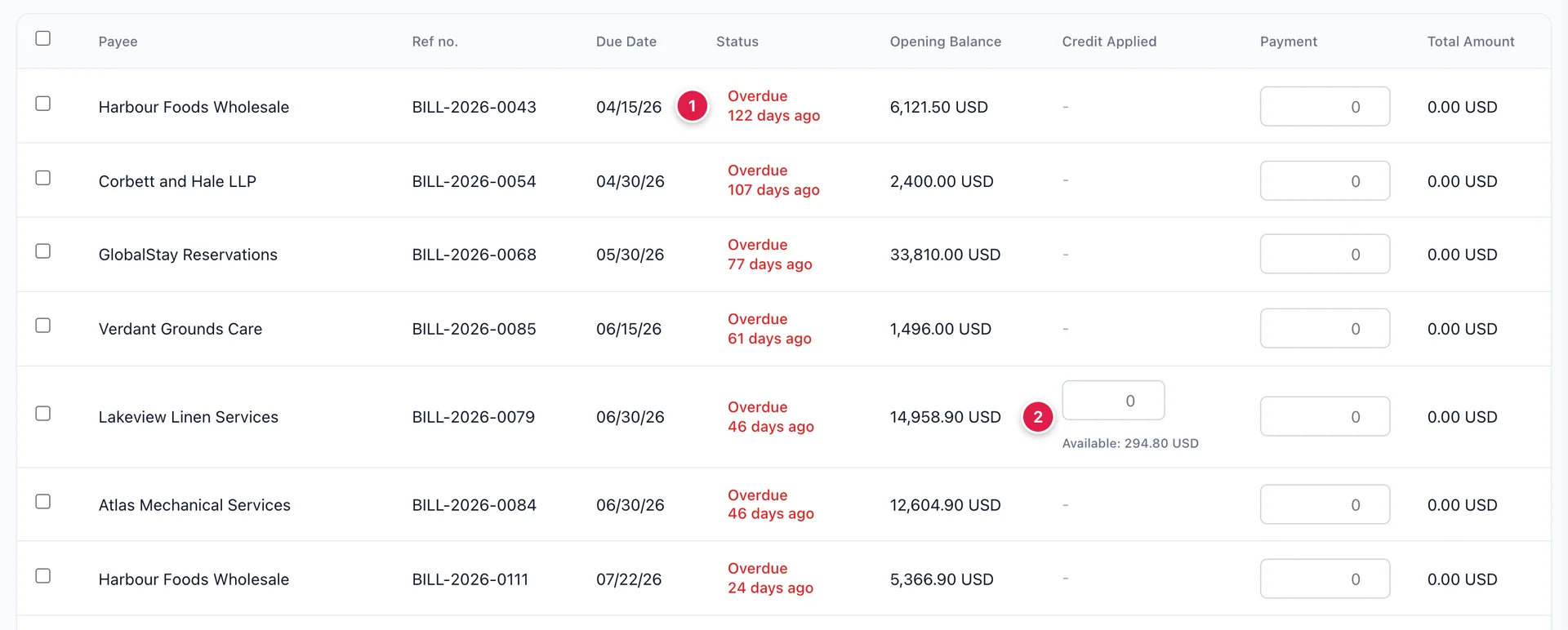
- Status, which counts rather than labels. Overdue 122 days ago is a different conversation from Due in 6 days, and the number is the part that decides which supplier rings you this week.
- Credit Applied, which appears as a box with Available underneath it on any row whose supplier is holding an unused credit. Rows with no credit have nothing to type into.
Opening Balance is what is still owed on that bill, which on a partly settled bill is less than the bill was ever worth. The sort is by due date, so the top of this list is the oldest debt in the hotel.
Paying part of a bill

Type any figure into Payment. Typing ticks the row for you, so there is no separate step, and untick it and the amount clears.
Pay less than the opening balance and the difference stays owed: the bill keeps its due date, drops to Partially paid, and comes back to this list next time with the smaller balance. Nothing warns you, because part payment is a normal thing to do rather than a mistake.
Applying a supplier credit
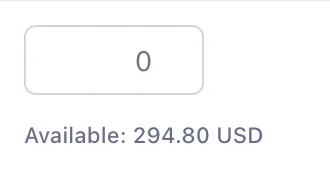
When a supplier owes you money, from a short delivery or an overcharge, the credit you raised on the supplier credit form waits until you use it. This is where it gets used.
The Available figure is everything unused for that supplier, across every credit you hold against them, so it can be larger than any single credit note. Apply fills the box with as much of it as the bill can absorb, which is the balance less anything you have already typed in Payment. You can type a smaller figure instead and keep the rest for a later bill.
Applied credit settles the bill exactly as cash does, and it comes out of no bank account, because no money moves. That distinction is what the next section is about.
What the total at the top counts

TOTAL PAYMENT AMOUNT adds up the Payment column and nothing else. It is not what you owe, and it deliberately leaves out applied credit.
That is the right way round, because this figure is the money that will leave the account you chose at the top. A run that settles 5,000.00 of bills using 1,000.00 of credit shows 4,000.00 here, and 4,000.00 is what will appear on the bank statement. The per-row Total Amount column is the one that includes the credit, which is why the two can differ and both be right.
Narrowing the list
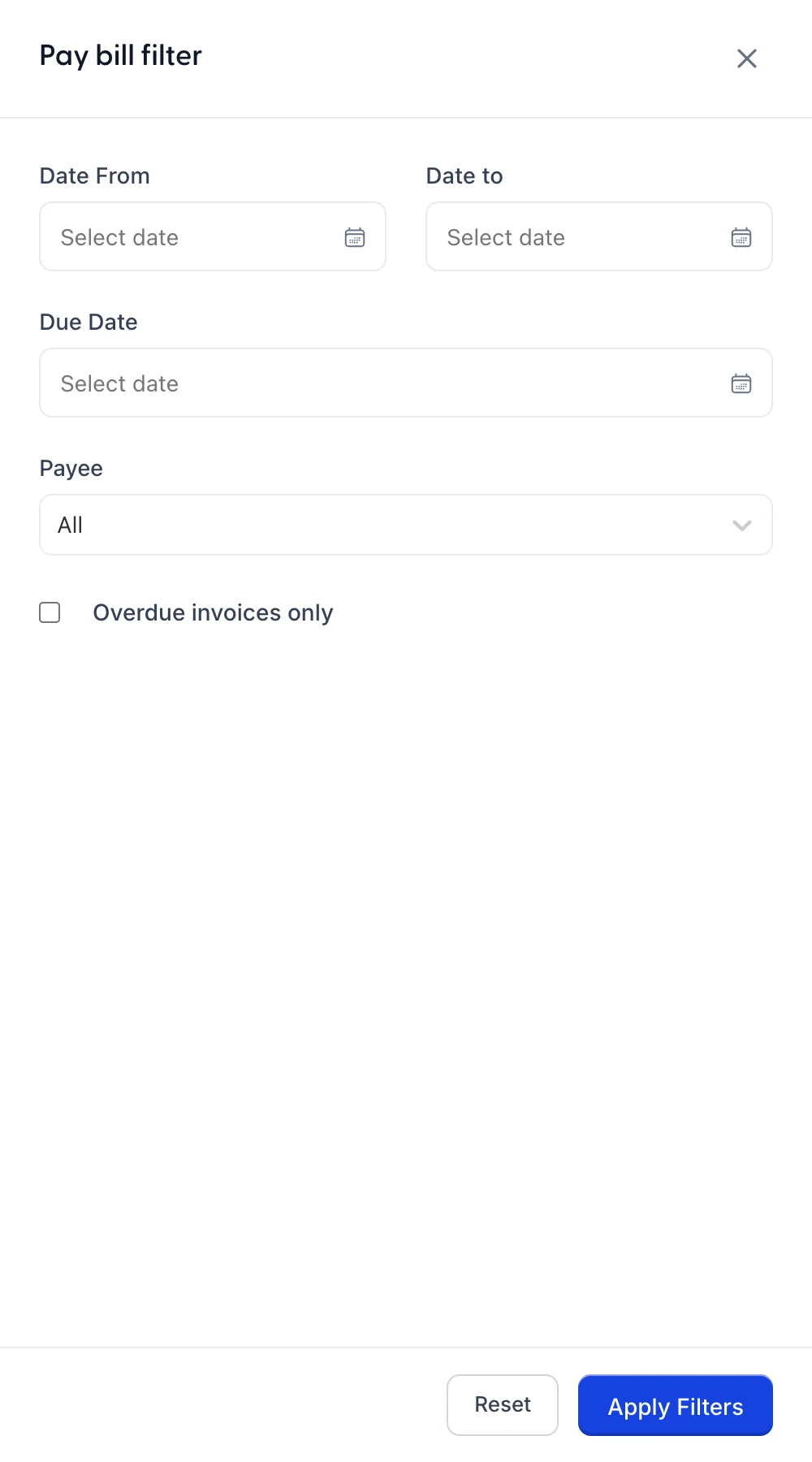
Two filters do most of the work. Payee reduces the list to one supplier, which is what you want when you are paying against their statement. Overdue invoices only reduces it to what is already late, which is what you want when there is not enough in the account to pay everything.
Filtering hides rows; it does not untick them or clear what you typed into them. A payment typed and then filtered out of sight is still in the run and will still be saved.
Saving the run
Save records every ticked row: each bill takes its payment and its applied credit, its balance falls, and it becomes Partially paid or Paid. The chevron beside it offers Save and close and Save and new, the second for when the next run is going out of a different account.
The screen refuses to save with no bill ticked, with no payment account chosen, or with rows ticked and nothing typed into any of them, and it says which of the three has stopped it.
Before saving, the print and download buttons produce a copy of the run as it stands. On a large run that copy is worth keeping, because afterwards the paid bills have left the list and the run is only visible as individual payments on each bill.
Paying down a credit card
Paying the card bill itself does not happen here, because a card balance is not a supplier bill. Pay down credit card, on the New Transaction menu, is the form for it: which card, how much, from which bank account, on what date.
It records no cost. Everything bought on the card was a cost when it was recorded, and this only moves money from the bank to the card to clear what those purchases built up. Treating it as an expense is the classic way to count the same spending twice.
Where to go next
The bills that arrive on this screen are raised in recording what you spend, and what each supplier is owed in total is on their page. For where the money went out from, see the chart of accounts.