Nine forms sell something, and they are the same form with different fields hidden. So the interesting question is not how to fill one in. It is which one to open.
The one question that decides it
Ask what has actually happened, and answer in the past tense. Not what you hope will happen, not what has been discussed: what is now true.
- Nothing yet, you have quoted a price: Estimate.
- They have said yes, but nothing is billable yet: Sales order.
- They owe you money: Invoice.
- They have paid you, now, in full: Sales receipt.
Those four are the spine. The other five exist to undo one of them, or to hold something until an invoice is ready for it.
The nine at a glance
| Document | What it means | Posts to your accounts |
|---|---|---|
| Estimate | A price you have offered, with a date it lapses | No |
| Sales order | Work agreed but not yet billable | No |
| Invoice | Money owed to you | Yes |
| Sales receipt | Money taken at the time of sale | Yes |
| Credit note | A reduction in what a customer owes | Yes |
| Refund receipt | Money paid back out | Yes |
| Delayed charge | Something to put on a future invoice | No |
| Delayed credit | A reduction promised on a future invoice | No |
| Statement | A summary of documents that already exist | No |
Estimate: a price, with an expiry date
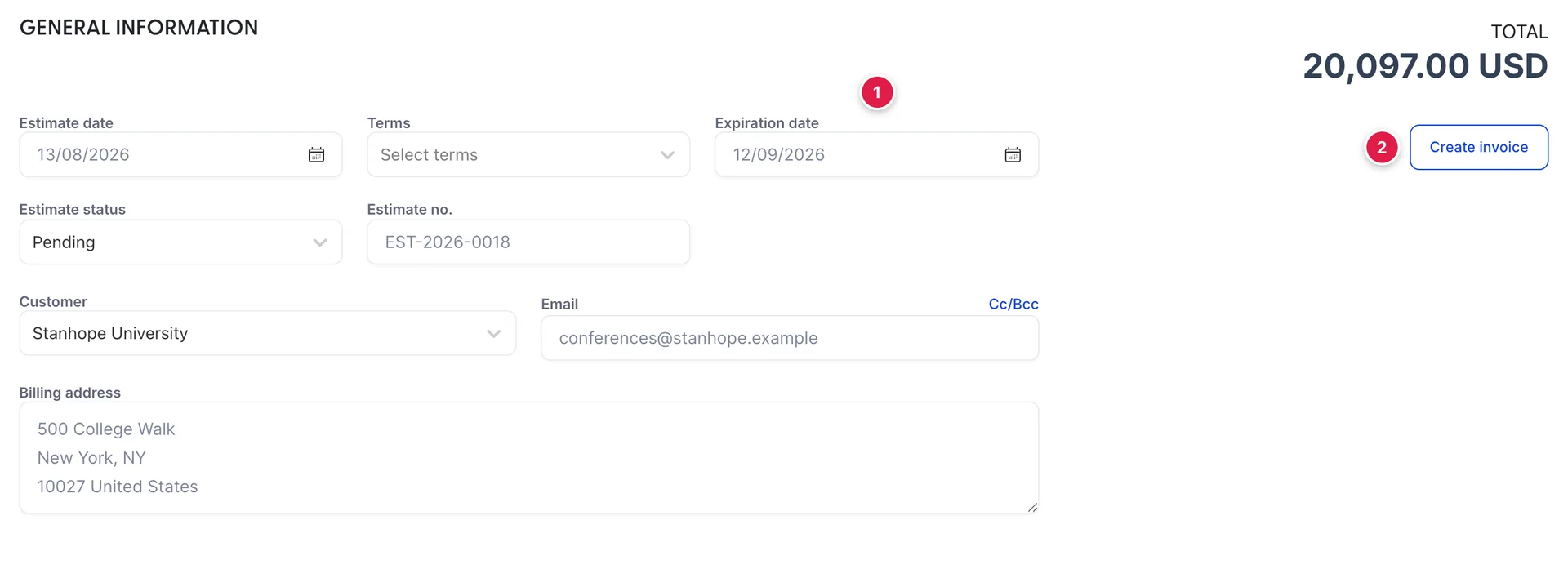
An estimate is a quotation. The field that makes it one is Expiration date: a price for a September conference quoted in August cannot stay open for ever, and a quotation with a stated expiry is the difference between a negotiating position and a hostage.
It has no due date, because nothing is owed yet, and the Terms beside the expiry are only a note of what the eventual invoice will be raised on. What it has instead of a due date is a status, and the status is the reason to raise estimates in this module rather than in a word processor.
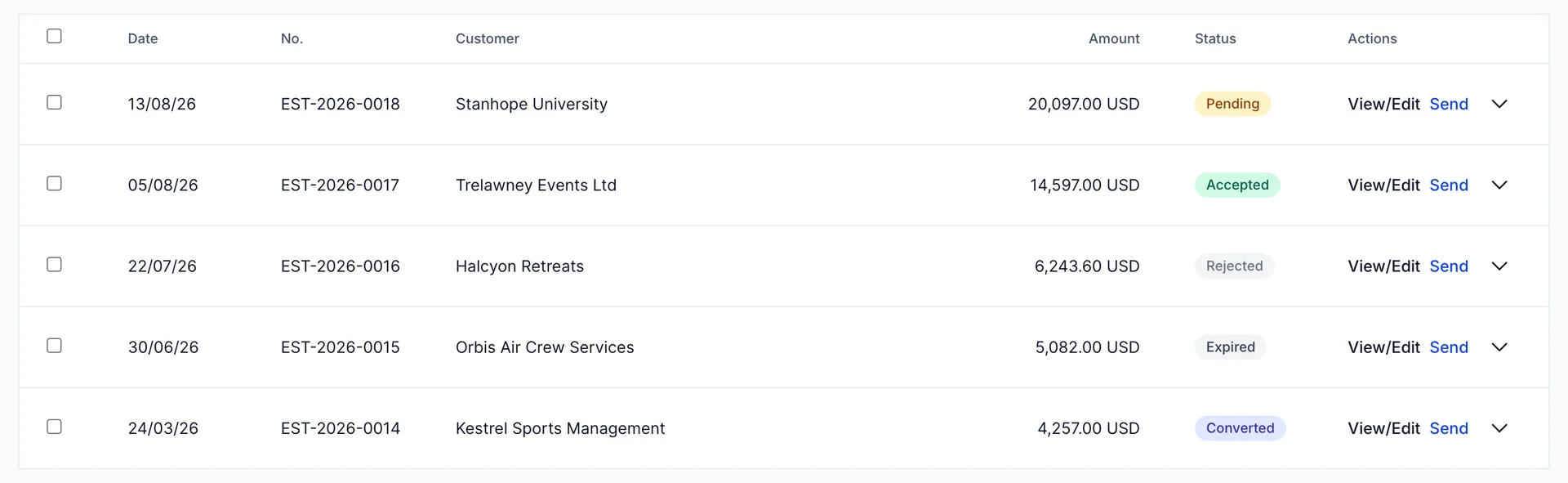
Five statuses, and they answer different questions:
- Pending, out with the customer, no answer yet. This is your pipeline.
- Accepted, they said yes. Something should now happen.
- Rejected, they said no.
- Expired, the expiration date has passed with no answer. Nobody sets this; it is worked out from the date.
- Converted, it became an invoice. This is the only status that means money is now owed.
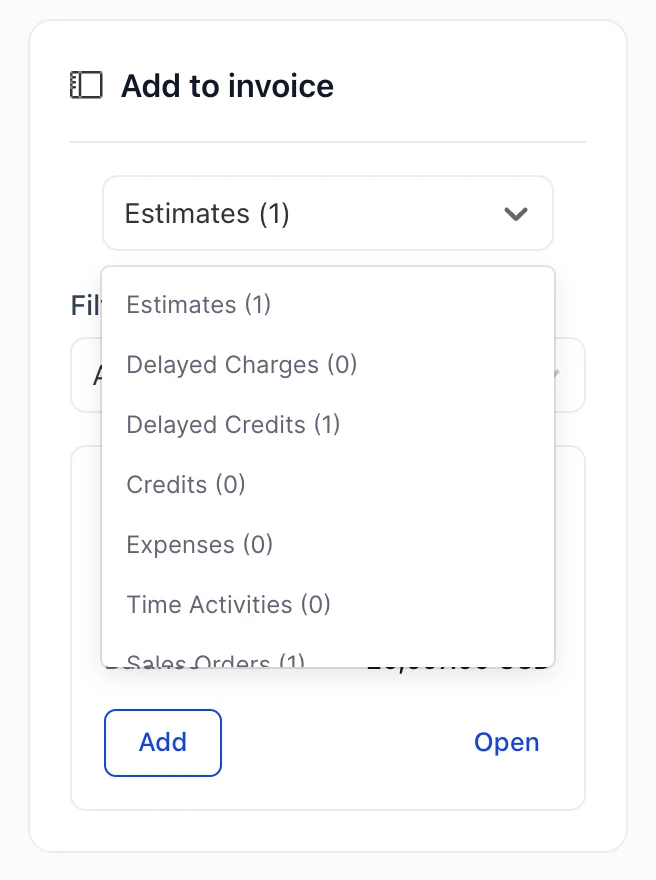
Create invoice on the estimate does the conversion, copying the lines across. You can also do it from the other end, by opening a new invoice and pulling the estimate in from the Add to invoice panel, which is the better habit when a single invoice covers more than one thing.
Sales order: work you have agreed to do
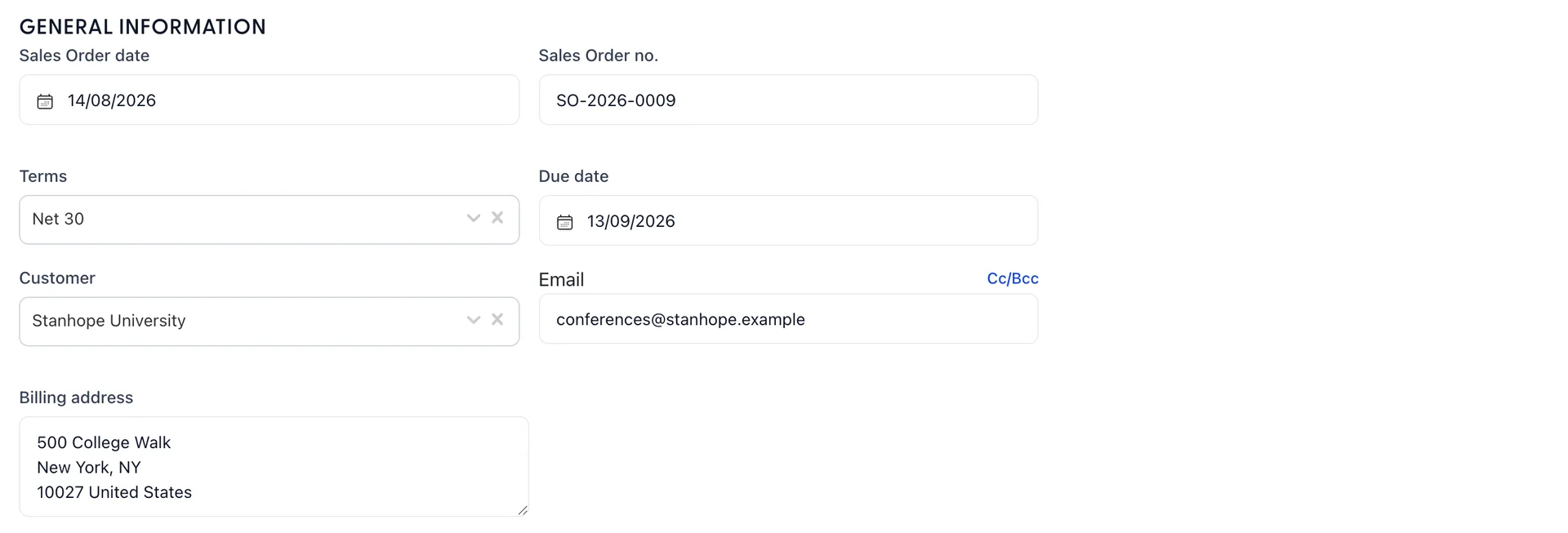
A sales order sits between the yes and the bill. The customer has agreed, the work has not happened, and nothing should appear in your accounts yet. It is the right document for a group booking confirmed in March for October: the value is known, the commitment is real, and there is nothing to invoice for seven months.
It carries terms and a due date, which is how the eventual invoice knows when it will fall due, and it has an order status of Open or Closed. Closed means it has been invoiced, in full or in part.
Invoice: a bill
An invoice is the only document that says "you owe us this". It creates a receivable, which is why the total of every unpaid invoice is exactly what Accounts Receivable says on your chart of accounts, and why raising one moves your income for the month.
It is also the document with a due date that means something. That date is what makes an invoice overdue, what drives the overdue card and the red badges in All Sales, and what your statements are built from.
Sales receipt: money already taken
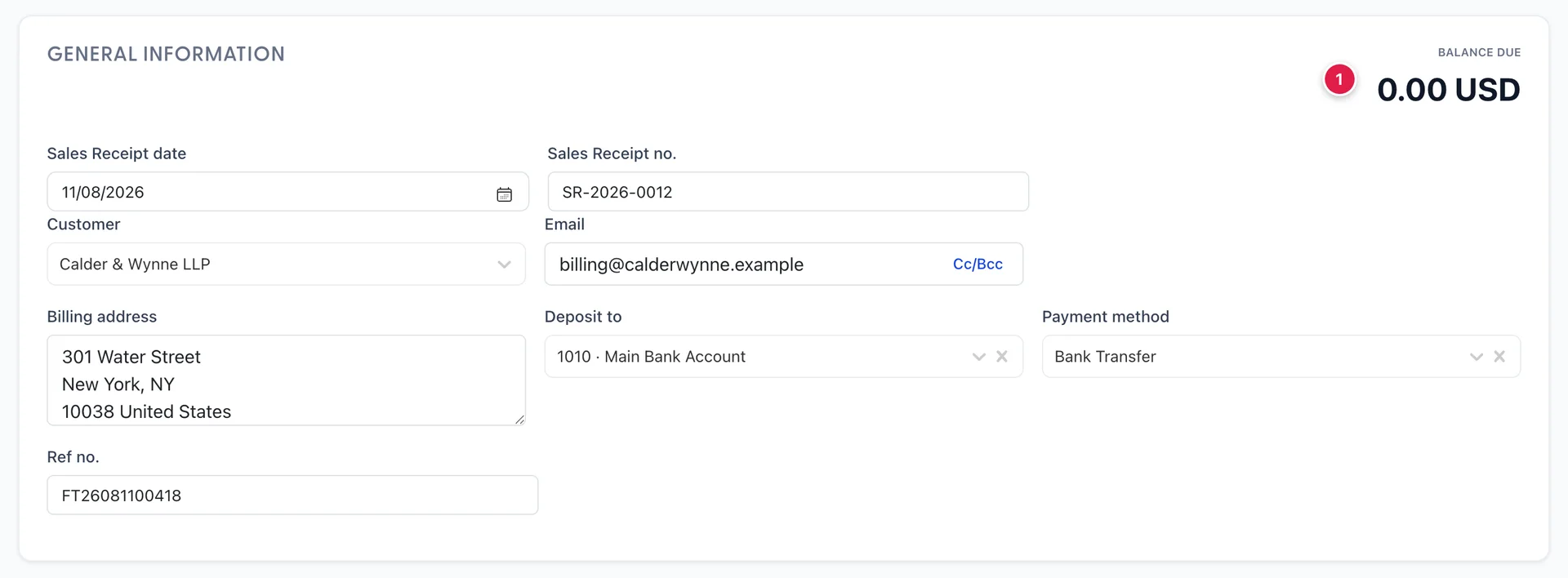
A sales receipt is a sale and its payment in one document. It records the income and the money arriving at the same moment, so there is never a receivable and never anything to chase: its balance due is 0.00 USD from the second it is saved.
The three fields the invoice does not have are the point: Payment method, Deposit to, naming the account the money landed in, and Ref no. for the card or transfer reference. Getting Deposit to right is what makes your bank reconciliation possible later.
The common hotel cases
Three situations account for most of the choosing:
- A corporate account with monthly billing. Invoice, always. They have terms, they pay in arrears, and the receivable is the point.
- A walk-in buying a function room for cash. Sales receipt. The money is in your hand; an invoice would create a debt that is already settled and then need a payment to clear it.
- A wedding with a deposit now and the balance later. Invoice for the deposit, invoice for the balance, and use Receive Payment for each as the money arrives. Two invoices, because each has its own due date and each can be chased on its own.
Credit note: reducing what they owe
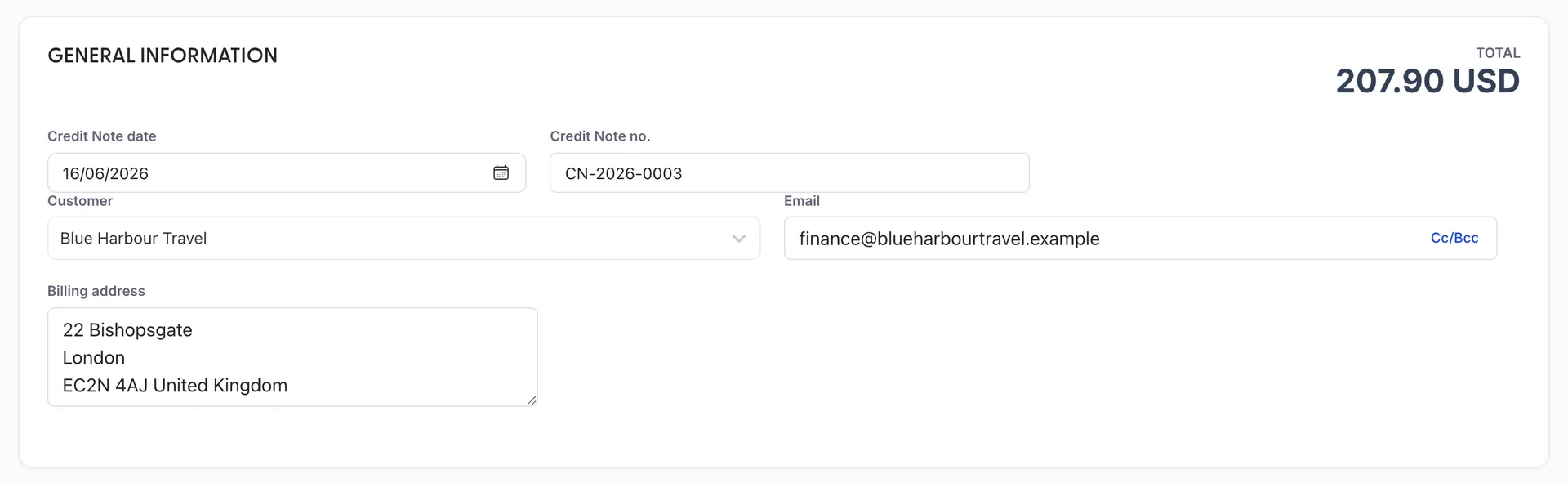
A credit note is a negative invoice. It reduces what a customer owes, takes the income back out of your accounts, and brings Accounts Receivable down with it. Use it when you have invoiced for something you should not have: a room night not taken, a delegate who withdrew, a rate applied at the wrong level.
It does not move any money. It sits as a credit against the account until a payment uses it, which is covered in getting paid. The one in the picture is for 207.90 USD, and it has already been applied against INV-2026-0022.
Refund receipt: money going back out
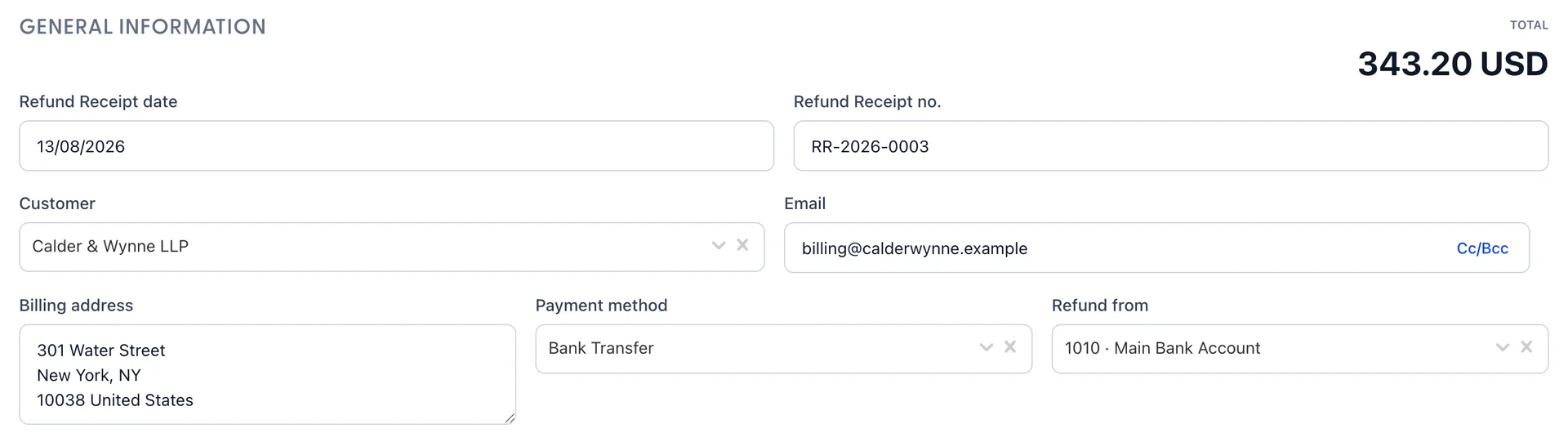
A refund receipt is the mirror of a sales receipt: money leaving, recorded at the moment it leaves. The field that distinguishes it from a credit note is Refund from, naming the account the money comes out of.
Delayed charges and delayed credits
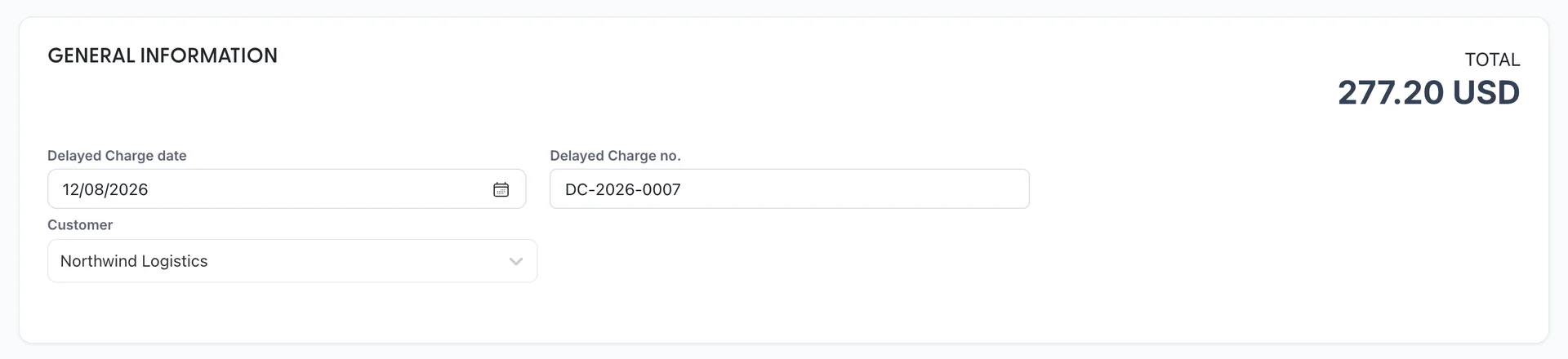
These two are notes to your future self, and they are the least used and most useful pair in the module. A delayed charge is something a customer will owe you that you are not billing today: two airport transfers on Tuesday for an account you invoice at the end of the month. A delayed credit is the same thing in reverse, a reduction you have promised to apply to their next bill.
Neither posts anything. A delayed charge has no due date and no terms because nothing is due; it simply sits, marked Unbilled, and appears in the Add to invoice panel every time you raise an invoice for that customer. When one is pulled onto an invoice it becomes Billed.
They are also the two documents that stop things being forgotten. The Unbilled income card in All Sales counts exactly these, which makes "what have we done this month and not billed for" a number on a screen rather than a conversation.
How they chain together
The documents are designed to feed each other, and the usual sequence for a piece of group business runs:
- Estimate, quoted and sent. Nothing in your accounts.
- Customer accepts. The estimate is marked Accepted, and if the date is far off it becomes a sales order.
- Extras happen along the way. Each becomes a delayed charge.
- The event happens. One invoice, with the estimate and the delayed charges pulled in from the Add to invoice panel. Now it is in your accounts and the clock on the due date starts.
- Money arrives. Receive Payment against the invoice.
- Something was wrong. A credit note if the bill comes down, a refund receipt if money goes back.
Every step after the first is quicker because the step before it exists. That is the argument for raising the documents that post nothing: they cost a minute each and they save the retyping, and the omissions, at the end.
Statement: not a document about one sale
A statement is the odd one out. It is not about a sale at all: it is a summary of the documents a customer already has, sent as a reminder. It creates nothing, changes nothing and posts nothing, and it is covered with the rest of the chasing-people-for-money work in getting paid.
Where to go next
Documents raised, money still outside the building. Receiving it, applying credits and sending statements is the next article, and finding any of these documents again afterwards is the one after that.