Guests pay with what is convenient to them, and a method they recognise is the difference between a paid link and an unanswered one. This screen is where you decide which of those to offer.
The screen
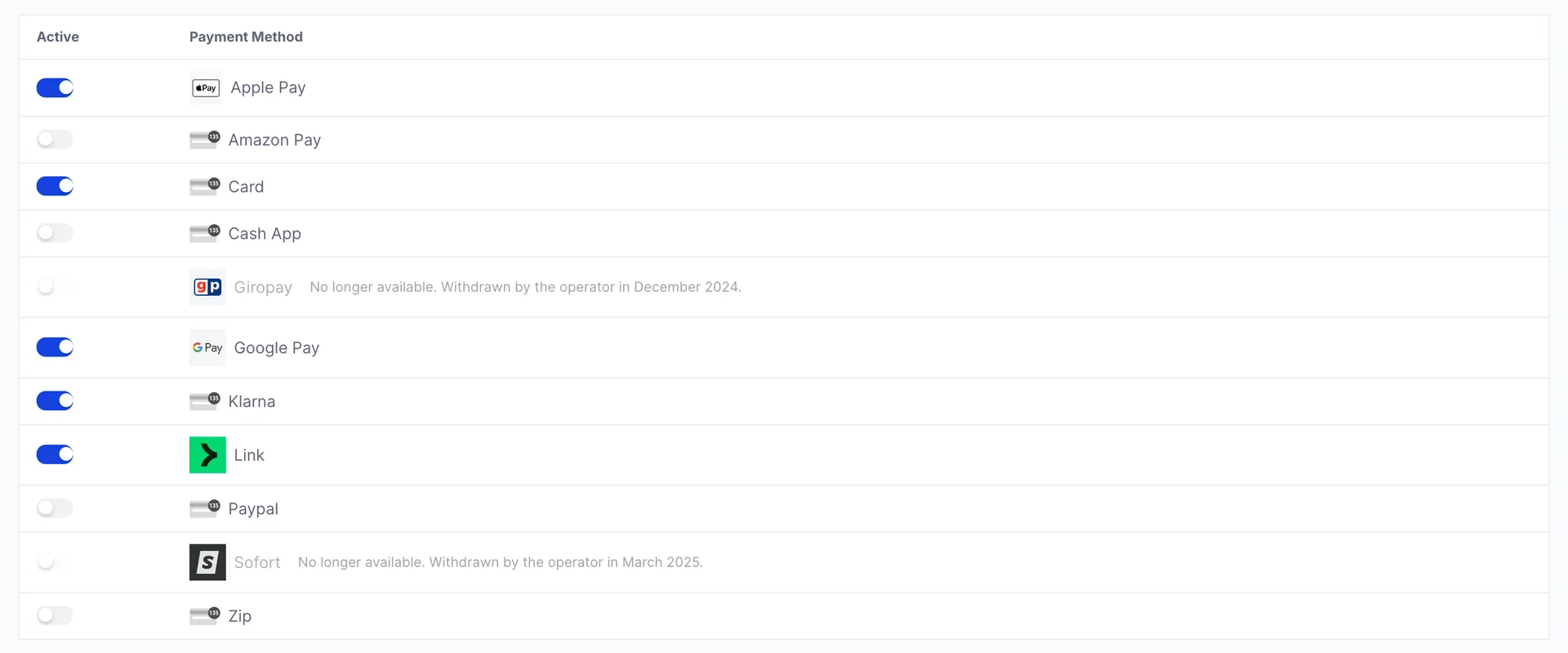
Two columns and nothing else: Active, a switch, and Payment Method, a logo and a name. Click a switch and it saves immediately. There is no save button, no confirmation and no undo beyond clicking it back.
Turning a method on makes it available at the payment page for every link you have. It is an account-wide setting, not a per-link one, so there is no way to offer Klarna on the spa package but not on the parking.
Why your list is shorter than the one in the picture
Prostay Pay knows about thirty-five payment methods. Your screen will not show thirty-five rows. Each row is drawn only if your payments account is eligible for that method, so the list you are looking at is the answer for your account rather than a catalogue. A method you have heard of and cannot find here has not been hidden by a permission or a setting; your account is not eligible for it today.
That matters because it changes what to do about it. A missing method is a question about your account's eligibility, not a missing feature, and it is not something a role or a switch elsewhere in Prostay will turn on.
What decides eligibility
Two things, and they combine in ways that are not always intuitive:
| Axis | What it means for you |
|---|---|
| Business location | The country of the payments account you created in the onboarding wizard. Each method supports a specific set of business countries. |
| Presentment currency | The currency the guest is charged in. Each method supports specific currencies, and some support exactly one. |
Finding out what your account can offer
This screen is the answer. What is listed is what you are eligible for today, and it is specific to your account rather than to Prostay Pay in general. Nothing else needs checking.
To know what to expect before you look, or to work out why something is missing, payment method availability sets out what each of the thirty-five methods needs: the currency you have to be charging in, the countries a business can be registered in, and which guests it reaches. It also covers the two rows that no longer take payments and the two that are card networks rather than something a guest picks.
If a method you want is missing and that page suggests it should be there, ask Prostay support. Say which method, and say which country the business is registered in and which currency you charge guests in, because those are the two facts the answer turns on.
Which ones to switch on
Cards are the default and should stay on. Beyond that, the useful question is not "which methods exist" but "where do our guests come from".
- Apple Pay, Google Pay and Link are wallets. They shorten the payment page to a single tap for guests who already use them, which matters most when the link is opened on a phone, which is most of the time.
- Bank debits settle more slowly than cards but usually cost less, which suits a large deposit taken weeks ahead better than a small charge at checkout.
- Buy-now-pay-later methods shift a large stay into instalments for the guest. You are paid in full either way.
- Anything you cannot recognise from a guest's country is worth leaving off: each extra row on the payment page is one more decision between the guest and paying you.
What the guest actually sees
Switching a method on here makes it eligible to appear, not certain to. The payment page filters again on the guest's side, by their country, their device and the amount. A method that only works for bank customers in one country is not offered to a guest somewhere else, however firmly it is switched on here, and a wallet appears only on a device that has it set up.
So this screen sets the ceiling rather than the list. To see the real thing, open one of your own payment links on your phone.