A spa inside a hotel is a second thing to sell with its own diary, and every product that offers one has to decide how much of it lives apart from the hotel. Prostay's answer is a split, and the split is not the one most people expect: the people and the money are the hotel's; the diary and the staff are the spa's. Almost every mistake made in the first week of running this module comes from assuming the opposite of whichever half you have just met.
What the spa shares with the rest of the hotel
Four things are not duplicated in the spa, and looking for a spa-only version of any of them is a way to lose an afternoon.
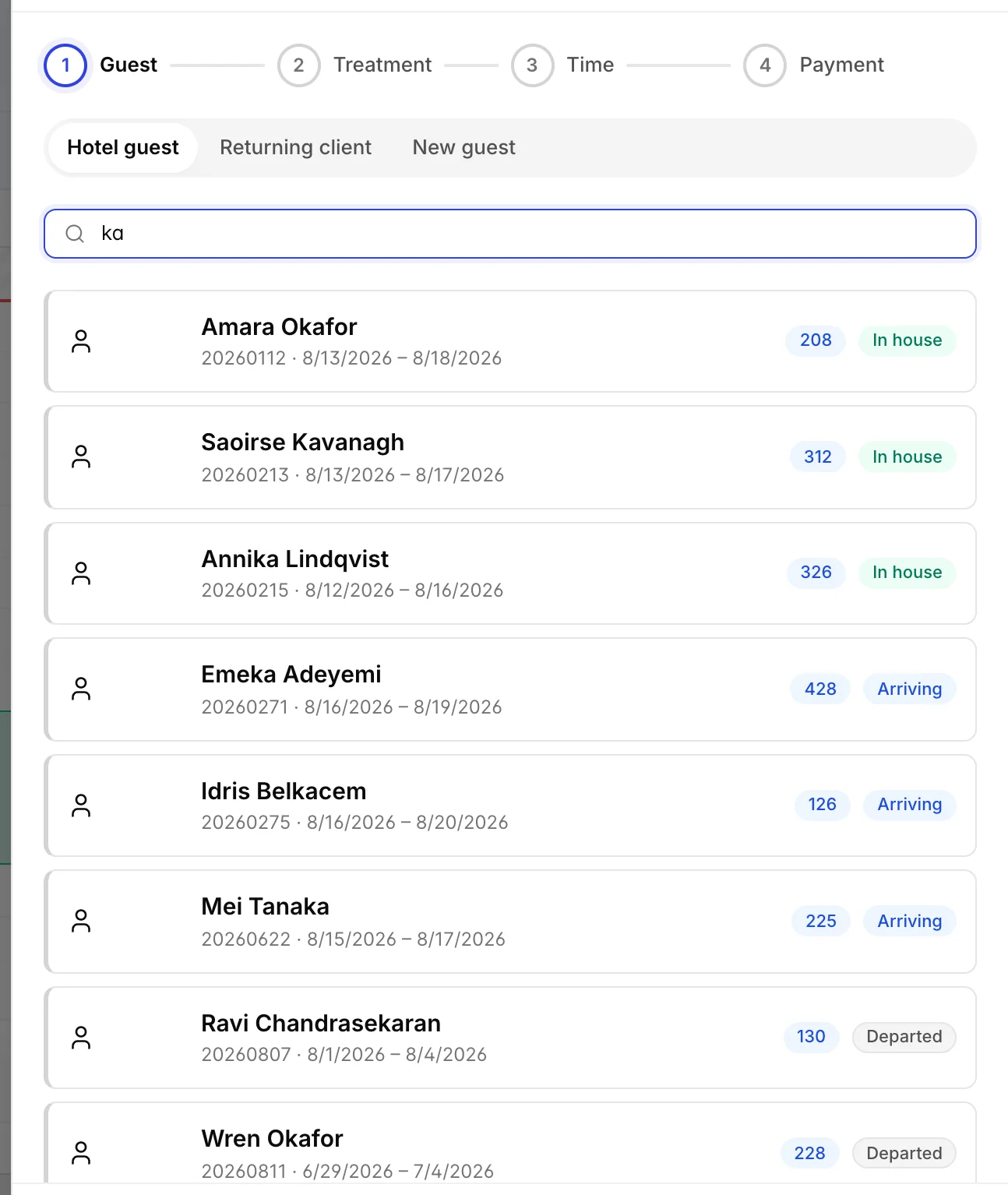
| Guests | One guest record for the whole property. A guest who is staying with you is found by name, room number or confirmation number, and the treatment attaches to that reservation. A guest who has never stayed becomes a real guest profile the moment you book them, not a note on an appointment. |
| Treatments | A treatment is an item in your catalogue, flagged into the spa. It has one price, one tax code and one name everywhere in Prostay. You add treatments in Items & Services and configure their timing in the spa. |
| Money | There is no spa till and no spa ledger. A treatment charged to a room posts to the guest's folio; a treatment for someone who is not staying posts to a house account and settles at the spa desk. Both use the same posting machinery as any other charge, so spa revenue reaches your reports without anything being copied across. |
| Reservations | An appointment can be linked to a reservation, and the link is what makes charge to room work without anybody typing a room number. The spa reads reservations and never writes to them. |

The consequence worth holding on to: if a massage is priced wrongly, the fix is in Items & Services, not in the spa. Raising it there raises it for the booking wizard, the folio and every report in the same moment, which is the reason the spa was built without prices of its own.
What the spa keeps to itself
Everything to do with delivering the treatment belongs to the spa alone, and none of it exists anywhere else in Prostay.
| The appointment book | Completely separate from the room chart. No treatment ever appears on the reservation calendar, and no reservation appears in the spa diary. |
| Therapists | The spa's own staff records, with skills and a weekly shift pattern. A therapist is not a housekeeping attendant and is not automatically a Prostay user, although you can attach a login to one so they can work their own list. |
| Treatment rooms and equipment | Spa cabins are spa resources, not hotel inventory. Housekeeping never sees them and you cannot put one out of order; you deactivate it in Rooms & equipment instead. A cabin can be pointed at a real hotel room when the spa borrows one, and that is the only overlap. |
| Opening hours, buffers and fees | The spa has its own trading hours, its own setup and turnaround times, its own service charge and its own cancellation and no-show rules, all in Spa settings and none of them inherited from the property. |
The nine screens
The spa sidebar holds nine destinations, and they fall into three jobs: three screens for working the day, three for the things you configure once, and three for money and management.
| Screen | What it is for |
|---|---|
| Appointment book | The diary. A column per therapist or per treatment room, day, week and month views, drag to move an appointment, and a tray down the right for treatments that have been sold but not yet given a time. |
| Today | The therapist station. One row per guest in arrival order, one button per row to move them along, and a late flag when somebody is more than fifteen minutes past their start. |
| Appointments | Search and review. Every booking with its date, guest, treatment, therapist, who is paying, total and status. |
| Treatments | Your menu: which catalogue items are treatments, how long each takes, what it needs and who can give it. |
| Therapists | Staff, skills, shifts, holidays and extra shifts. |
| Rooms & equipment | Treatment rooms, room types and equipment with quantities. |
| Members | Memberships, renewals and prepaid courses of treatments. |
| Reports | How busy the therapists and rooms were, where the revenue came from, and what no-shows cost you. |
| Settings | Opening hours, timing defaults, where charges go, service charge and gratuity, cancellation and no-show rules, outside guests and reminders. |
Five words you need before you start
These five appear on every screen in the module and each one is a choice with consequences, so they are worth learning before you meet them in a drawer with a guest waiting.
- Status. An appointment moves through Booked, Confirmed, Checked in, In progress and Completed, and can end at Cancelled or No-show. Completed is the one that matters financially: that is when the charge is posted.
- Location. Where the treatment happens. A spa treatment room, the guest's own room, a hotel room borrowed as a cabin, or off-site. The first and third reserve a room; the other two do not.
- Bill to. Who pays and how. Charge to room, house account, pay at the spa, already paid, or decide later. An appointment left on decide later cannot be completed, which is deliberate.
- Guest origin. In house, arriving, departed or outside guest. It is set for you when you pick the guest, it drives what billing options you are offered, and the revenue report splits on it.
- Setup and turnaround. Minutes before and after a treatment when the room is busy but the therapist is not. The therapist is released when the treatment ends and the room is not, which is what stops a fully booked day from running late by mid-afternoon.
Who can see the spa
The spa has five permissions of its own, granted per role under Users › Roles in the group called Spa and wellness. They are named exactly as below, so you can search your roles screen for them.
| Spa and wellness. | The module at all. Without it, every spa page says you do not have access. This is the one to give someone who should see the diary and nothing else. |
| Spa appointments. | Booking, editing, cancelling and completing. Completing is separated from editing on purpose, so a therapist can work their own list without being able to reschedule or reprice anybody. |
| Spa charges. | Posting and voiding charges, discounts and gratuities. |
| Spa memberships. | Members, plans and prepaid courses. |
| Spa resources and settings. | Therapists, rooms, the treatment menu and the settings screen. Edit on this one is what unlocks Spa settings. |
Setting a role up end to end, including attaching a therapist to a login, is covered in setting up your spa.
The front desk cannot see a treatment
Everything crosses from the spa side. The spa reads your guests, your reservations, your catalogue and your folios, and the rest of Prostay knows nothing about it. There is no spa tab on a reservation, no marker on the arrivals list, no line on the room chart and no treatment history on the guest profile.
In practice that means a receptionist checking somebody in has no way to know they have a massage at four, and a guest asking at the desk to move their treatment has to be sent to the spa or the desk has to open the spa module. If your property depends on the front desk knowing, the workable answer today is a note on the reservation, added by hand.
What to set up, in order
The screens depend on each other, and doing them out of order means going back. This is the order that does not double back on itself.
- Turn the module on and set your opening hours, in Spa settings.
- Create the treatment rooms and equipment you have, in Rooms & equipment. Treatments refer to room types, so these come first.
- Add your therapists with their skills and shifts. Nothing can be booked into a day nobody is working.
- Flag your catalogue items into the spa and give each one a duration, in Treatments.
- Decide the money rules: where charges go, whether you add a service charge, and what a late cancellation costs.
- Grant the spa permissions to the roles that need them, and only then take your first booking.
Things that are not there
Each of these is a reasonable thing to look for, and none of them exists today. Better to know now than to search for the switch.
- Guests booking treatments online. The treatment profile has a Bookable online switch reserved for a guest booking engine that does not yet sell treatments. Setting it changes nothing a guest can see.
- Gift vouchers. Prepaid courses are the nearest thing and are not the same product: a course is a named guest's balance of treatments, not a bearer voucher.
- Intake forms, contraindications and allergies. There is no medical form. The notes field on an appointment is the only place to record any of it, which is worth deciding a house rule about rather than discovering during a treatment.
- A waitlist. A full day is simply full; nothing queues.
- Therapist commission or a payroll export. A gratuity is attributed to the therapist who gave the treatment and totalled in the reports, and that is as far as it goes.
- Couples bookings as their own flow. A treatment can allow more than one guest at a time, which covers a couples room and a class, but there is no two-therapists-two-guests booking path.