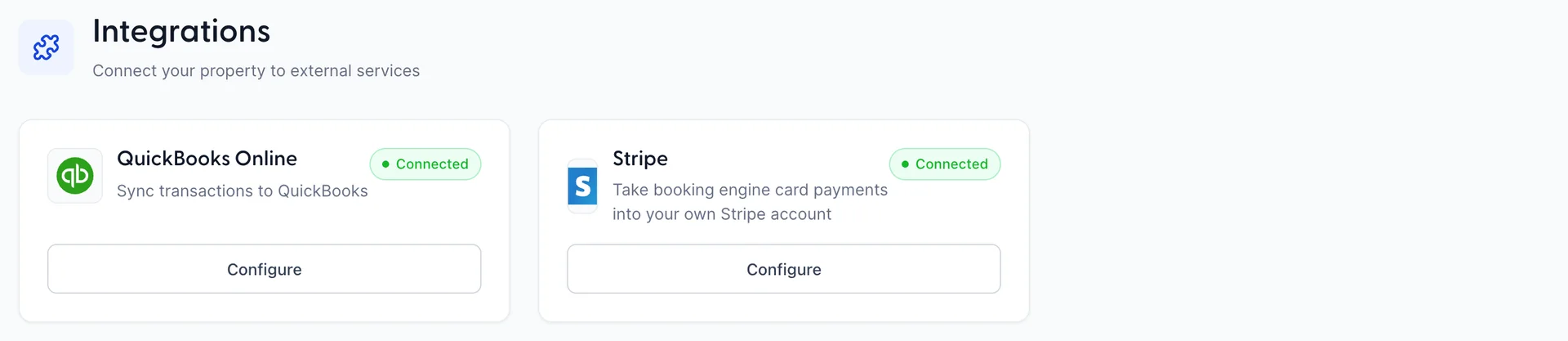
The Integrations screen holds two connections: QuickBooks Online, which sends your accounting out, and Stripe, which lets a property take booking engine card payments into its own Stripe account. There is no marketplace behind them, no list of apps to browse and nothing else to switch on. If you are looking for the thing that talks to Booking.com, or the thing that sends your confirmation emails, each of those is a connection Prostay makes somewhere else, and the table further down says where.
What lives on this screen
Two cards, each with a badge that reads either Not Connected or Connected. The button under a card says Connect before setup and Configure afterwards, and both open the same screen. That is the entire hub.
Each card is held by its own permission, so a screen with one card on it, or none, is a role rather than a fault. If QuickBooks Online or Stripe is missing here, your role does not include the permission for it, and an administrator can add it from Users in System Settings, under Integrations › QuickBooks connection or Stripe connection.
QuickBooks Online sends your accounting to QuickBooks. Once it is set up, a night's takings arrive in your QuickBooks company as a journal entry: revenue, tax and the money you were paid in, against the accounts you chose. It runs on a schedule or when you press the button, and you can read the entry before it goes.
What it does not do is bring anything back. Nothing in QuickBooks changes anything in Prostay. Your rooms, rates, folios and reservations are not affected by connecting, and disconnecting does not remove anything that has already been posted.
Stripe is a property connecting its own Stripe account, so that card payments taken through the booking engine settle into that account. The account stays in your name, the money lands there, and refunds and payouts are things you do in your own Stripe dashboard. Connecting is a single authorisation on Stripe's own site; there is nothing to configure afterwards and no keys to copy across.
It is a different decision from QuickBooks in every respect except where the card sits. QuickBooks is about where your numbers go at the end of the night. Stripe is about where your guests' money goes when they book.
Where the other connections live
The questions this screen gets asked most are about things that are not on it. Each of these is real, and each belongs to another module.
| What you are looking for | Where it is |
|---|---|
| Booking.com, Expedia, Airbnb and other OTAs | Channel Manager, then Channels. Rates, availability and bookings flow both ways there. |
| Taking card payments without your own Stripe account | The Prostay Pay module, which is Prostay's own payment processing: the account is set up inside Prostay, and refunds and payouts happen there rather than in a dashboard of your own. |
| Which card types your booking engine offers | Settings, then Payment Options. The Stripe connection decides where that money lands; this decides whether guests are offered a card at all. |
| Sending mail from your own address | Settings, then Email Accounts, where a mailbox is connected by SMTP or by Microsoft 365. |
| Tracking and analytics tags on your booking engine | Booking Engine, then Analytics. |
| Reservations from the system you used before Prostay | Settings, then Import Reservations, which reads a file rather than connecting to anything. |
One question worth answering directly, because it comes up whenever a property runs both: your OTA commissions do not reach QuickBooks through this connection. The QuickBooks sync carries what your guests were charged and how they paid. What Booking.com invoices you for is a bill, and nothing on this screen touches it.
Three things here are called Integrations
This trips people up, so it is worth naming. There is the Integrations screen, which is the hub you are reading about. There is the /integrations/ part of the address bar, which also sits in front of several property setup screens: items and services, taxes, add-ons, payment options, invoicing, folio configuration, credits and refunds, and importing reservations. And there is an Integrations permission group, which covers both sets.
The setup screens are not integrations and the app does not present them as such. They are filed under Settings in the menus, which is where you will find them. If you have landed on a screen about taxes with the word integrations in the URL, you are in Settings and the address is just an old one.
Where to go next
- Connect QuickBooks Online, which covers authorising with Intuit, choosing which QuickBooks company this property belongs to, and disconnecting.
- Map your QuickBooks accounts, the three step wizard that decides which account each kind of money lands in.
- Review and run a sync, for reading the journal before it goes and working out why a run failed.
- Connect your own Stripe account, which covers the authorisation, how to tell a connection is live rather than a test one, and what disconnecting does.
One more article is filed under this module without being a connection at all. Credits and refunds covers the setup screen at /integrations/credits-refunds, which is the second kind of Integrations described above: it defines the reasons a bill can be reduced and the accounts a refund can be paid from. Nothing on it talks to anyone outside your property, but it is the screen to set up before anyone takes money back off a folio.