Everything in this article happens before you are signed in, so you can follow all of it from the screen you are looking at now. You do not need anybody to let you in first.
Which of these are you on?
| What you have | Go to |
|---|---|
| An email inviting you to activate an account, and you have never used Prostay | Activating an account from an invitation |
| An account that exists, but the password does not work | Asking for a password reset |
| A reset email in front of you | Setting the new password |
| A link that opened a screen reading Reset link error | When the link says it has expired |
| You signed in successfully and Prostay immediately demanded a new password | When Prostay asks you to change your password |
| You are signed in, nothing is wrong, and you want to change your password | Changing your password while signed in, which is a different screen |
Activating an account from an invitation
This one is for the person whose subscription it is. When a Prostay subscription is set up, the owner gets an email with an activation link and a temporary password. The link opens a page that turns those two things into a real account.
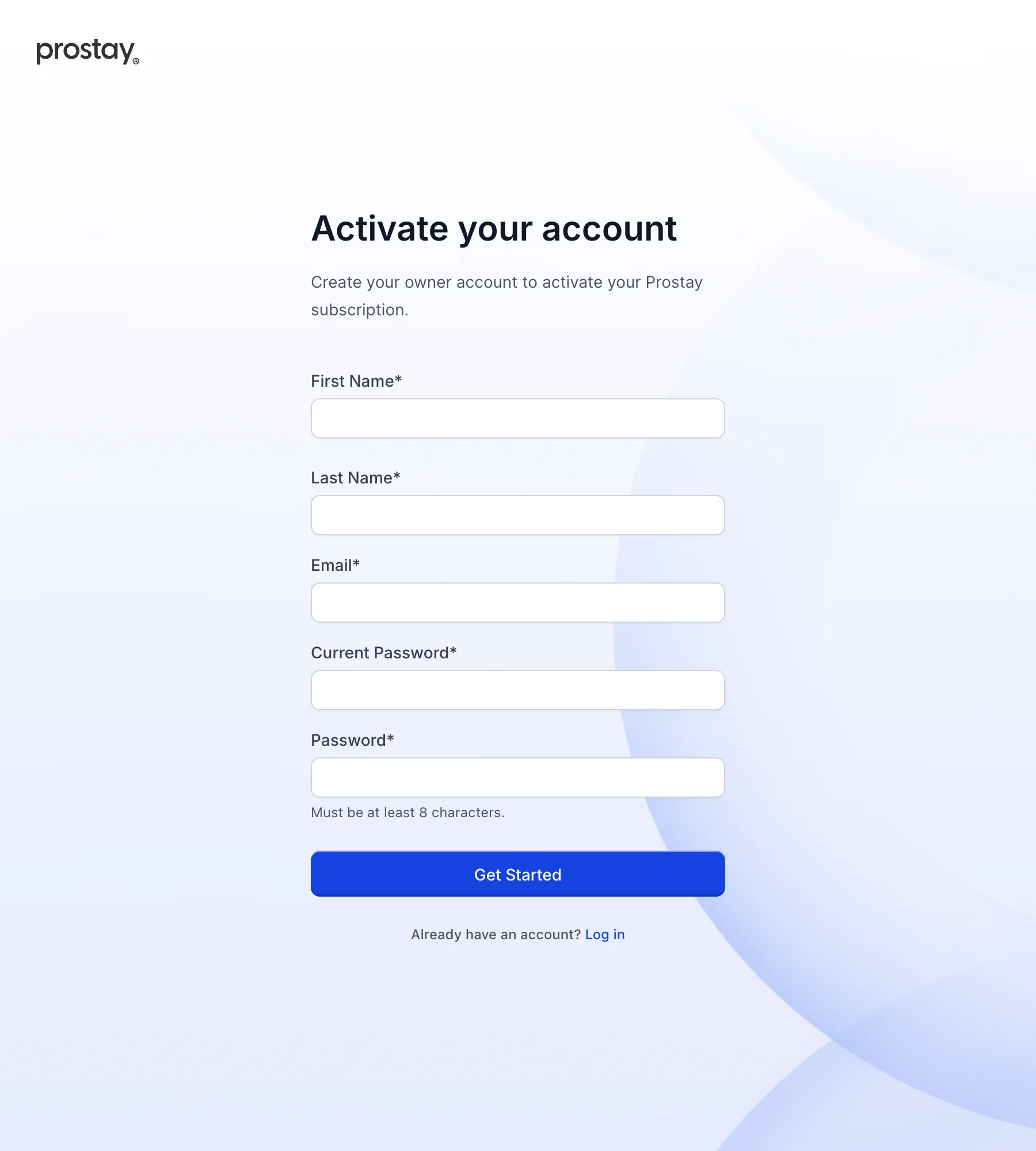
The two fields worth being careful about are the middle ones. Email has to be the address the invitation was sent to. If you type a different one, even another address of your own that works perfectly well, activation is refused with You inserted a different email. And Current Password is the temporary password from the invitation email, while Password is the new one you are choosing. Reading the labels quickly and putting your new password in both is the commonest way to get stuck here.
If the form shows red messages under fields, fill those in before clicking again rather than clicking twice. Prostay currently sends the request even while it is showing you those messages, so a second click on an incomplete form produces an error notification about the request on top of the messages about the fields, which reads more alarmingly than it is.
Asking for a password reset
Nobody at your property can read your existing password, so "ask an administrator what it is" is not a route that exists. What an administrator can do is trigger a change, and what you can do without anybody's help is ask for a reset link.
On the sign-in screen, type your email, press Next, and use Forgot password on the password step. That opens this:
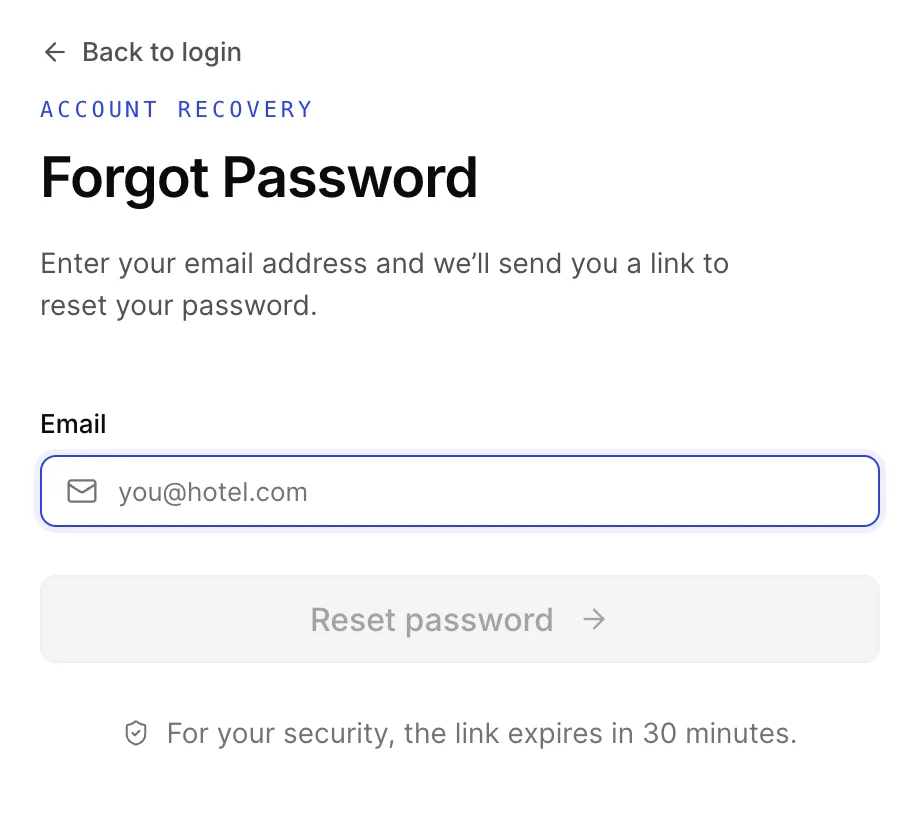
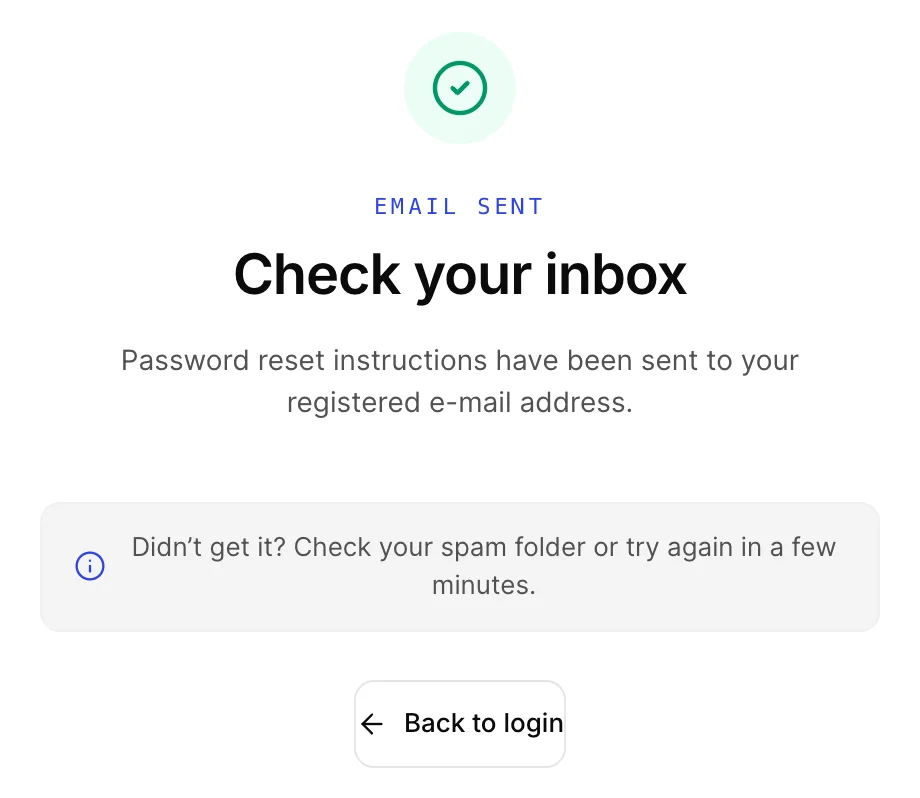
It has to be the address the account was created with. Prostay sends the link to that address and nowhere else, so an account created with a personal address you no longer read cannot be recovered by typing your work address here. If the address is not on any account, this screen says so directly rather than pretending to have sent something.
Setting the new password
The link in the email opens one screen with two fields. There is nothing to confirm and nobody to wait for; when you submit it, the password is changed.
It is headed Reset Password, above the line "Please enter and confirm your new password below", with a Password field and a Confirm Password field. Each has an eye button at its right end that shows what you have typed, and a Back to login link sits at the foot.
The Reset password button stays grey until both fields are filled and the first one passes the rules below, so a button that will not respond is telling you something rather than failing. Use the eye at the end of each field if you are unsure what you typed; that is safer than typing something simple because you cannot see it.
On success you get a green tick and Password Reset Successful, and after about three seconds Prostay takes you to the sign-in screen by itself. You do not have to do anything to make that happen. Sign in with the new password.
When the link says it has expired
Instead of the two password fields, the link opens a short message headed Reset link error, reading Invalid or expired token, with a single Back to login button under it. There is nothing to type and no way to ask for a new link from that screen.
This is the most common thing to go wrong, and it is worth being clear about what it does and does not mean. It means the link is too old, or the address in the browser is not exactly the one that was emailed. It does not mean your account is locked, suspended or damaged, and it does not mean the reset failed in some half-finished way. Your old password is still your password.
Getting out of it takes three steps, and the reason it takes three is that this screen offers no way to ask for a new link.
- Press Back to login.
- Type your email, press Next, then Forgot password again.
- When the new email arrives, open it and click through immediately.
Two things that look like this and are not. If you copied the link out of the email by hand and it wrapped across two lines, you may have pasted only part of it, which produces the same screen; go back to the email and click the link rather than copying it. And if you have asked for several links in a row, only the newest email is worth opening, because the older ones are older and this screen is what an older one gives you.
When Prostay asks you to change your password
Sometimes a sign in succeeds and Prostay immediately asks for a new password instead of showing you the application. That happens when an administrator has flagged the account for it, which they normally do just after creating it or after resetting it for you. It is not an error, and it is not optional: there is no way past it to the rest of Prostay.
Set the new password using the same rules as below. This does not carry you into the application: Prostay confirms the change, then puts you back on the sign-in screen a few seconds later, and you sign in again with the password you just chose. Nothing has gone wrong when that happens, and you do not need a second reset. Two practical notes, both of which come up:
- Do not reload the page while you are on it. This screen depends on having arrived from the sign-in step, so refreshing it sends you back to sign in with no explanation. Nothing is lost; sign in again and the same screen returns.
- There is no URL to bookmark or to be sent. If you were looking for a link to this screen, there is not one, and the way back to it is always to sign in.
What counts as a valid password
All three screens in this article apply the same rule, and it is stricter than the hint on the activation page suggests. A password needs all four of these:
- at least eight characters;
- at least one capital letter;
- at least one number;
- at least one of these symbols: ! @ # $ % ^ & * ? .
There is a fourth rule that catches people, because it refuses rather than requires: any character outside letters, numbers and those ten symbols is rejected. A hyphen, an underscore, a space, a plus sign or a bracket will fail, even in a long and perfectly strong passphrase. If a password you are confident about is being refused, that is almost always why. Take the punctuation out or swap it for one of the ten.
If none of this works
| What you see | What it means |
|---|---|
| The reset email never arrives | Check the spam folder first. If it is genuinely absent, the likeliest cause is that the account was created with a different address from the one you are typing, and only an administrator at your property can see or correct which address it is. |
| A message about too many attempts, or a request that simply fails after several tries | Prostay limits how many sign-in and code attempts one connection can make in a minute. Wait a minute and try once, carefully. It is a speed limit rather than a lockout: your account is not disabled and nothing is counting up towards a permanent block. |
| A message saying the account has been deactivated | The account exists but has been switched off, so no amount of password resetting will open it. Only an administrator at your property can switch it back on. |
| You are asked for a verification code and never receive one | The code goes to the address the account was created with. If that address is wrong or unreachable, an administrator has to correct it. See the verification step in Signing in and finding your way around. |
| The whole property is affected, not just you | Then it is not a password. Nothing in this article will help, and the person to tell is whoever administers Prostay at your property. |
Where to go next
- Signing in and finding your way around, for the two sign-in steps, the verification code and how to move about once you are in.
- Changing your password while signed in, for changing it on purpose from your own profile once you are back in.
- Users, roles and permissions, for administrators: creating an account, correcting the address on one, and switching a deactivated account back on.
- What Prostay is, and which part you are in, once you are through the door.