The guest chat is the visible half of Prostay AI. It is a web page, not an app: a guest opens a link, types their room number and their name, and asks questions. Nothing is installed and nothing is emailed to them.
Chat Settings is where you brand it, choose the questions it suggests, and find the address to hand out.
What the guest chat is
Three things are worth knowing before you set it up.
- It is on the open web. The page is not behind your Prostay login. Anyone with the link reaches the sign-in screen.
- Signing in is a room number and a name. There is no password, no code and no email confirmation. That is convenient, and it is not proof of identity.
- It is per property. Unlike the permissions and learning material screens, which are shared across your whole account, these settings and this address belong to one hotel.
The four settings, and the two that reach a guest
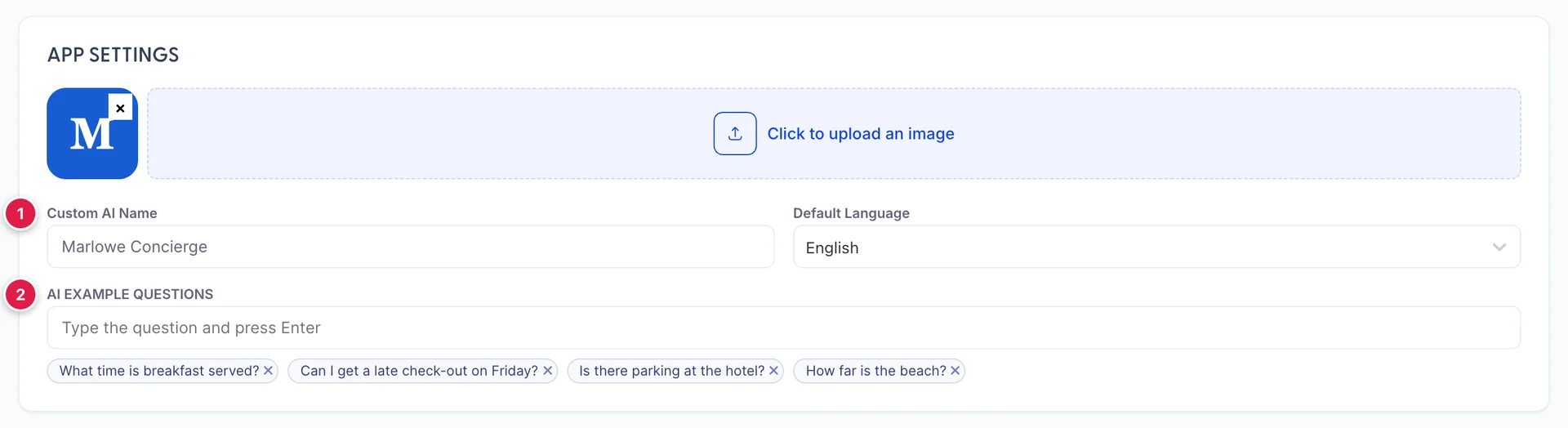
| Setting | Does a guest see it? |
|---|---|
| Logo | Yes. It appears in the header of the chat, so upload the mark you would put on a keycard. |
| AI EXAMPLE QUESTIONS | Yes. They become the tappable questions on the opening screen, in the order you add them. |
| Custom AI Name | No, not currently. The chat introduces itself as Ocean whatever you put here. Reported. |
| Default Language | No, not currently. Set the languages that matter on General AI System Settings instead. |
Choosing the example questions
The example questions are the most valuable setting on this screen, because they are what a guest taps instead of typing, which means they decide what most conversations are about.
Choose them the way a concierge would anticipate: the four things people ask on the first evening. Breakfast, late check-out, parking and how far the beach is are good precisely because they are dull and constant. Two habits help:
- Phrase them as a guest would. What time is breakfast served? rather than Breakfast information.
- Only ask what you have answered. Every example question should have a matching answer in Learning Material. Offering a question you have not taught it is inviting the one answer you do not want a guest to get.
The address to give a guest

The pill at the top right holds your chat address, and it is chat.prostay.com followed by your property's identifier. The copy button beside it is the reliable way to take it: it is a shared host with your own property on the end of it, and retyping it from a screenshot is how people end up publishing somebody else's chat.
That address works as it stands, with nothing else to set up. The switch underneath is optional and is only about the name in front of it.
Putting your own domain in front of it
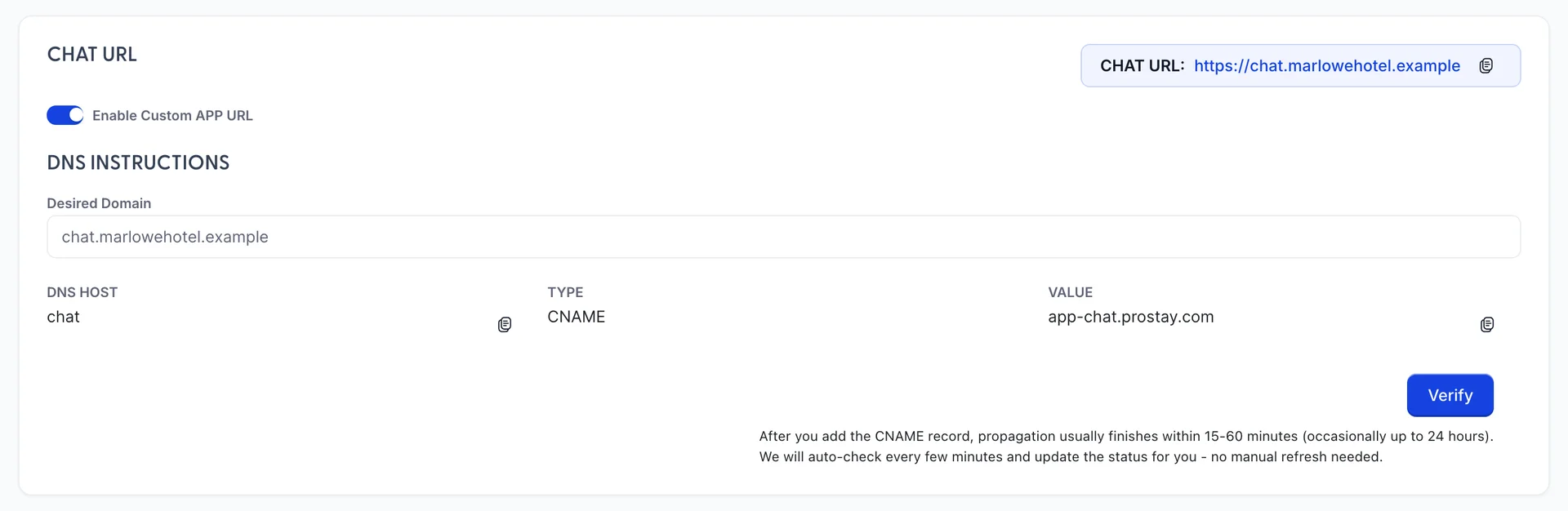
Turning on Enable Custom APP URL lets you serve the chat from your own domain, so a guest sees chat.yourhotel.com rather than a Prostay address. It is worth doing for anything printed, and it is a job for whoever manages your DNS.
- Enter the subdomain you want in Desired Domain.
- Give the DNS HOST, TYPE and VALUE from the table to whoever runs your DNS. It is one CNAME record.
- Wait. The note on the screen says 15 to 60 minutes, occasionally up to 24 hours, and the status is re-checked for you.
- Press Verify once the record is in place.
What a guest sees
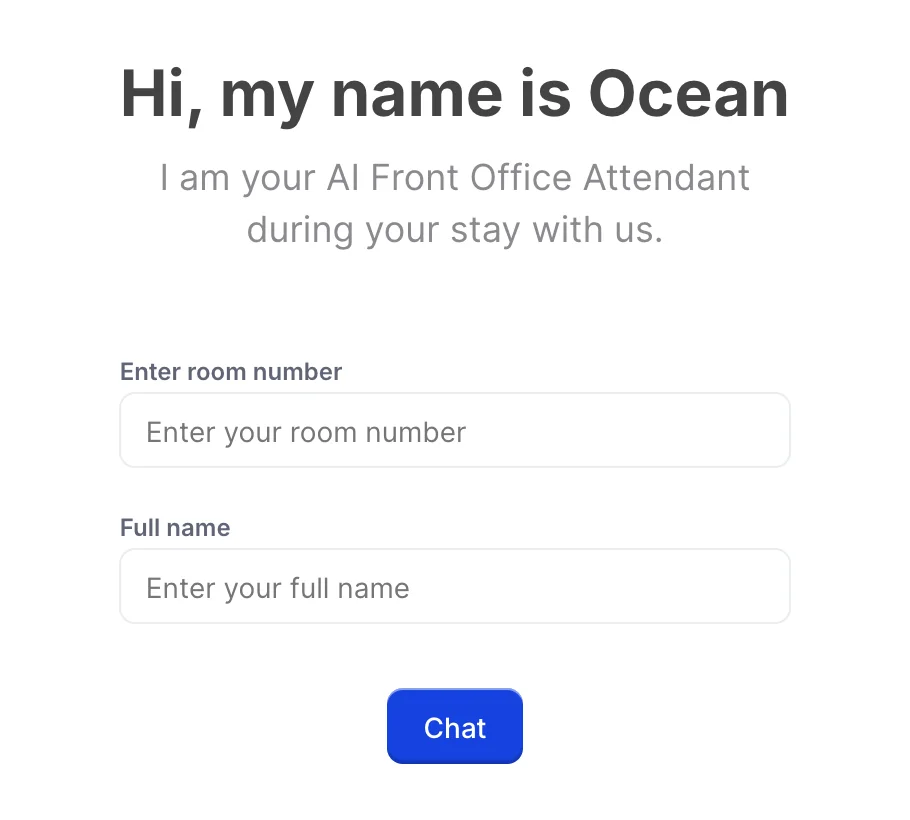
This is the first screen. A guest types the room they are in and the name the booking is under, and presses Chat. If either is wrong they are told so and can try again.
It is worth being clear-eyed about what that check is. It confirms that somebody knows a room number and a surname, which a person standing in your lobby could often manage. It is enough for arrangements and small talk. It is not enough to treat the conversation as private, which is the reason the folio permission deserves a decision rather than a tick.
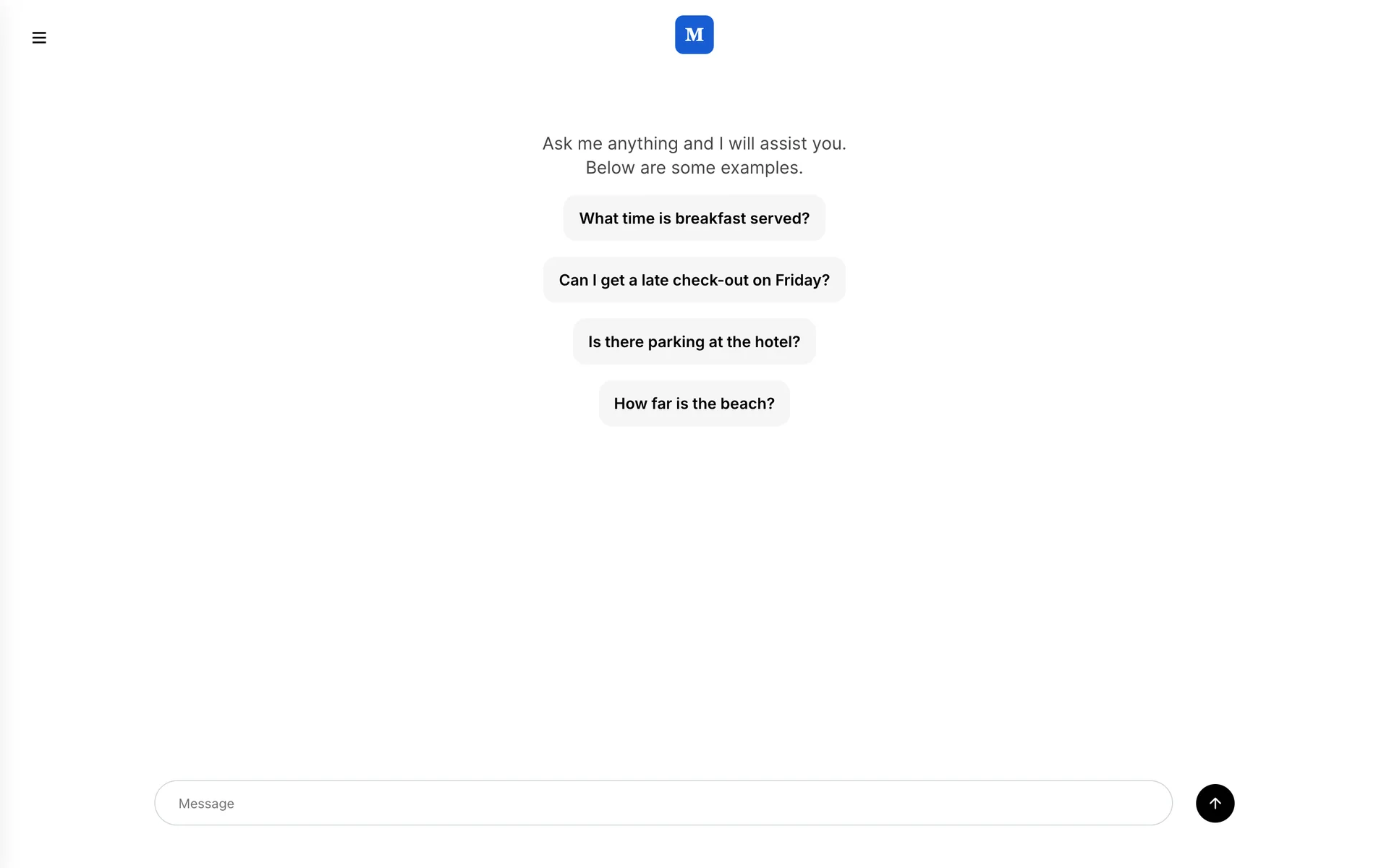
After signing in, the guest gets your logo, an invitation to ask anything, and the example questions as buttons. Tapping one sends it. Everything else on this screen comes from the other Prostay AI screens: what it may look up comes from Prostay Integration, what it knows comes from Learning Material, and how it phrases things comes from Behavior.
Before you print the link on anything
A chat address on a keycard wallet is hard to withdraw, so it is worth ten minutes first:
- Open it yourself, as a guest. Use the address from the pill in a private browser window and sign in with a real room number and name from today's arrivals.
- Ask your own example questions. All four, and read the answers as though you were the guest. Anything vague is a missing entry in Learning Material.
- Ask a question you have not taught it, and see what it does with it.
- Ask something about money, if you have ticked Folio, and satisfy yourself that you are happy with the answer going to whoever signed in.
- Check the logo in the header, which is the one piece of your branding a guest definitely sees.
Where to go next
- Teaching it about your property, which is what makes the answers worth reading.
- What the assistant may see, for the folio decision in particular.
- What Prostay AI is, and what it is not, for how the chat side and the email side differ.