Two screens decide how the assistant sounds. Behavior sets the voice: how formal it is, how long it goes on, what it may not say. General AI System Settings sets the conventions it writes in: how it renders a date, a time and a price, and which languages it may answer in. They are covered together because nobody sets one without the other.
Almost everything here has a sensible default, and one control is worth more than all the dials combined. If you are short of time, skip to the free text box.
Two screens, one job
Behavior has seven cards and a single Save Changes at the top that commits all of them, so you can work down the screen and save once at the end. General AI System Settings works the same way.
Tone and length

| Field | What it does |
|---|---|
| Tone / Persona | Three choices: Friendly-Professional, Luxury-Warm and Playful. Pick the one your own marketing sounds like. Friendly-Professional is the safe default for almost every property. |
| Verbosity | Concise, Balanced or Detailed. Concise suits chat, where a guest is reading on a phone. Detailed suits email. |
| Max tokens per reply | A ceiling on the length of one answer. Tokens are roughly three quarters of a word each, so 400 is a long paragraph or two short ones. |
| Hard cap safeguard | Ticked, the ceiling is absolute. Unticked, it is a guideline the reply may exceed. |
The token ceiling is a budget rather than a target, so a low number does not make answers terse, it makes long ones stop. If you want short answers, set Verbosity to Concise and leave the ceiling generous enough that a genuinely complicated answer can finish its sentence.
Formality and temperature

Formality runs from Casual to Formal and decides how it addresses a guest, from a first name and a contraction at one end to Dear Mr Hart at the other.
Response Temperature runs from 0 to 1 and decides how much the wording varies between two answers to the same question. Low is repetitive and predictable; high is more natural and less controllable. Somewhere around 0.3 is a reasonable place to sit: recognisably human, without inventing a new way to describe your cancellation policy every afternoon.
Phrases it may not use
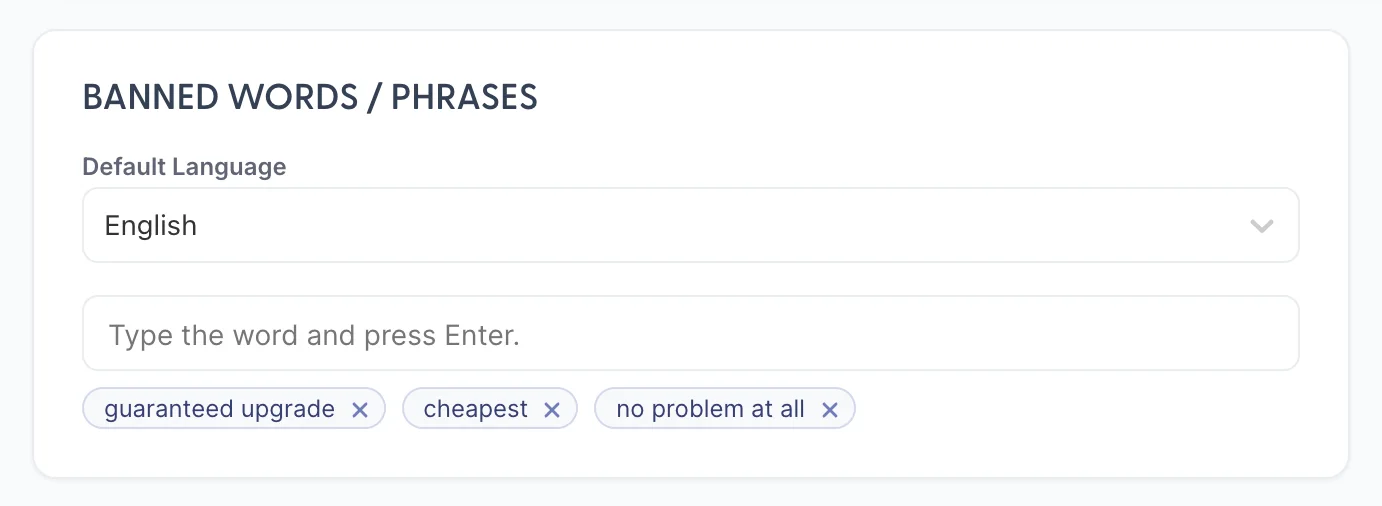
Type a word or phrase, press Enter, and it becomes a chip. The useful entries are not rude words, which were never going to come up. They are the phrases that commit you to something:
- guaranteed upgrade, because nobody can guarantee one.
- cheapest, because it is a claim about your competitors.
- no problem at all, if that is not how your property speaks.
A good way to build the list is to think of the sentence you would not want to read in a complaint, and ban the phrase at the centre of it.
Domains it may not correspond with
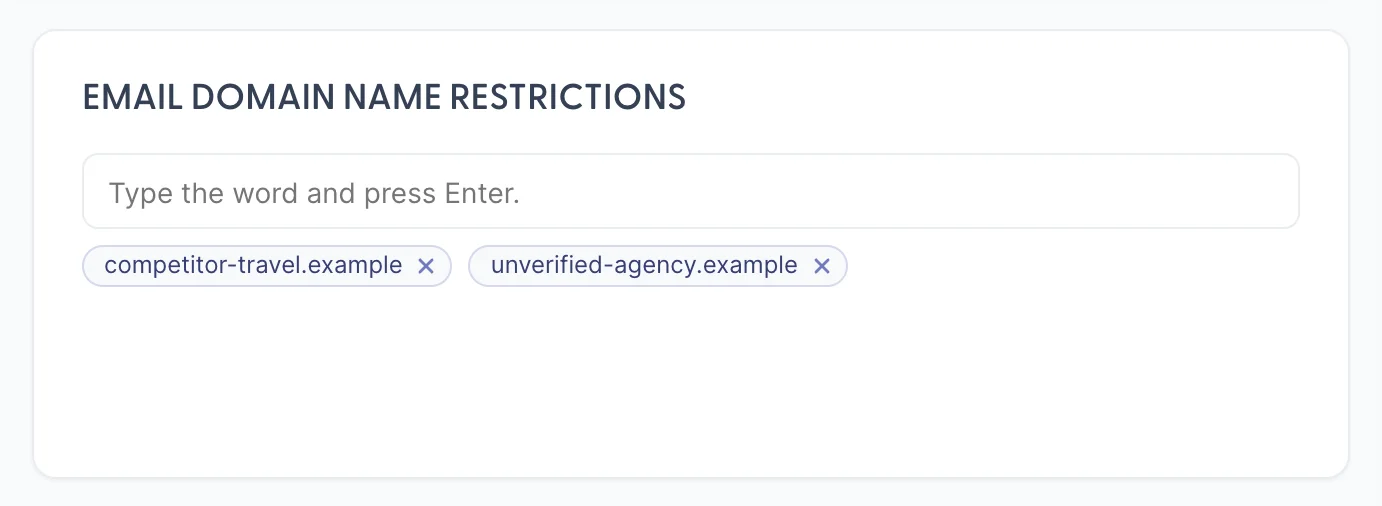
The card beside banned words takes email domains rather than phrases, and it is the only control here about who rather than how. The obvious candidates are agencies and intermediaries you would rather a person handled, and any domain whose mail should always reach a human.
House vocabulary and closings
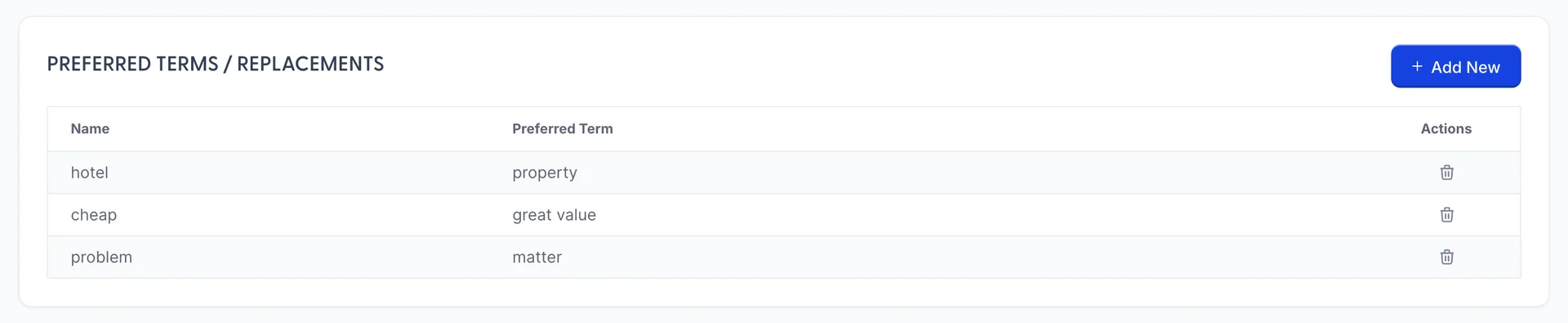
Preferred Terms / Replacements is a two column list: the word it might reach for, and the word you would rather it used. This is where a house style actually lives, and it is worth more than the tone picker for a property with any kind of voice of its own. hotel becoming property, problem becoming matter: small substitutions, and between them they do most of the work of sounding like you.

Mandatory Closings takes lines you want at the end of every reply. Keep it to one. Every entry is added to every answer, so three closings produce a three line sign-off on a message whose body was one sentence, and a guest reads that as a form letter.
The box that does the most work
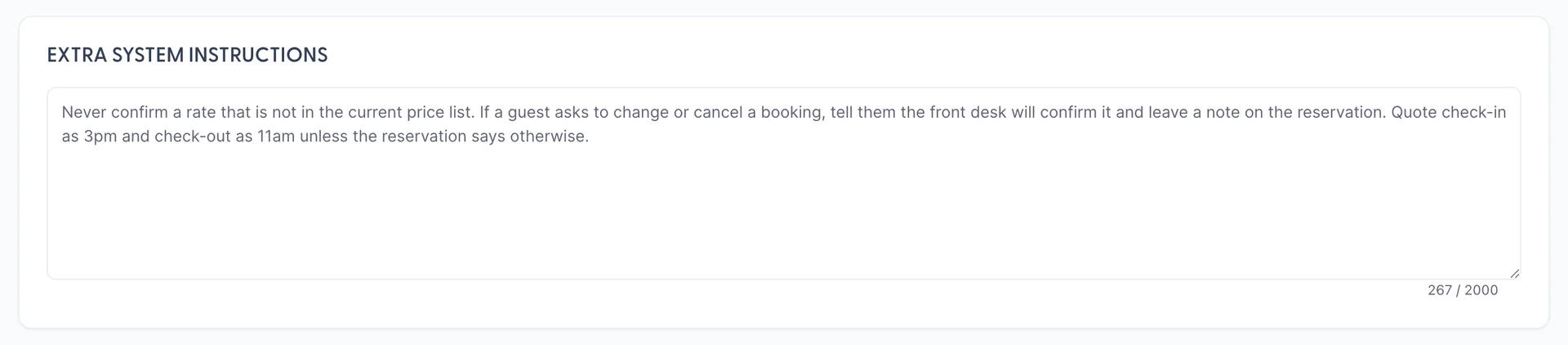
Extra System Instructions is two thousand characters of plain English, and it is the most useful control on either screen. Everything above it is a dial with three positions. This is where you can express the things your property actually cares about, in the words you would use to brief a new member of staff.
The instructions that earn their place are the ones about your risks:
- Never confirm a rate that is not in the current price list.
- If a guest asks to change or cancel a booking, tell them the front desk will confirm it and leave a note on the reservation.
- Quote check-in as 3pm and check-out as 11am unless the reservation says otherwise.
Dates, times and money
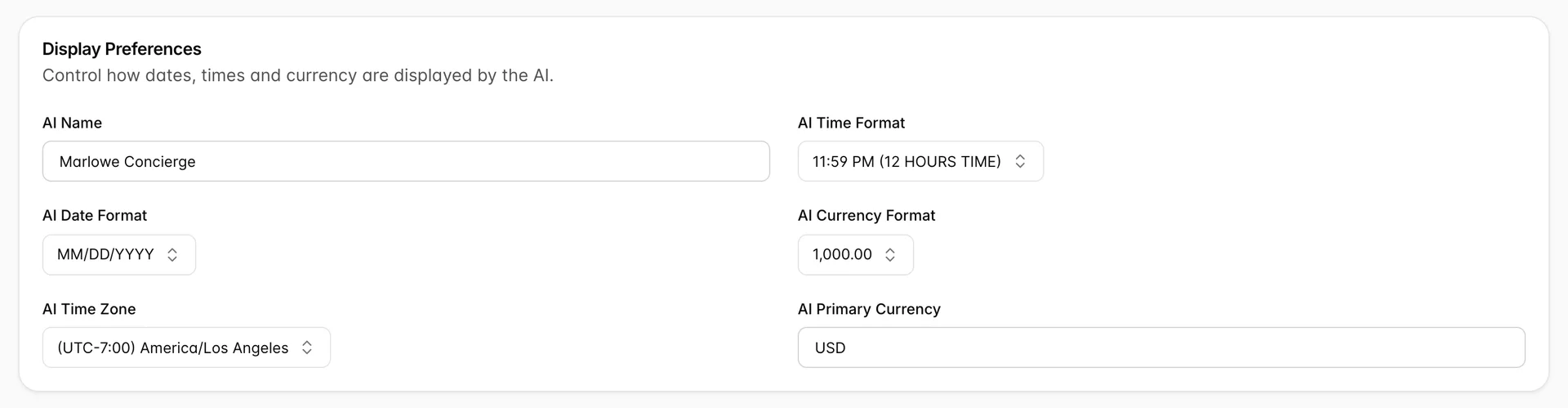
These are the conventions the assistant writes in, and the reason to care is that a guest reading 06/07 needs to know whether that is June or July.
| Field | What to set it to |
|---|---|
| AI Name | What the assistant calls itself. Something that sounds like your property rather than like software. |
| AI Date Format | The one your guests read, which usually means the country the hotel is in rather than the country your office is in. |
| AI Time Format | 12 or 24 hour. Match how your own signage and confirmations are written. |
| AI Time Zone | The property's own zone. This is what makes tomorrow mean the right day. |
| AI Currency Format and AI Primary Currency | The separator style and the currency prices are quoted in. |
Hours and languages
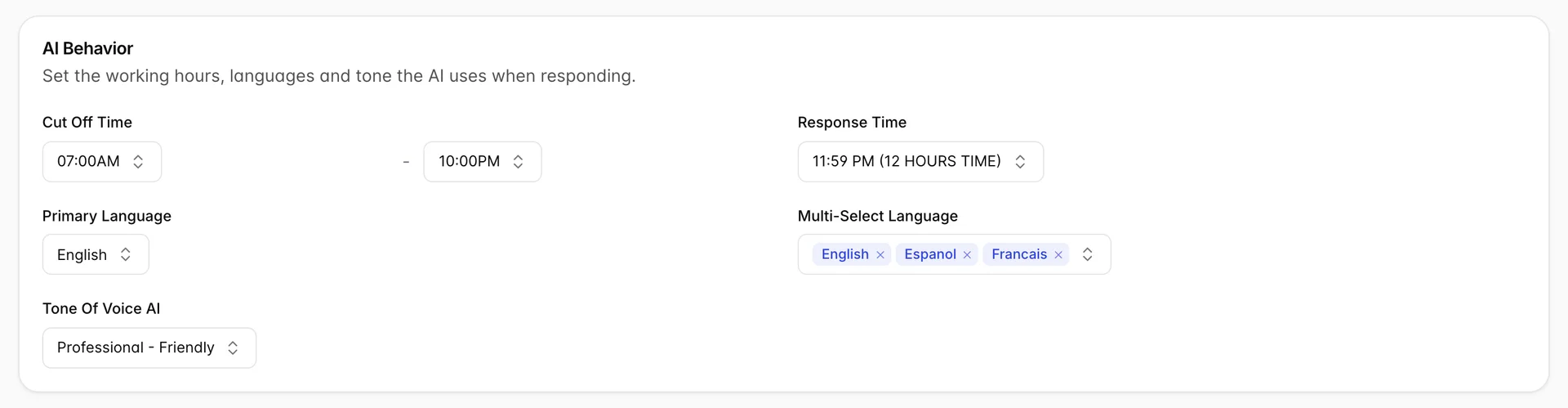
Cut Off Time is a pair of times bounding the hours the assistant works in, read in the time zone above. Primary Language is the language it answers in by default, and Multi-Select Language is the set of others it may answer in, as removable chips. Add the languages your guests actually arrive speaking; there is no cost to a language nobody uses, and a guest who writes in Spanish and is answered in English usually stops writing.
Tone Of Voice AI here overlaps with Tone / Persona on Behavior. Set them consistently rather than trying to work out which one wins.
Where to go next
The voice is set. The remaining screen is the one your guests actually see.
- The guest chat, for the address, the branding and which of these settings a guest ever notices.
- Teaching it about your property, which matters more than any dial here.
- What Prostay AI is, and what it is not, for the orientation.