What this is, and what it is not
This is a drawer of saved answers for your staff to paste into a reply. It is not a help centre, it is not published anywhere, and no guest ever sees it. Nothing you write here appears on your website, in your booking engine or in an automatic response.
It is worth being blunt about that, because the name suggests otherwise and the screen used to say otherwise. The difference matters in practice: a guest-facing article is written to be browsed, and a saved answer is written to be pasted into a sentence somebody is halfway through typing. If you write the first kind, your team will read them, decide they do not fit, and type their own answer instead.
The list
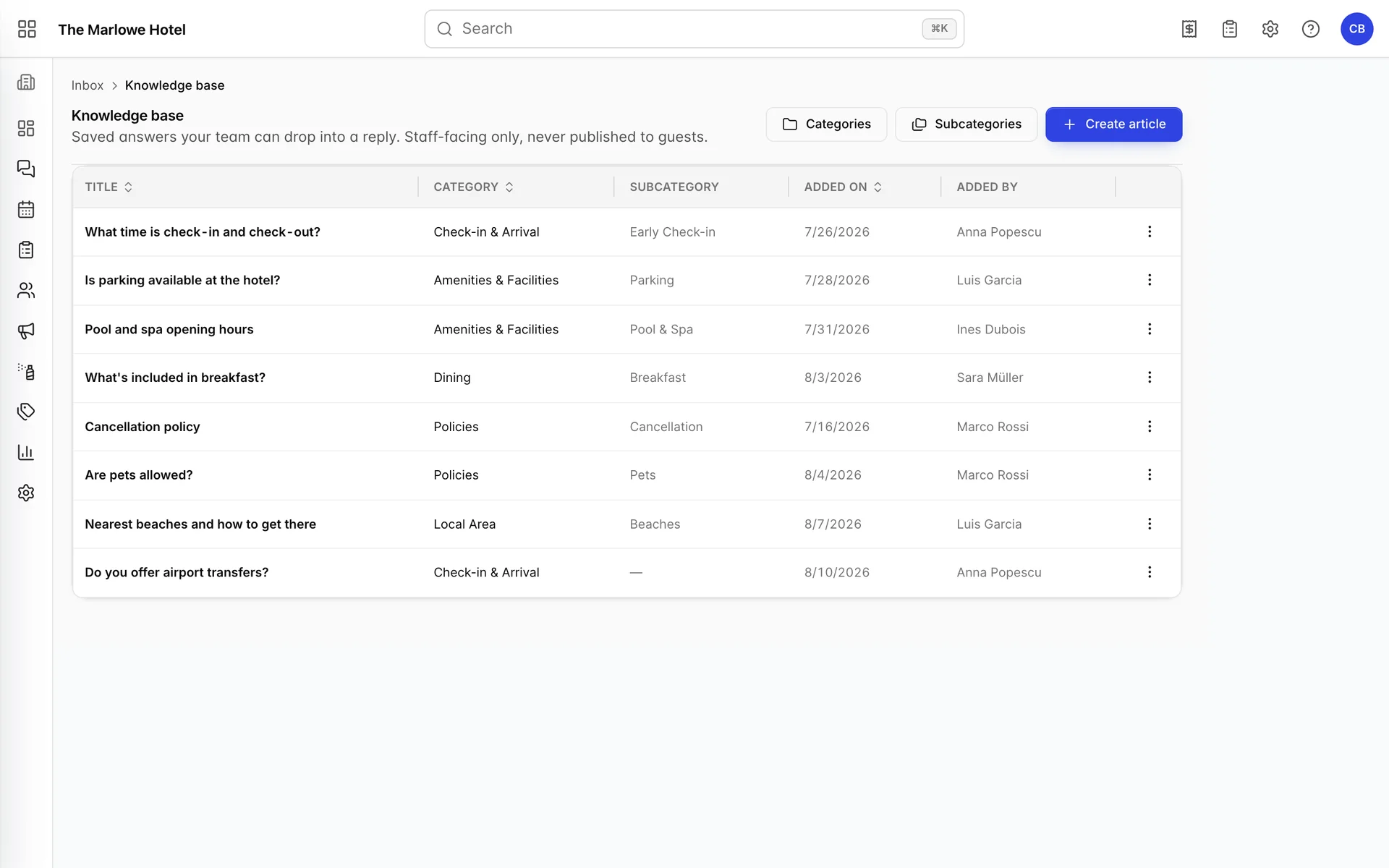
Each row shows the title, its category and subcategory, when it was added and by whom. Sort on any of the underlined columns. The Added on and Added by columns are the useful pair: they tell you which answers are old enough to be wrong and who to ask about them.
The menu at the end of a row offers Edit and Delete. Deleting asks for confirmation and then removes the entry outright; there is no archive and no undo.
How it is actually used
Nobody reads this screen during a shift. The knowledge base is used from inside a conversation, through the Knowledge base button at the top of an open thread, which opens a searchable drawer over the inbox.
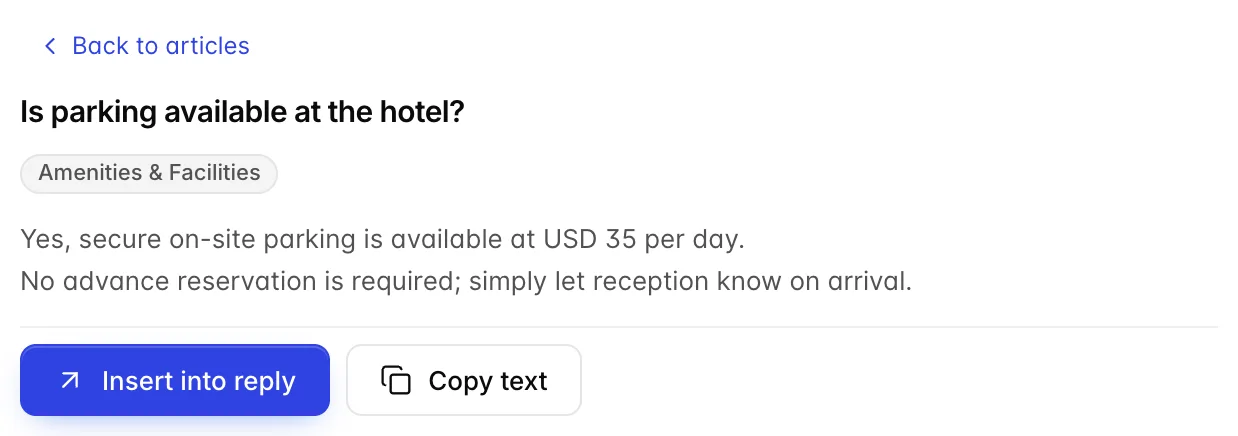
Opening an answer in the drawer gives you Insert into reply, which drops the text into the reply box where you can edit it before sending, and Copy text, which puts it on the clipboard for anywhere else. Nothing is ever sent automatically.
That is the test to apply to everything you write here: would somebody pick this, insert it, and send it without editing? If it needs work every time, it will be retyped every time.
Writing an entry
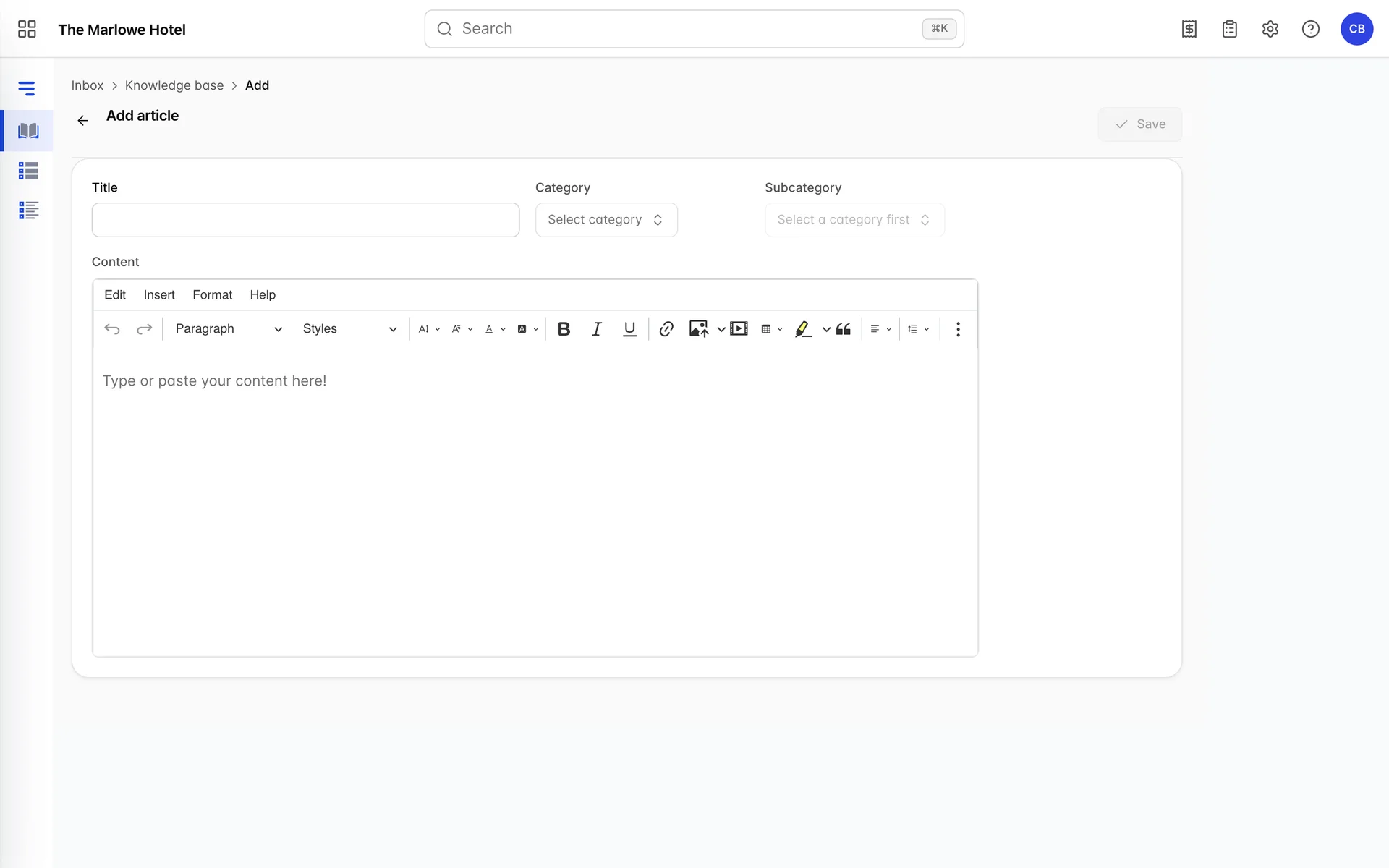
| Field | What it does |
|---|---|
| Title | What your team searches on, and the only line they see in the drawer's list. Write it as the question a guest asks: "What time is check-in?" rather than "Check-in policy". Somebody hunting for an answer types the guest's words, not yours. |
| Category | The top-level group, chosen from the categories you have made. Required, and it feeds the filter chips in the drawer. |
| Subcategory | A narrower group inside the category. Disabled until a category is chosen, and it only offers subcategories belonging to that category. Optional: an entry with none shows a dash in the list. |
| Content | The answer itself, in a formatting editor. This is the text that gets pasted into the guest's reply, so write it as the message you want the guest to read, not as a note to your colleague. |
Save stays greyed out until the required fields are filled.
Writing for three channels at once
The same entry gets inserted into an email, a WhatsApp message and a Booking.com or Expedia reply, and it cannot know which. That constraint decides the writing more than anything else:
- Two or three sentences. A paragraph that reads as thorough in an email reads as a wall of text on a phone.
- No greeting and no sign-off. The person inserting it has already written "Hi Maria" and the signature is added automatically on email. An entry that starts with "Dear guest" produces a reply with two greetings.
- No formatting that depends on being seen. Bold and links survive an email. WhatsApp gets the text.
- Answer the question, then add the one thing they ask next. "Check-in is from 3:00 PM" invites "can I come earlier?". Saying both in one entry saves a whole exchange.
- Name figures in your own currency and be specific. "Parking is USD 35 per day" is an answer. "Parking is available for a fee" is another email.
Categories and subcategories
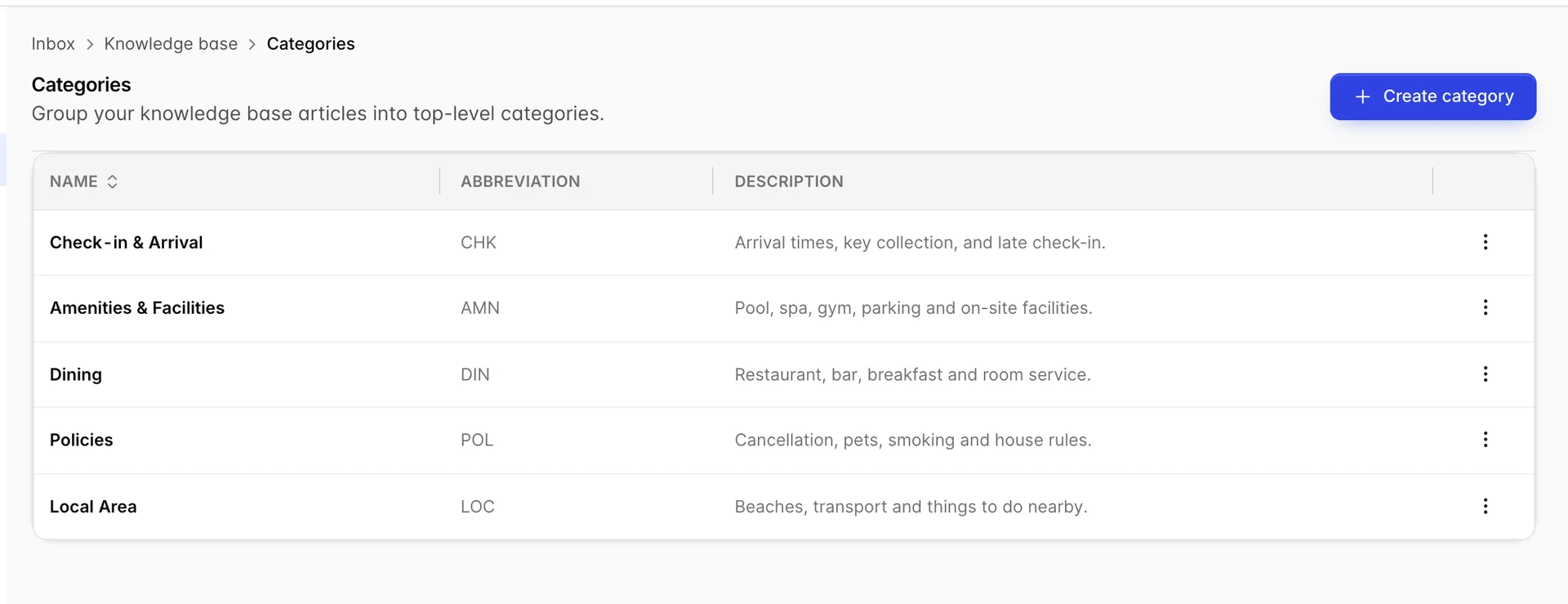
Categories are the top level and they are the only grouping that reaches the reader: they become the filter chips across the top of the drawer. That is the whole reason to keep them few. Five or six chips can be scanned; fifteen is a second search problem.
If Create category or Create subcategory is not on your screen, your role does not include the permission for it. An administrator can add it from Users in System Settings, under Knowledge Base › Categories and Sub-categories.
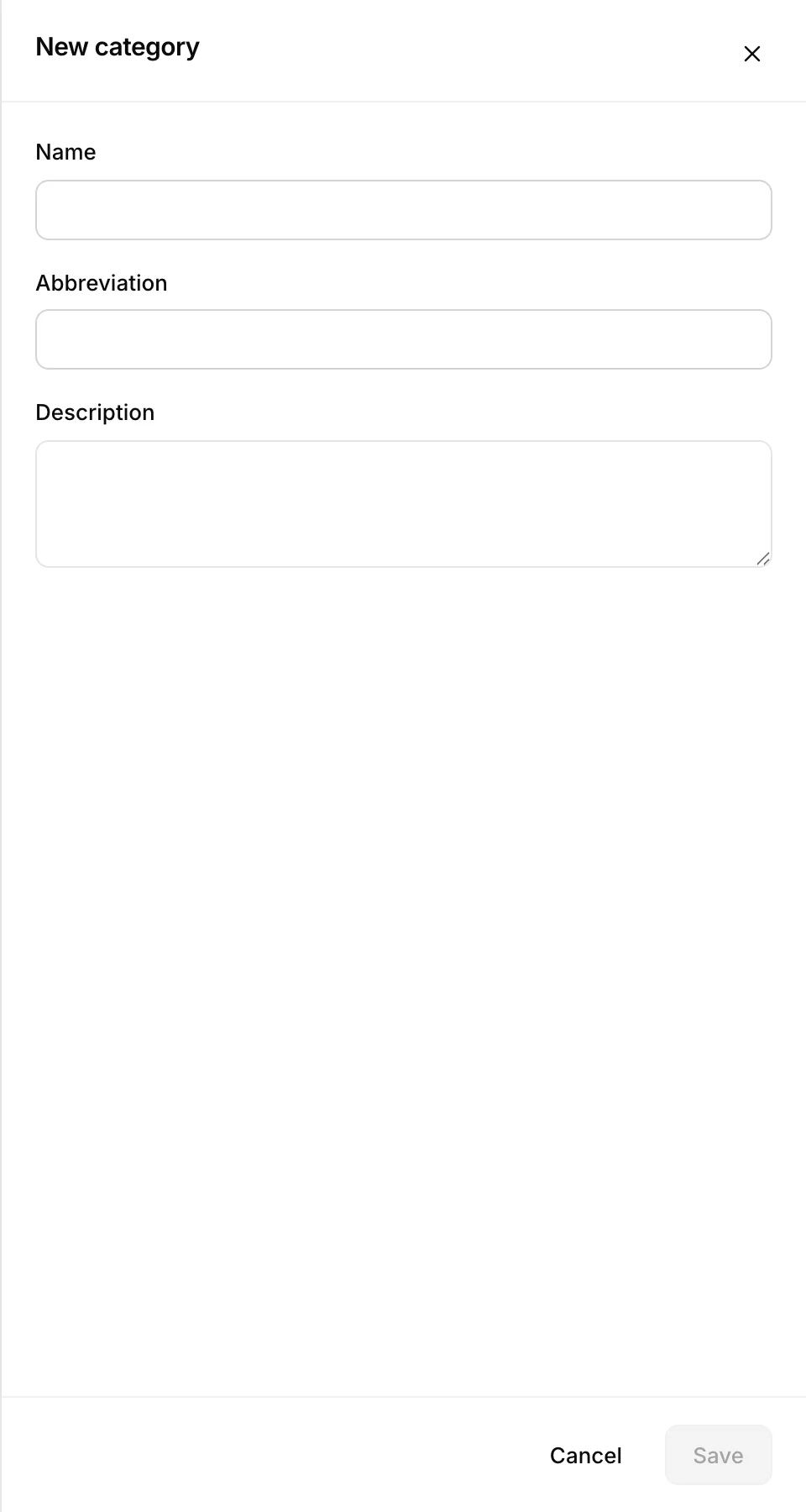
| Field | What it does |
|---|---|
| Name | What appears on the chip in the drawer and in the list's Category column. Keep it to two words so the chips stay on one line. |
| Abbreviation | A short code shown on the categories screen. It is an internal label; nothing in the inbox uses it. |
| Description | A note for whoever files an entry later, so two people agree on what belongs in which category. Never shown in the drawer. |
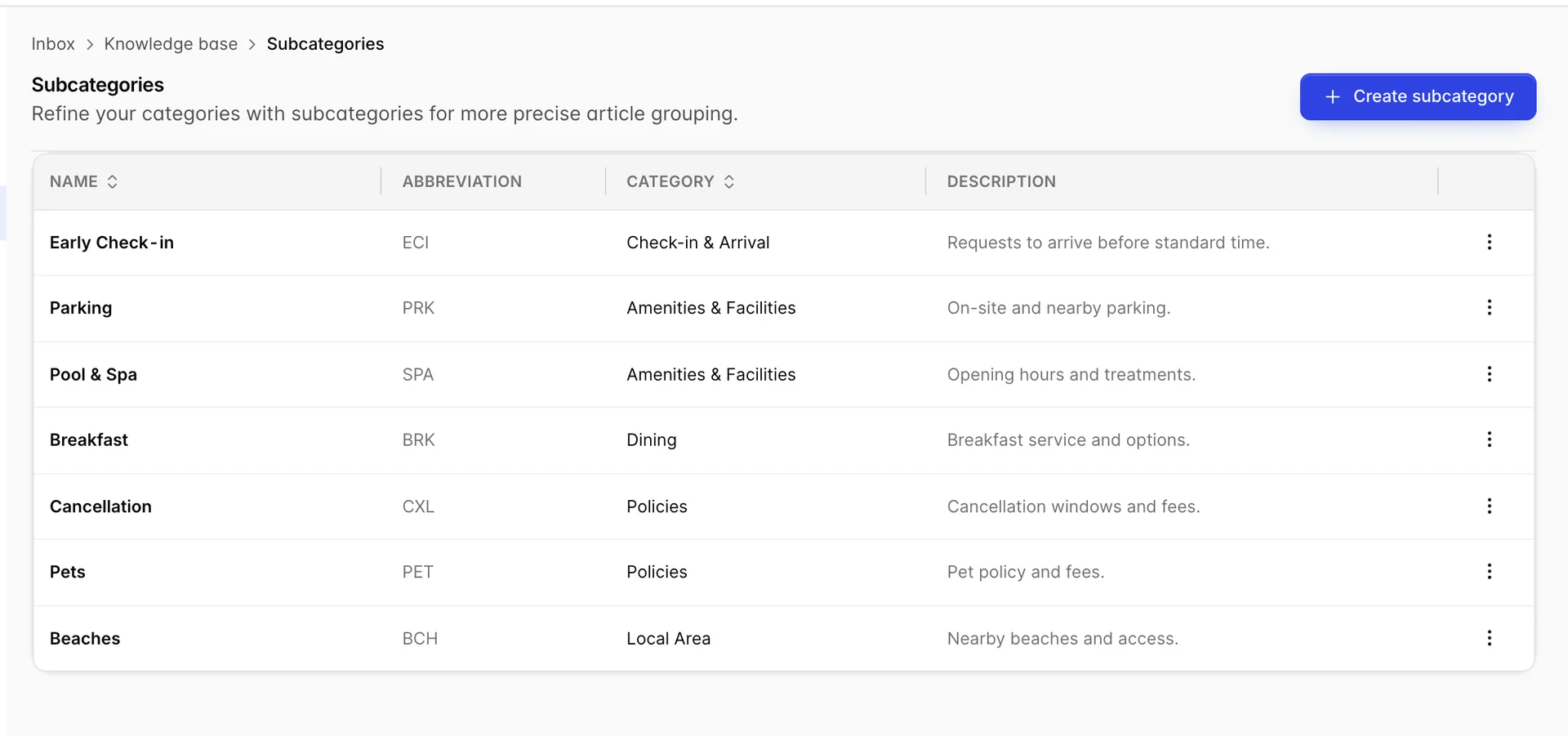
Subcategories are the same three fields plus the category they belong to. They do not appear in the drawer at all: they exist for you, on this screen, when an entry list has grown past what one person can hold in their head. A property with thirty answers does not need them. A property with three hundred does.
Keeping it true
A saved answer is a promise your whole team makes without checking it. The breakfast hours entry written last spring is still being sent to guests in the autumn, in your hotel's voice, long after the kitchen changed its hours. That is the real risk of this feature and the reason the Added on column is worth sorting by.
- Read the whole list once a season. There will not be many, and it takes ten minutes.
- Check anything with a price or a time in it whenever that price or time changes. Those are the entries that turn into a complaint at the desk.
- Delete rather than keep an entry nobody uses. A short list gets searched; a long one gets ignored.
- When a question arrives twice in a week and there is no entry for it, write one. That is the only reliable way this list grows into something useful rather than staying at whatever it was on the day it was set up.
For where these answers actually get used, see reading and replying in the unified inbox.