HomeBlogCloud-Based POS System for Restaurants & Hotels
Cloud-Based POS System for Restaurants & Hotels
Mika Takahashi
Last updated Dec 20, 2025
Table of contents
Popular Categories
Answer in 60 seconds: Why cloud POS matters for restaurants & hotels
Imagine having your entire restaurant or hotel operation right at your fingertips, no matter where you are. That’s exactly what a cloud based POS system offers. Instead of storing your sales data, menus, and business logic on a clunky back-office computer, everything lives safely on secure remote servers. Whether you’re on the restaurant floor, at home, or hopping between properties, you can access your business from any device with an internet connection.
Here’s a quick rundown of why hospitality owners love cloud POS:
Access from anywhere: Check real-time sales, tweak prices, or keep an eye on inventory—all from your phone, laptop, or any browser. No need to be on-site to run reports or fix issues.
Automatic menu and price updates across outlets: Change a dish description, adjust happy hour pricing, or remove an item once—and every terminal, bar station, and room service tablet updates instantly.
Instant posting of checks to hotel room folios: When guests charge meals or drinks to their room, the transaction flows directly to the right folio. No more front-desk re-keying or end-of-day reconciliation headaches.
For restaurants and hotel F&B operations, Tableview is a cloud pos system worth checking out. It’s built specifically for hospitality and works seamlessly with Prostay PMS, making room charge posting and unified reporting a breeze across all your outlets.
Predictable costs, lower IT overhead: Subscription pricing means no huge upfront license fees. Plus, no on-site servers to maintain means fewer surprise IT bills—perfect for independent hotels, boutique properties, and growing restaurant groups without big IT budgets.
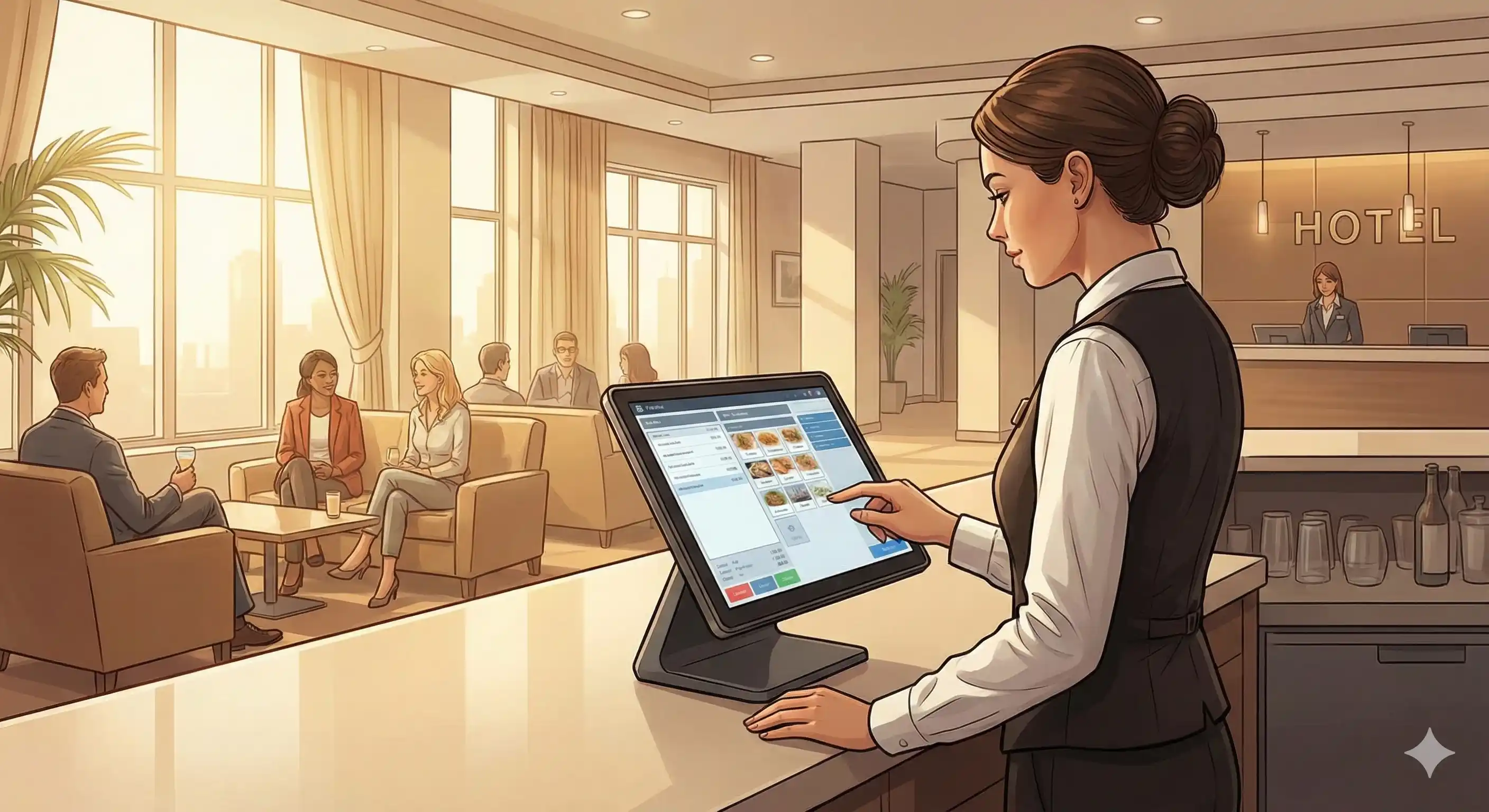
Front-end devices are what your staff use—tablets for waiters taking orders tableside, handhelds for bartenders, and terminals at host stands or reception desks. These devices run lightweight apps that send and receive data from the cloud in real time.
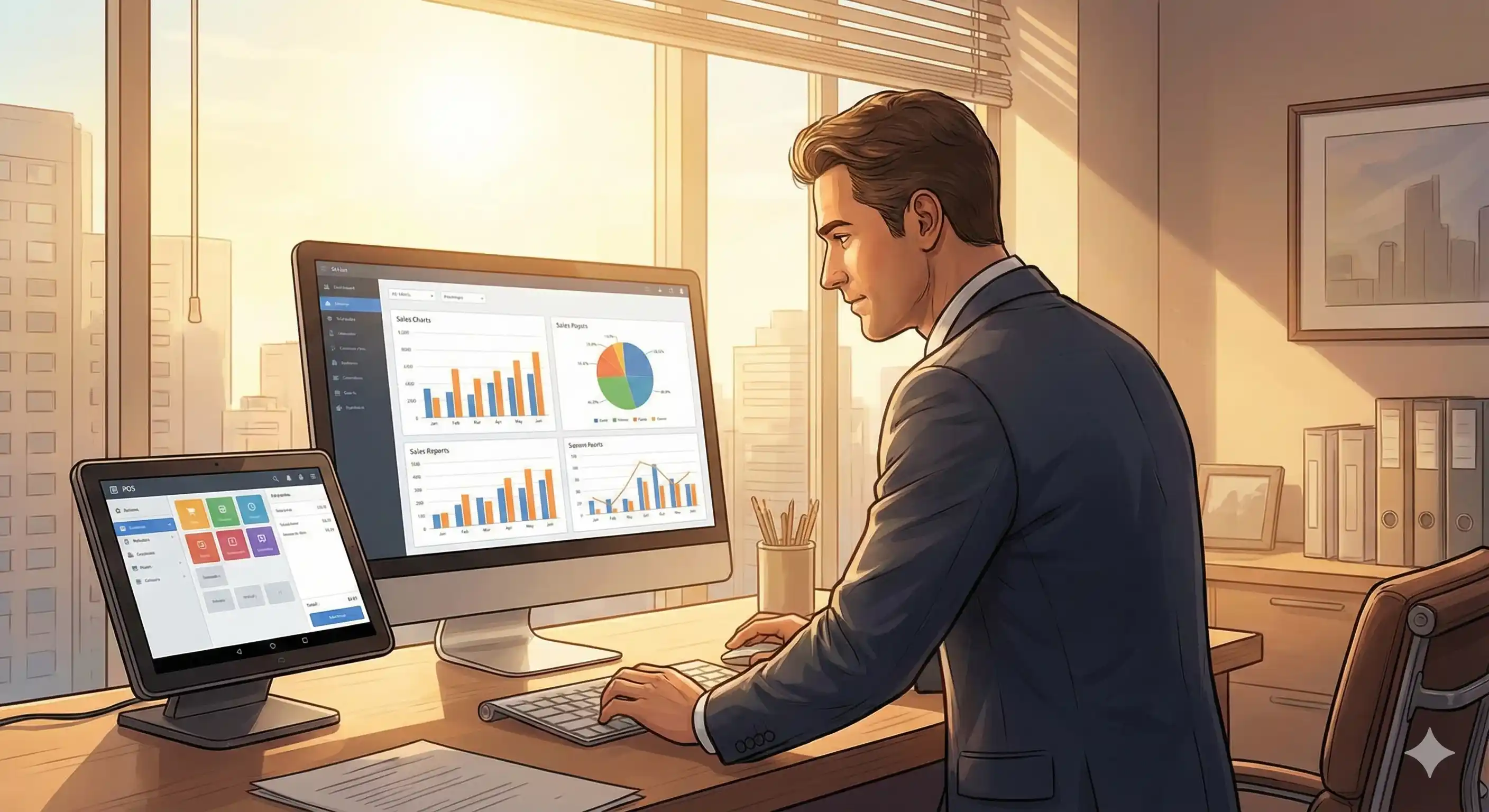
Back-office dashboards are browser-based portals where managers, owners, and finance teams dive into reports, update menus, adjust pricing, and manage inventory. Because everything lives online, you can log in from anywhere.
This setup is a big shift from traditional POS systems many hotels and restaurants still use. Those legacy systems often rely on a Windows server tucked away in the back office, with proprietary terminals wired throughout the venue and software upgrades that require technician visits.
Modern cloud POS software like Tableview runs as SaaS—software as a service. The vendor handles updates centrally, so every outlet automatically gets new features, security patches, and hospitality-specific tools (like QR ordering or digital receipts) without any disruption.
Picture a 60-room city hotel with two restaurants and a lobby bar. With a pos system cloud based, all three outlets share one platform. Each venue has its own menus and pricing, but revenue data flows into a single dashboard. When a guest orders a martini charged to Room 412, the charge posts instantly to their folio in the connected PMS.
Key benefits of a cloud based POS for restaurants and hotels
Switching to a cloud POS isn’t just about technology, it’s about running your restaurant or hotel F&B operation more smoothly, delighting guests, and protecting your margins.
Mobility and tableside service: Your staff can take orders on tablets anywhere, at the table, poolside, or rooftop. Orders go straight to kitchen display systems or bar printers, cutting wait times and reducing errors. Mobile POS also helps bust lines during busy times, servers can start tabs for waiting guests before they’re seated.
Real-time menu and pricing updates: Need to remove an item, launch happy hour pricing, or push a seasonal special? Update it once in the cloud, and every device and outlet updates instantly. No running around to each terminal or printing new menus.
Multi-outlet management from one dashboard: Hotels with multiple restaurants, bars, room service, and spa cafés can manage pricing, taxes, service charges, and discounts centrally. Restaurant groups with several locations can keep brand consistency while allowing local pricing tweaks. This kind of control is tough with siloed traditional systems.
Integrated hotel workflows with automatic room posting: When your cloud POS system integrates tightly with your PMS—as Tableview does with Prostay—restaurant and bar checks post directly to the right room folio. No manual front desk entry, fewer mistakes, and less hassle at checkout. Package inclusions like breakfast-included rates can be handled automatically.
Analytics accessible from anywhere: Track daily revenue by outlet, covers, average check size, top-selling items, and server performance from any device. Owners traveling between properties or working remotely can make smarter decisions based on real-time data, not week-old reports.
Lower costs compared to legacy POS: Say goodbye to on-site database servers, Windows licenses, and scheduled maintenance visits. Subscription pricing makes budgeting easier, and adding new properties or franchise locations is just a matter of configuration, not infrastructure projects.
Cloud POS vs traditional on-premise POS in hospitality
Many hotels and restaurants still rely on point of sale systems from the early 2000s—systems that once felt cutting-edge but now slow you down.
Data storage: Traditional POS stores everything on a local server in your back office. If that server crashes, you lose access to sales and customer data and might not be able to process transactions until repairs happen. Cloud POS stores data in secure, redundant data centers with automatic backups and disaster recovery.
Software updates: Legacy systems need scheduled upgrades, often involving downtime and extra fees. POS system cloud based updates automatically in the background, delivering new features like QR ordering and contactless payments without interrupting your service.
Scalability: Adding a new restaurant or seasonal pop-up on a traditional system means buying licenses, installing hardware, and complex networking. With a cloud based POS system like Tableview, you just configure the new outlet in your dashboard, ship tablets, and go live in days.
Reliability and offline mode: Worried about internet outages? Modern cloud POS solutions have offline modes with local caching. They keep accepting payments during brief connectivity drops and sync up when the connection returns. Hotels should also have backup internet options like 4G routers for critical tasks.
Combined cloud POS and cloud PMS: Hotels get the most benefit when their POS and property management system work as one. Tableview and Prostay, designed by the same team, eliminate integration gaps. Charges flow seamlessly, guest data stays consistent, and you deal with one vendor—not three.
How Tableview & Prostay work together for hotels and resorts
Tableview is a cloud based restaurant and bar POS built specifically for hospitality. While it's cloud based, it also operates on-premise and offline through dedicated apps for Apple and Microsoft products as well as iPads and Android tablets.
Prostay, its sister company, is a cloud PMS that handles reservations, guest profiles, housekeeping, and revenue management. Because they’re designed together, their integration is deeper and more reliable than typical third-party connections.
Full two-way integration: When a server looks up Room 412, they see the guest name, confirmation number, and any credit limits or restrictions. Charges—including taxes and service fees—flow directly into the correct folio in Prostay.
Coverage of all hotel workflows: This integration covers restaurant charges, bar tabs, minibar consumption, pool bar orders, spa café purchases, and activity center items. Charges can route to individual guest folios, group masters, or company accounts.
Reduced front-desk friction: At checkout, the guest’s Prostay folio already has every POS charge from Tableview. Front-desk staff don’t have to re-key amounts, reducing errors and speeding departures.
Multi-property visibility: Corporate teams can compare F&B performance across properties using unified cloud dashboards. Track sales trends, labor costs, and profitability without juggling spreadsheets.
Compliance and audit trails: Every room charge, void, discount, and refund is logged with timestamps and user IDs. Consolidated reports simplify audits and help spot discrepancies fast.
Essential features of a cloud based POS for restaurants & hotel F&B
Not every cloud based POS handles hospitality workflows well—some are retail systems awkwardly adapted for restaurants. Here’s what really matters for your outlets:
Table and course management: Visual floor plans with table status colors. Support for firing courses in sequence. Seat-level ordering for fine dining and banquets with split checks.
Menu and modifier handling: Create distinct menus for breakfast, lunch, dinner, and late-night. Happy hour pricing that activates automatically. Upsell modifiers for extras like premium spirits or side dishes. Package deals for prix fixe or all-inclusive.
Hotel-specific features: Search rooms and guests by name or number. Post charges to rooms with a tap. Split checks between room charge and card payment. Handle house accounts for long-term residents or corporate clients.
Integration capabilities: Connect to PMS (like Prostay), payment gateways for integrated payment processing, accounting software for automated journal entries, inventory management, and online ordering platforms.
Inventory and recipe management: Track stock across bars and kitchens. Define recipes so each sale deducts ingredients automatically. Monitor cost of goods sold in real time.
Multi-location control: Share items across venues while allowing local pricing by property. Push menu changes to all locations or specific outlets.
Security, compliance and data protection in cloud POS
Some worry that cloud based POS systems means less secure customer data. In truth, a well-designed cloud POS software is usually more secure than a local machine under the bar—because cloud providers invest heavily in security that individual venues can’t match.
Encryption in transit and at rest: Data travels over encrypted connections and is stored encrypted in vendor environments, protecting against unauthorized access.
Payment security and PCI compliance: Vendors handle PCI DSS compliance, using tokenization so full card numbers never touch your local network, reducing liability.
Role-based permissions and audit logs: Control who can do what—servers can take payments but not issue refunds, bartenders can apply discounts but not void checks. Every action is logged with user ID and timestamp.
Regulatory alignment: Vendors follow data protection laws like GDPR and CCPA. Integrated stacks like Tableview + Prostay reduce data exposure by avoiding multiple disconnected systems.
Best practices for operators: Enforce strong passwords, enable two-factor authentication, regularly audit users, and immediately revoke access when staff leave. These simple steps prevent most breaches.
Costs of a cloud based POS for restaurants and hotels
The financial upside of cloud POS system is predictable subscription pricing versus heavy upfront investments and ongoing legacy system costs.
Typical costs: Monthly subscriptions per outlet or terminal for POS software. PMS subscriptions if using Prostay. Payment processing fees per transaction. Optional add-ons like advanced inventory or loyalty programs may cost extra.
Hardware costs: Cloud POS runs on common hardware. A small restaurant might need a few tablets, a receipt printer, a cash drawer, and a card terminal. A hotel with multiple outlets might deploy 15-20 terminals. Swapping out a broken device is easy—just log back in on a new tablet.
Savings from no infrastructure: No local servers, no Windows licenses, no dedicated IT for POS. Training is faster thanks to intuitive tablet interfaces. These savings add up over time.
Budget planning: Estimate terminal count, outlets, and payment volume. Compare vendor pricing to current legacy system costs. Many find cloud POS software pays for itself within a year.
Expansion benefits: Adding new properties or seasonal outlets is quick and affordable with cloud POS. Configuration replaces infrastructure projects.
How to choose the right cloud POS for your restaurant or hotel
Picking the right POS means matching features to your operation:
Define your needs: A boutique hotel with one restaurant has different needs than a resort with six outlets. Consider your service style, expected covers, and growth plans.
Prioritize integration: If you run accommodation alongside F&B, PMS integration is essential. Tableview + Prostay is a great example of a fully integrated solution.
Test usability: Get live demos and trials with your staff. Make sure servers can easily open tables, enter complex orders, split bills, and post room charges.
Check scalability and roadmap: Ensure the vendor supports QR ordering, self-service kiosks, delivery platforms, and multi-property management.
Verify support and onboarding: Hospitality runs nights and weekends. Look for vendors with good support hours, training materials, and migration help.
Frequently asked questions about cloud POS for hospitality
What if the internet goes down?
Most cloud POS systems have offline modes that cache orders and payments locally. They keep working during brief outages and sync when online again. Hotels should also have backup connections like 4G routers for critical functions.
Can I manage everything remotely?
Absolutely. Owners and managers can update menus, pricing, run reports, and manage inventory from any device, anywhere.
Is cloud POS only for big chains?
Nope. Cloud POS scales from a single bistro to large resorts with multiple outlets. Everyone benefits from lower hardware costs, easy setup, and modern features.
Can I migrate from my old POS without losing data?
Usually yes. Vendors help export and import your menu, recipes, and customer profiles. Running old and new systems in parallel during training helps smooth the transition.
Why choose a combined POS + PMS like Tableview + Prostay?
Separate systems need complex integrations and ongoing maintenance. Combined solutions eliminate gaps, reduce errors, and simplify support.
Conclusion: Why Tableview is the ideal cloud POS for restaurants & hotels
Moving from traditional to cloud POS software is more than just tech—it’s a game changer for your daily operations. You get remote control, real-time insights, less IT hassle, and the flexibility to grow. For hotels, integrated POS and PMS means happier guests and smoother accounting.
Tableview is built for hospitality. It handles tables, modifiers, floor plans, and hotel workflows natively. Its tight Prostay integration enables automatic room charges and unified guest analytics.
Audit your current setup. Compare your legacy system costs and headaches to a modern cloud stack with Tableview + Prostay. Most find the switch well worth it.
Start small. Try a demo or pilot in one outlet. See the faster service, better accuracy, and clearer visibility. Then roll it out across your business.
The best cloud based pos systems don’t just process payments—they help you grow smarter by giving you the data, control, and flexibility to make better decisions every day.
Frequently Asked Questions
What is a cloud-based POS, and how does it benefit my business?
A cloud-based POS (Point of Sale) stores all your transaction data on remote servers instead of a local hard drive. This allows you to access real-time sales reports, manage inventory, and update menus from anywhere in the world using any device with an internet connection.
Will my POS stop working if the internet goes down?
Not with a hybrid system like Tableview. While the "cloud" handles the data storage, our system is designed to work fully offline. You can continue taking orders and processing payments; once the connection is restored, the data syncs automatically to the cloud without any manual effort.
How does the POS integrate with my hotel management system (PMS)?
Tableview is fully integrated with Prostay. This means restaurant or bar charges can be posted directly to a guest's room bill in real-time. This "room charge" functionality eliminates manual entry errors and ensures a seamless checkout experience for the guest.
Is a cloud-based POS more secure than a traditional legacy system?
Yes. Traditional systems are vulnerable to local hardware failure or theft. Cloud systems use encrypted data transmission and automatic backups. If a tablet or terminal breaks, you simply log in on a new device and all your data is immediately available.
Elevate Operations, Delight Guests, and Boost Revenue
 Mika Takahashi