Automated Hotel Accounting Software: How It Works
 Mika Takahashi
Last updated Jan 14, 2026
Mika TakahashiYou already know that general accounting solutions weren't made for hotels if you've ever spent a week reconciling spreadsheets after the end of the month, manually importing PMS exports into QuickBooks, or telling owners why their figures are still "in progress" on day 15.
In the hospitality business, things work differently. Rooms, restaurants, bars, spas, and events all bring in money, and they often do so at the same time and across more than one property. Guests pay deposits months in advance, use both business and personal cards to pay their bills, and put their meals on their room folios. When you try to put all of this into software built for retail or professional services, it causes problems, mistakes, and late-night reconciliation sessions.
This tutorial explains what automated hotel accounting software is, how it is different from regular accounting software, and why independent hotels and groups with more than one property need it. We'll also show you how Prostay PMS can handle all of your hotel's finances automatically, without the need for a bunch of different third-party solutions, thanks to its built-in accounting module and Tableview POS connectivity.

Hospitality accounting software is financial management software that was made specifically for hospitality businesses, not just a regular ledger with hotel templates added on.
The Uniform System of Accounts for the Lodging Industry (USALI) is the global standard that divides hotel finances into departmental segments: Rooms, Food & Beverage, Spa, Golf, Parking, and other operated divisions. This is what the system is based on. This framework lets you compare properties side by side and gives hotel owners and management businesses the detailed information they need.
Unlike regular accounting software, a good hospitality accounting software gathers data from:
The end result is a single ledger and reporting layer that tracks daily income, makes departmental profit and loss statements, creates owner reports, and manages multi-property consolidation—all without the need for the spreadsheet gymnastics that generic solutions require.
For example, think of a city hotel with 100 rooms, a restaurant, a bar, and a conference area. With hotel-specific charts of accounts, the finance team may examine Rooms revenue, F&B revenue by outlet, banquet income, and ancillary fees as discrete line items, all of which are in compliance with USALI requirements. A general system would put much of this under "Sales" and need people to break it down by hand.
QuickBooks and Xero are great tools for small businesses with simple ways to make money. They do a good job of writing invoices, reconciling bank accounts, doing basic tax calculations, and making profit and loss statements. But they weren't made to handle the complicated operations of a hotel enterprise.
This is where hotel-focused solutions differ:
| Feature | Generic Accounting Software | Hotel Accounting Software |
|---|---|---|
| Chart of accounts | Standard categories (Sales, COGS, Expenses) | USALI-structured departments (Rooms, F&B, Spa, etc.) |
| Revenue capture | Manual import or journal entry | Real-time sync from PMS and POS |
| Departmental P&L | Requires custom workarounds | Native, built-in functionality |
| KPI tracking | Not supported | RevPAR, GOPPAR, TRevPAR, ADR calculated automatically |
| Deposits & advance payments | Basic handling | Liability posting with folio-level tracking |
| Multi-property consolidation | Limited or absent | Native dashboards for portfolio oversight |
| Night audit integration | None | Automated daily close and revenue verification |
When a guest at a full-service hotel pays their bill, that single transaction might include:
A generic accounting platform keeps track of this as a single amount. A hotel accounting system splits it up into six different revenue lines, each of which goes to the right departmental account with the right tax treatment.
More than 60% of hotels in the U.S. are part of chains or portfolios of management companies. These operators need to be able to see all of their properties in one place, get standardized reports for owners and investors, and compare performance indicators between sites.
Most standard SME accounting tools don't do this on their own. From the start, hotel accounting software is made for it.
Generic software usually depends on CSV exports, human data entry, or imports that happen on a regular basis. This leaves gaps in the time, makes mistakes more likely, and implies that your financial data is constantly at least a little bit out of date.
Hotel accounting software uses operational data in real time, or at least through nightly automated syncs, so your figures show what really happened today.
A hotel's finances depend on a network of systems that work together. When you see how these parts fit together, it becomes clear why native integrations are more important than ever.
Your PMS, like Prostay PMS, keeps track of reservations, visitor folios, room revenue, and transactions at the front desk. This layer handles all bookings, check-ins, charges, and payments.
For hotels featuring restaurants, spas, or stores, the POS (like Prostay's Tableview) keeps track of every sale, including what was sold, where it was sold, when it was sold, and how it was paid for. This includes room expenses that need to be added back to guest folios.
These solutions handle distribution between direct bookings and OTAs. They don't directly deal with accounting, but they send reservation data to the PMS, which then sends it down the line.
The accounting layer sits on top of PMS and POS and turns operational activities into journal entries. It connects revenue codes to GL accounts, figures out taxes, produces daily summaries, and makes the reports that your owners and auditors need.
High-performing hotels want these systems to work together natively or through APIs. Uploading files and exporting them by hand are things of the past.
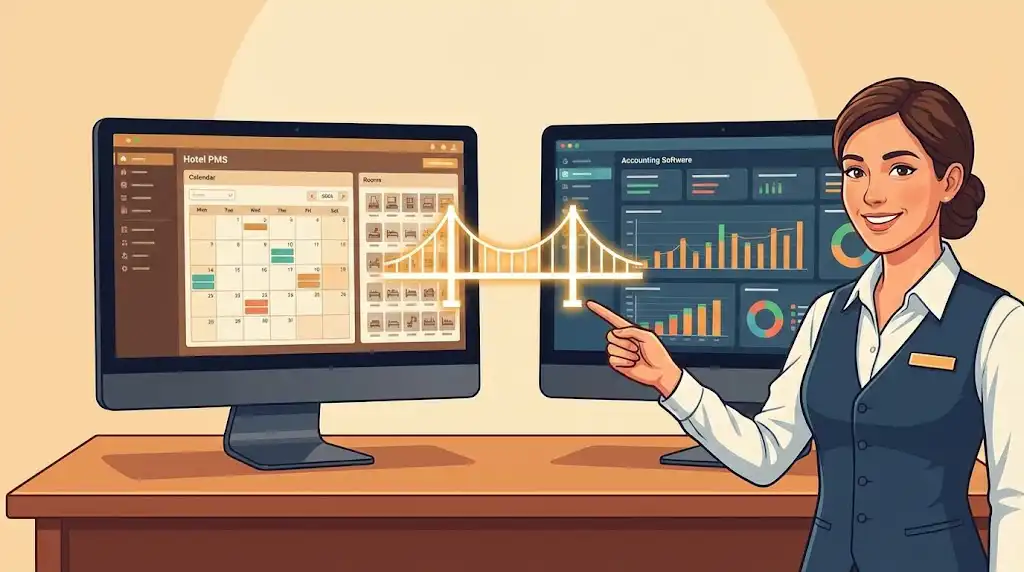
The hospitality industry has evolved a lot since 2020. There are still not enough workers, labor expenses have gone up a lot, and owners want quick financial performance statistics, not quarterly summaries that come weeks after the event.
But a lot of independent hotels still shut the month 10 to 15 days late. Why? Because their finance team works for hours:
Hospitality finance leaders say that manual reconciliation can take up to 70% of a finance team's work. That's time wasted entering data instead of using forecasting tools, doing strategic research, or making the company's finances better.
Automated hotel accounting software addresses these pain points directly:
When your accounting systems run on autopilot, your back office operations transform from a bottleneck into a strategic asset.
Automating hotel accounting doesn't mean getting rid of people who work in it. This implies linking your operational systems to your ledger so that routine entries can be made without having to type them in by hand.
Here’s how a typical automated day looks:
The mapping configuration is where the magic happens. There is a specific GL account for each revenue code in your PMS, such as Room Revenue, F&B - Restaurant, Spa Services, and so on. There is a liability account for each tax code. There is a bank or clearing account for each payment method.
You only have to set up these mappings once during implementation. After that, the system publishes itself every night with clear records of what happened.
Modern automated accounting software for hotels also streamlines bank reconciliation:
Some platforms now incorporate AI-driven capabilities for:
These features add another layer of accuracy and provide actionable insights that help hotel executives make informed decisions.
If you’re evaluating solutions for your property, this checklist covers the must-have capabilities for independent hotels and small groups.
| Feature | Why It Matters |
|---|---|
| PMS/POS integration | Eliminates manual exports and ensures accurate data capture |
| Multi-property consolidation | Single dashboard for portfolio oversight |
| USALI-ready reporting | Industry-standard departmental structure for benchmarking |
| Automated AP/AR | Streamlines accounts payable, accounts receivable, and payment automation |
| Cash and bank reconciliation | Matches transactions automatically, flags exceptions |
| Budgeting and forecasting tools | Enables data driven decisions and scenario planning |
| Fixed asset management | Tracks depreciation and capital expenditures |
| Real time dashboards | Shows RevPAR, GOP, labor cost %, and departmental P&L without Excel |
Your auditors, lenders, and owners expect transparency. Look for:
The best accounting software provides an intuitive dashboard where you can monitor cash flow, track revenue by department, and view performance metrics at a glance—without exporting to spreadsheets.
Theory is useful, but practical examples show what automation actually delivers. Here are three scenarios based on common hospitality businesses.
There is a restaurant, a pool bar, and a spa at a 75-room hotel on the Costa Brava. Before automation, their finance team had to spend 12 days each month closing the books. They had to manually export PMS data, re-key transactions, and check that F&B matched bank statements.
After installing automated hotel accounting software that works with the hotel's own PMS, nightly revenue uploads automatically. The month-end close went down to four days. The controller now uses that extra time to do cost analysis and forecasts instead of entering data.
A 200-room hotel with three restaurants, a rooftop bar, and banquet facilities generates hundreds of F&B transactions daily. Syncing the POS to the accounting module automates:
What previously required a full-time accounts receivable clerk now runs on autopilot with exception-based review.
A hospitality company that has hotels in Thailand, Vietnam, and Indonesia needs to combine financial data for discussions with owners. With old methods, they made quarterly reports that came 3–4 weeks after the end of the period.
Automated multi-property accounting made it possible to combine accounts every day. Now they hold weekly owner calls with new figures, compare RevPAR and GOP across locations, and find outlets that aren't doing well in almost real time.
Choosing the right accounting solution requires honest assessment of your current pain points and clear criteria for evaluation.
Before demos, document where you lose time:
When comparing solutions, prioritize:
Prepare specific questions that reveal actual capability:
Independent hotels should look for solutions that start with one property and scale as your business grows. Avoid platforms that require enterprise-level commitments before you’ve proven the value.
There’s a fundamental difference between systems that were designed together and systems connected through file exports or third-party middleware.
When your PMS, POS, and accounting platform come from different vendors with loose integrations, you encounter:
When PMS, POS, and accounting share a unified data model:
Prostay was designed as an all-in-one platform where PMS, POS (Tableview), and accounting share exactly this kind of unified architecture.
Prostay PMS is an all-in-one system that handles reservations, front-office tasks, cleaning, and distribution through its channel manager and booking engine. The platform is for independent hotels, resorts, hostels, vacation rentals, and multi-property groups that want to have centralized control while yet being able to make changes at the property level.
Prostay's native accounting module is what makes it different. It's not a third-party integration; it's a purpose-built financial layer that turns hotel operations into fully automated journal entries.
For properties with F&B operations, Prostay’s Tableview POS captures every transaction at outlets—restaurants, bars, spas, and retail. These transactions automatically post to the accounting module with:
Hotels using Prostay’s fully integrated stack experience:
Understanding the daily workflow clarifies how automation actually functions in practice.
During implementation, you configure:
After go-live, Prostay posts automatically every night with complete audit trails. Your finance team reviews exceptions rather than processing routine entries.
Prostay reconciles payments by:
The accounting module generates:
No more exporting to Excel, reformatting, and emailing manually.
Automation handles 80–90% of routine postings, but your team retains full control:
The business impact extends beyond convenience. Here’s what hotels experience after implementing Prostay’s integrated accounting.
| Benefit | Impact |
|---|---|
| Shorter close cycles | Month-end in 3–5 days instead of 10–15 |
| Fewer manual errors | Reduced discrepancies and audit findings |
| Time for analysis | Finance team focuses on forecasting, not data cleanup |
| Real time financial insights | Departmental P&L available daily, not monthly |
| Better operational costs tracking | Labor costs visible against revenue in near real time |
| Benefit | Impact |
|---|---|
| Consolidated dashboards | All properties visible in one platform |
| Portfolio-level KPIs | Compare RevPAR, GOPPAR, TRevPAR across locations |
| Standardized charts of accounts | Apples-to-apples comparison between hotels |
| Faster owner reporting | Weekly calls with fresh data instead of quarterly reviews |
| Reduced IT overhead | One vendor, one support team, one training curriculum |
Night auditors spend less time exporting data and more time helping guests. Hotel finance departments move from processing transactions to analyzing strategies. Instead of keeping up with spreadsheets, controllers focus on business intelligence and making more money.
“Before Prostay, I spent the first two weeks of every month just getting the numbers right. Now I close by day 5 and spend the rest of the month actually analyzing what’s happening in the business.”
Rollout follows a structured approach designed to minimize disruption while ensuring accurate configuration.
| Property Type | Typical Timeline |
|---|---|
| Single independent hotel (50–150 rooms) | 4–6 weeks |
| Small multi-property group (2–5 properties) | 2–3 months |
| Larger portfolios or complex operations | 3–6 months depending on scope |
Implementation includes:
Speed your implementation by preparing:
Not every hotel needs enterprise-level automation. But more properties benefit than you might expect.
Automation delivers the strongest ROI when you:
Ask yourself:
If the answers concern you, automation is likely worthwhile.
You don’t need to be a large chain. Even a 40–80 room independent hotel gains from:
The way Prostay is set up allows you start where you need the most help. Start with PMS or POS, then add the accounting module when you're ready. Over time, you can add guest messaging, business information, or other properties. As your business expands, the platform grows with it.
Automated hotel accounting software changes the way hotels and other hospitality firms keep track of their money. You close faster, report more correctly, and focus on what really makes money instead of spending weeks entering and reconciling data by hand.
Prostay makes this automation possible by having PMS, Tableview POS, and the accounting module all work together as one platform, with one data model and one vendor connection.
Book a demo with Prostay if you want to see how automated accounting works in your situation. Go over your daily tasks, examine how your income codes might go together, and see what the end of the month may be like with the correct tools.
Spreadsheets and manual exports are not good enough for your hotel's finances. Let Prostay show you what you can do.